Audi R8 LMS EVO II GT3
Explore source-backed information and braking guidance for Audi R8 LMS EVO II GT3 in iRacing.
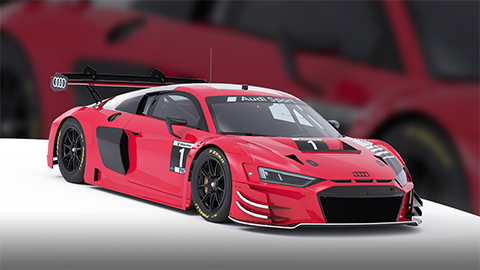
Image © iRacing.com Motorsport Simulations
Quick reference
Chassis
Power
Brakes
Setup
Advanced
How the Audi R8 LMS EVO II GT3 Handles Braking
The Audi R8 LMS EVO II GT3 offers comprehensive brake tuning through adjustable master cylinder sizes, three brake pad compounds (Low, Medium, High), and in-car brake bias adjustment. The dual master cylinder system creates an inherent bias based on size differential—larger front cylinders reduce front line pressure and shift bias rearward, while the inverse moves it forward. This mechanical bias interacts with your electronic brake bias setting (displayed as percentage to front brakes), meaning different cylinder combinations require different bias values to achieve the same balance.
Brake bias tuning is intimately connected to aerodynamic platform stability. During heavy braking, rear ride height increases as weight transfers forward—if this exceeds your target dynamic height, you'll experience both a forward aero balance shift and total downforce loss, creating instability exactly when you need confidence. This relationship means your optimal brake bias must account for chassis pitch behavior, not just front-to-rear grip distribution.
The ABS system offers 12 positions: 1–6 for dry slicks, 7–11 for wet conditions and 12 to disable the system. Within the active ranges, higher settings provide more intervention. Low brake pads provide less friction and more modulation; Medium and High increase friction while reducing modulation.
Stop Guessing, Start Improving
Many drivers slam the brakes with all their strength, but the fastest modulate pressure, use the brake to rotate the car, and exit as fast as possible. Train that skill here.
Train Anywhere, Anytime
Browser-based training works with any racing pedals or controllers. Fanatec, Thrustmaster, Logitech, Simucube — no installation required.
Pro-Designed Exercises
Access exercises created by professional sim racers like Suellio Almeida. Learn the exact braking patterns used by the fastest drivers.
Import Audi R8 LMS EVO II GT3 Telemetry
Drop your Garage61 lap CSV and extract braking data for every corner. Generate personalized practice exercises based on YOUR telemetry, not generic patterns.
Track Your Progress
View session history, performance trends, and best scores. Watch yourself improve over time and stay motivated to practice.
And There's Much More
Improve your braking technique with this car and much more:
Create Custom Exercises
Build from templates, draw brake curves, or record with your pedal
Schedule Your Training
Plan practice sessions and track your consistency across weeks
Brake Master Ratings
Earn rankings and compete on leaderboards as you improve
Exercises & Progress Tracking
Practice exercises and track your progress completely free.
No install needed • Works in browser
General practice tips
Tip 1
Starting point
Start with the official setup and consult the simulator documentation for available controls. Appropriate brake bias depends on the car and conditions.
Tip 2
One variable
Change one setting at a time and compare several laps. Record the change and observed behavior before keeping it.
Tip 3
Comparable conditions
Compare similar fuel loads, tires and track conditions. One lap alone does not establish that a setting is better.
Frequently asked questions
General guidance for practicing and consulting car-specific sources.
Where can I find settings for the Audi R8 LMS EVO II GT3?
Where can I find settings for the Audi R8 LMS EVO II GT3?
How should I compare a setup change?
How should I compare a setup change?
How can I practice pedal control?
How can I practice pedal control?
Explore MoreGT3 Cars
Similar cars you might be interested in learning
Ready to Master the Audi R8 LMS EVO II GT3?
Put this knowledge into practice with Braking Lab's interactive brake training exercises. Import your telemetry and get personalized feedback.