Capture
Talk to your telemetry. Improve. Repeat.
A Windows app for iRacing and Le Mans Ultimate. It records your sessions, analyzes every lap and lets you ask Ray, your Race Engineer, where you lose time. Capture needs Plus or Ultra.
Download Capture only from brakinglab.com.
Key Features
Record, analyze, and ask
Capture runs in the background while you drive. When you stop, your laps are ready to analyze and to discuss with your Race Engineer.
-
Automatic Capture
Capture finds new iRacing and Le Mans Ultimate sessions as the sim saves them. You do not export anything by hand.
-
Analysis in Capture
A lap list, a track map and one lane per channel. Compare any lap with a reference and open each braking zone.
-
Your Race Engineer
Ask Ray where you lose time. Ray runs on Claude Code, Codex or Gemini CLI, with your own subscription.
-
Cloud Sync
Sessions upload in the background, so your laps are also ready in the Braking Lab web app on any device.
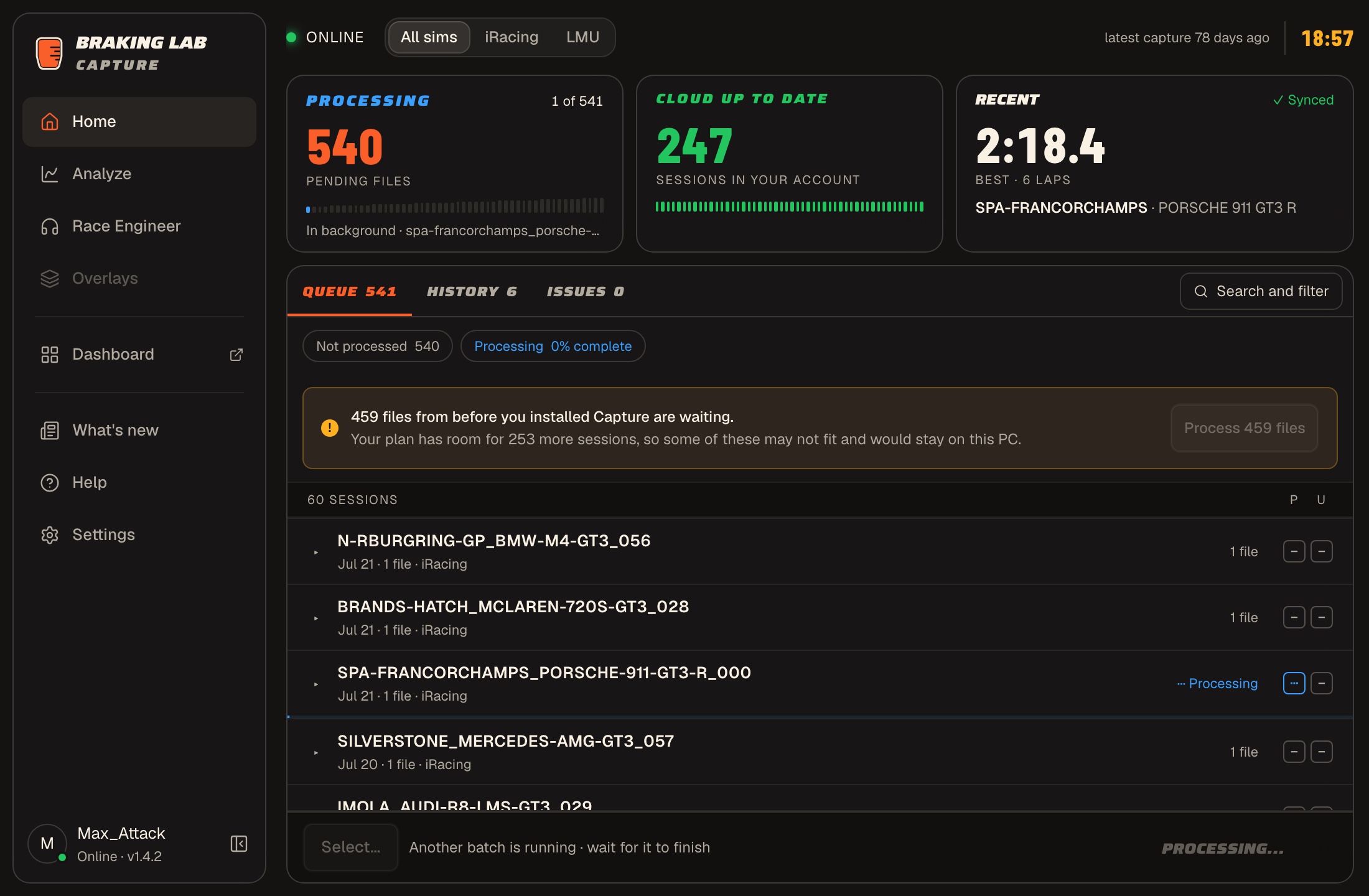
Automatic Telemetry Capture
Capture watches your iRacing and Le Mans Ultimate telemetry folders and processes each new session when it ends.
- Reads iRacing .ibt files and Le Mans Ultimate telemetry as the sim saves them
- Extracts braking zones at the sim's own sample rate: 60 Hz in iRacing, 100 Hz in Le Mans Ultimate
- Telemetry from before you installed Capture waits in the Queue until you process it in batches
- One Pause Capture switch pauses everything, including a batch you started by hand
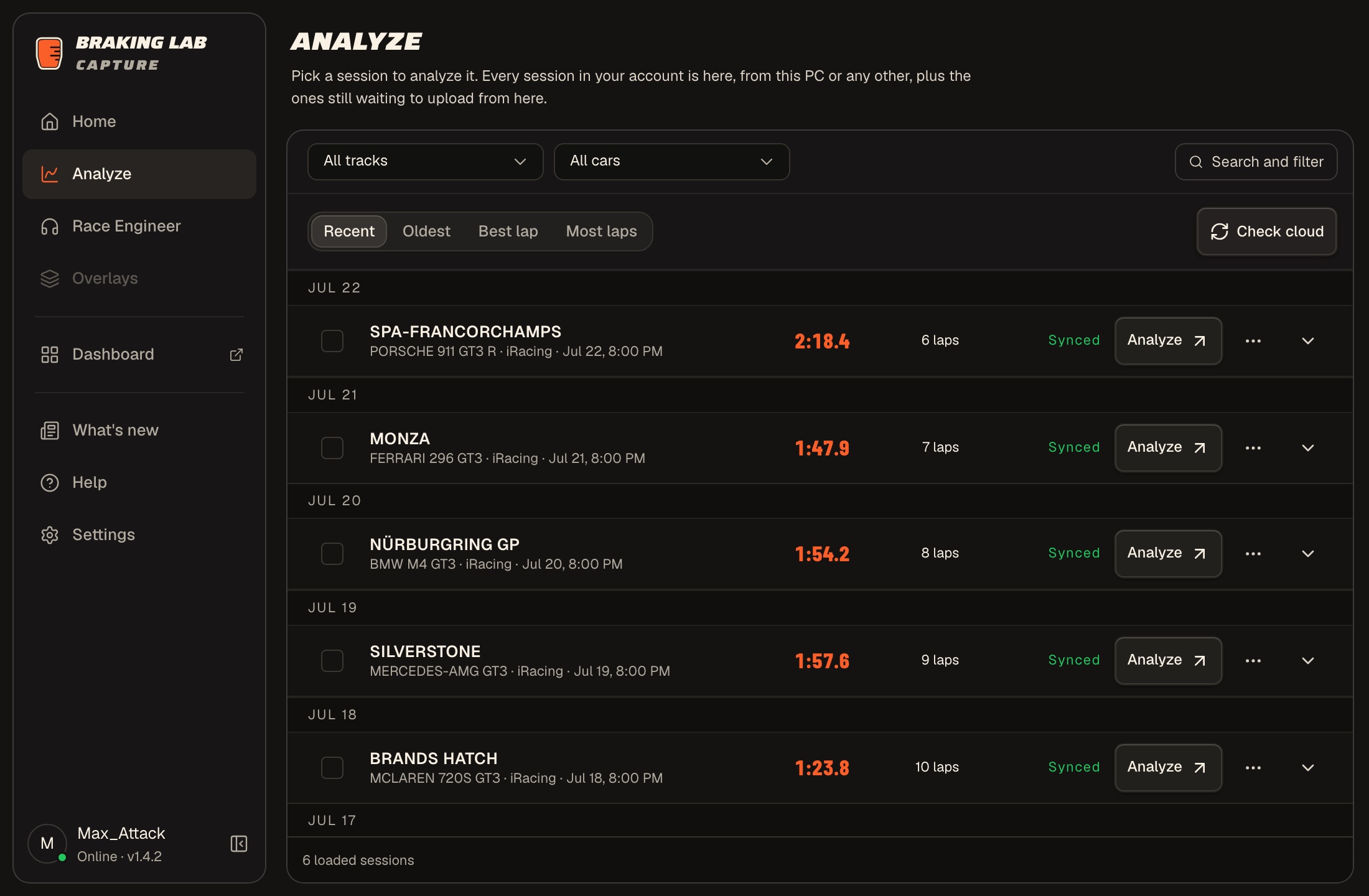
Analysis Inside Capture
Analyze on a History row opens the session in Capture. You do not need to open the website to study a lap.
- Lap list with pace, best sectors and theoretical best
- Track map colored by inputs, speed, brake or throttle, plus one lane each for throttle, brake, gear, steering, RPM and yaw rate
- Compare with a lap from the same session, from your other sessions, from the leaderboard or from a Garage61 CSV export
- Open a braking zone to see entry and minimum speed, peak brake and duration, and turn a corner of your own lap into an exercise
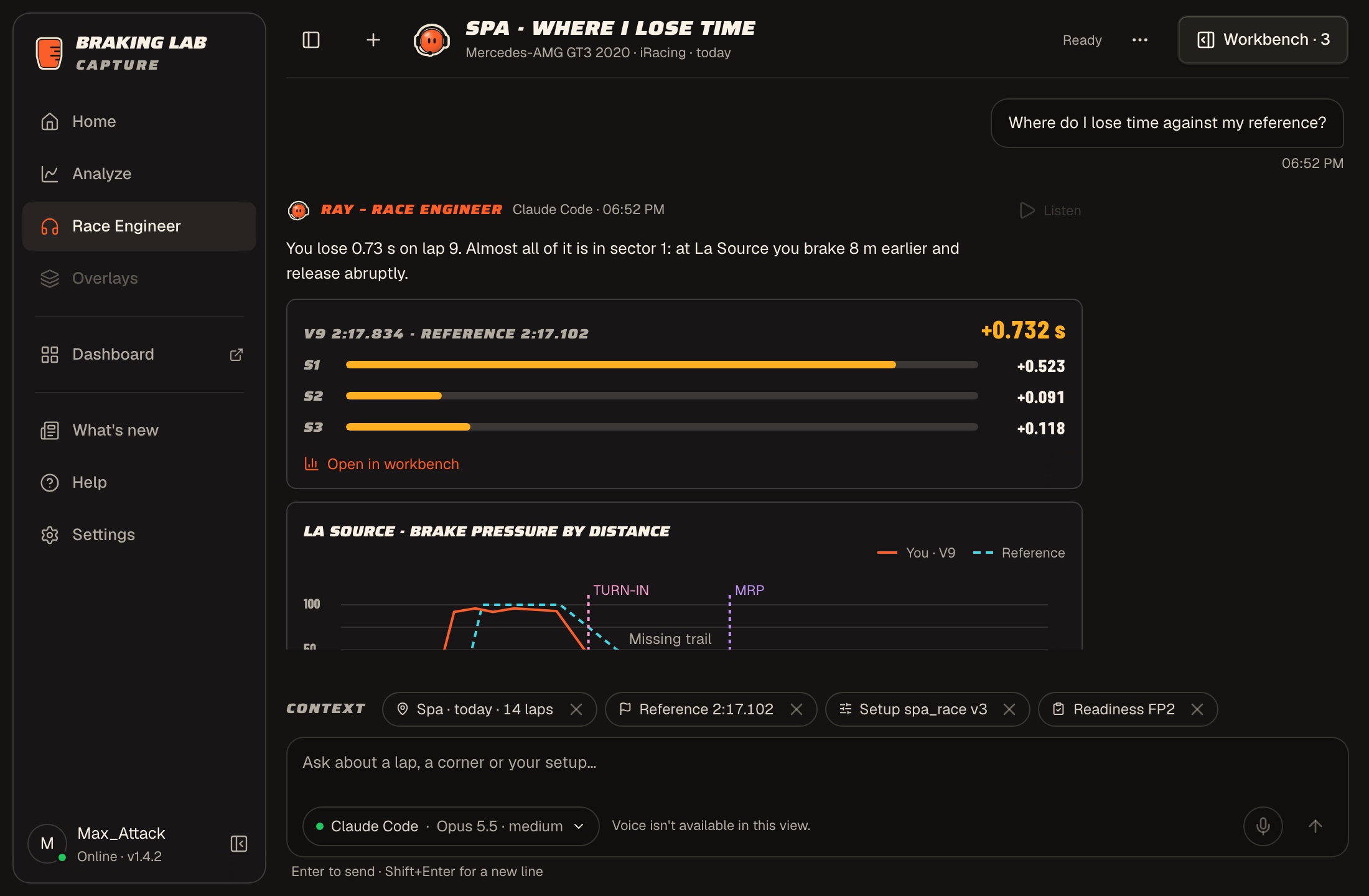
A Race Engineer You Can Ask
Ray reads your sessions, laps, setups and reports in Braking Lab. Capture runs the official CLI of the AI you already pay for, on your computer.
- Works with Claude Code on a personal Claude Pro or Max plan, Codex with your ChatGPT account, or Gemini CLI with your Google account
- Capture draws the charts in each reply from your laps. Ray never writes their numbers, and anything Ray estimates is marked as an estimate
- Ray can show a setup version and what changed between two. Saving a new setup version always asks you first
- You sign in on your AI's own page in your browser. Capture never sees your password, and conversations stay on your computer
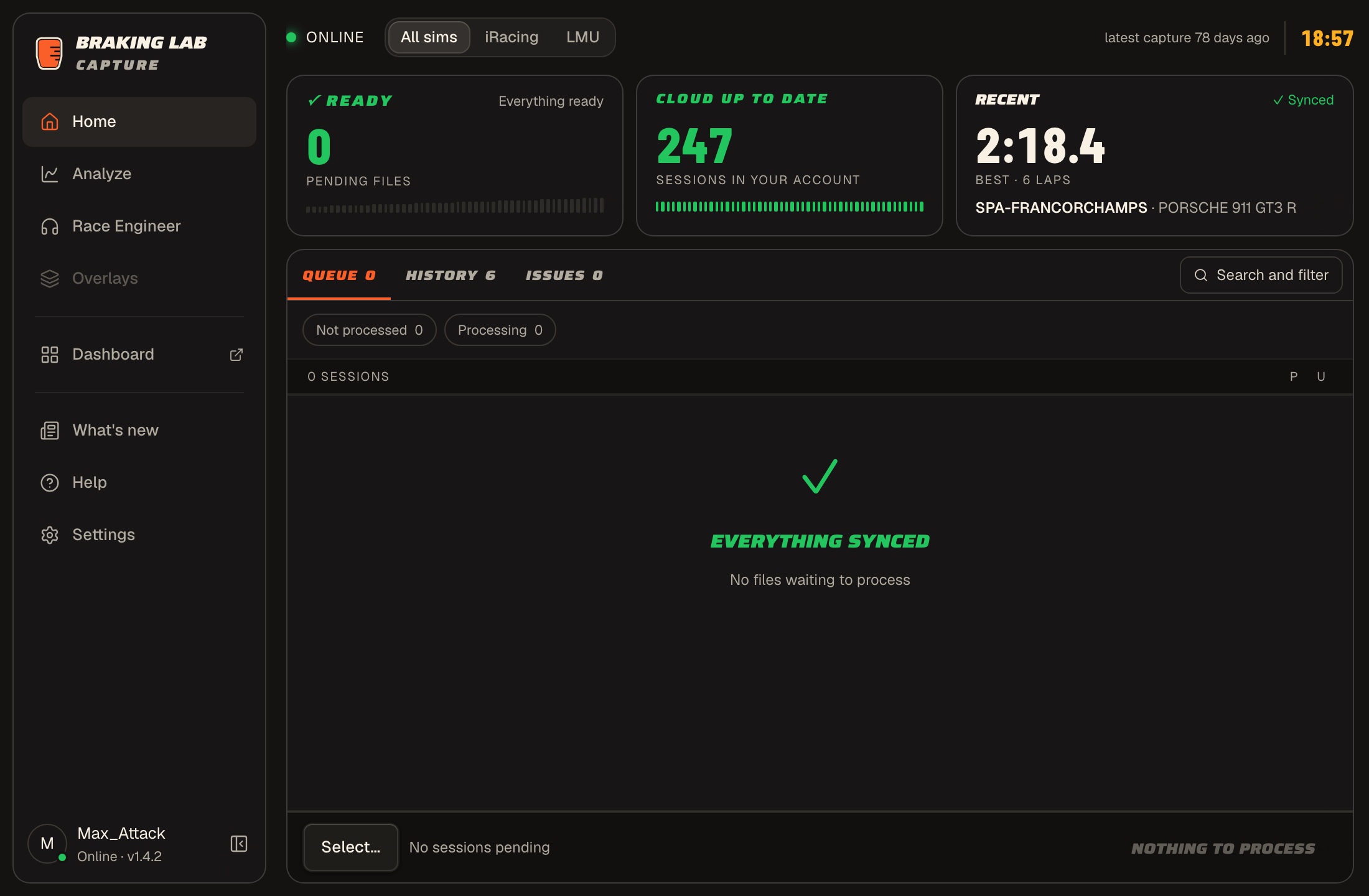
Reliable Cloud Sync
Your sessions upload in the background and wait while you are offline.
- Today's sessions upload first, ahead of older history
- Braking zones, reports and race links upload only after your account has the session, so a late upload loses nothing
- A session you delete on the web stays deleted
- Synced sessions are ready in the Braking Lab web app on any device
Capture FAQ
What operating systems are supported?
Capture runs on Windows only, like iRacing and Le Mans Ultimate. Download it only from brakinglab.com.
Does it affect game performance?
Capture reads the telemetry files after your session, not while you race, so it stays out of the sim's way.
Which account do I need?
Anyone can download Capture, but you need a Plus or Ultra plan to use it. On a Basic account, the first-run setup says so and lets you check again after you change plan. Synced sessions also appear in the web app.
What data does it capture?
Brake, throttle, speed, steering, G-forces, GPS coordinates, gear, RPM, yaw rate, and more — at the sim's own rate: 60 Hz in iRacing, 100 Hz in Le Mans Ultimate.
How do I set up my sim for telemetry?
Turn on telemetry recording once. In iRacing, enable telemetry saving in the options. In Le Mans Ultimate, enable Record Telemetry in Settings > Gameplay. Capture then checks that it can find your telemetry folder and files.
Which AI does the Race Engineer need?
Claude Code on a personal Claude Pro or Max plan, Codex with your ChatGPT account, or Gemini CLI with your Google account. Capture downloads the official CLI and you sign in on your AI's page in your browser. The usage counts against your AI plan.
Where are my conversations with the Race Engineer stored?
On your computer. You can delete one conversation or all of them in Capture. Your questions and the data Ray reads go to your AI provider through its own CLI, as with any other use of that AI.
Ready to capture and analyze your laps?
Free download for Windows. Works with iRacing and Le Mans Ultimate. Capture needs Plus or Ultra.
Download Capture only from brakinglab.com.
Explore other features
- Brake Training Exercises against a target, with live feedback
- Brake Master Brake exercises, licenses and leaderboards
- Setups Setup changes you test on track
- Vault Setups, hardware and lap times in one place
- Teams Exercises, telemetry and notes, shared
- Race Calendar Your races and a plan for each one
- Track Notes Track maps with your corner notes
- Telemetry Braking zones and lap comparison
- Race Engineer AI coaching from your own laps
- Sim Planner iRacing series, stats and what to buy