




-
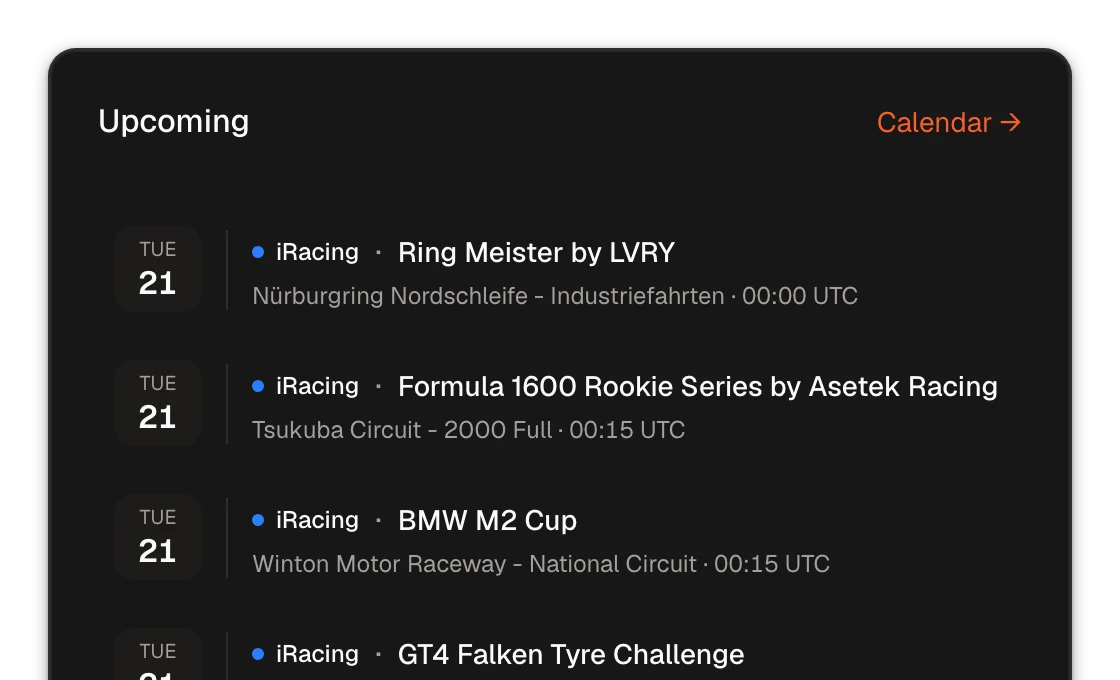
Follow the iRacing and Le Mans Ultimate series you race, and the Pitwall shows their next races: your race schedule at a glance, with nothing to organize. Pick one and it goes on the calendar, with race day as the deadline.
-
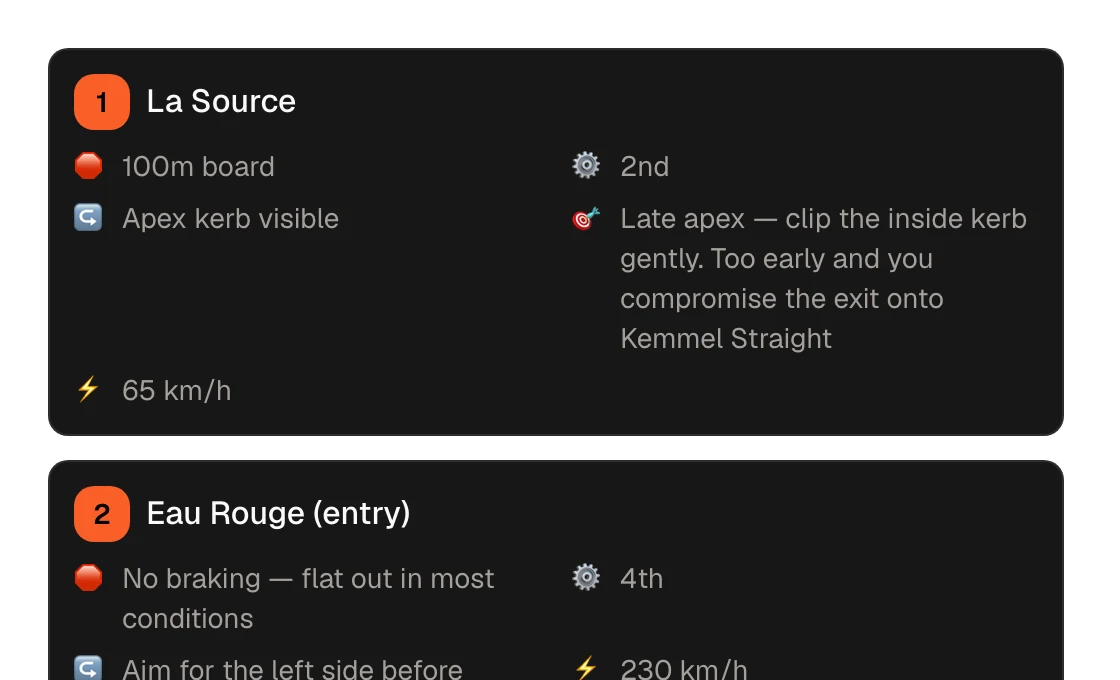
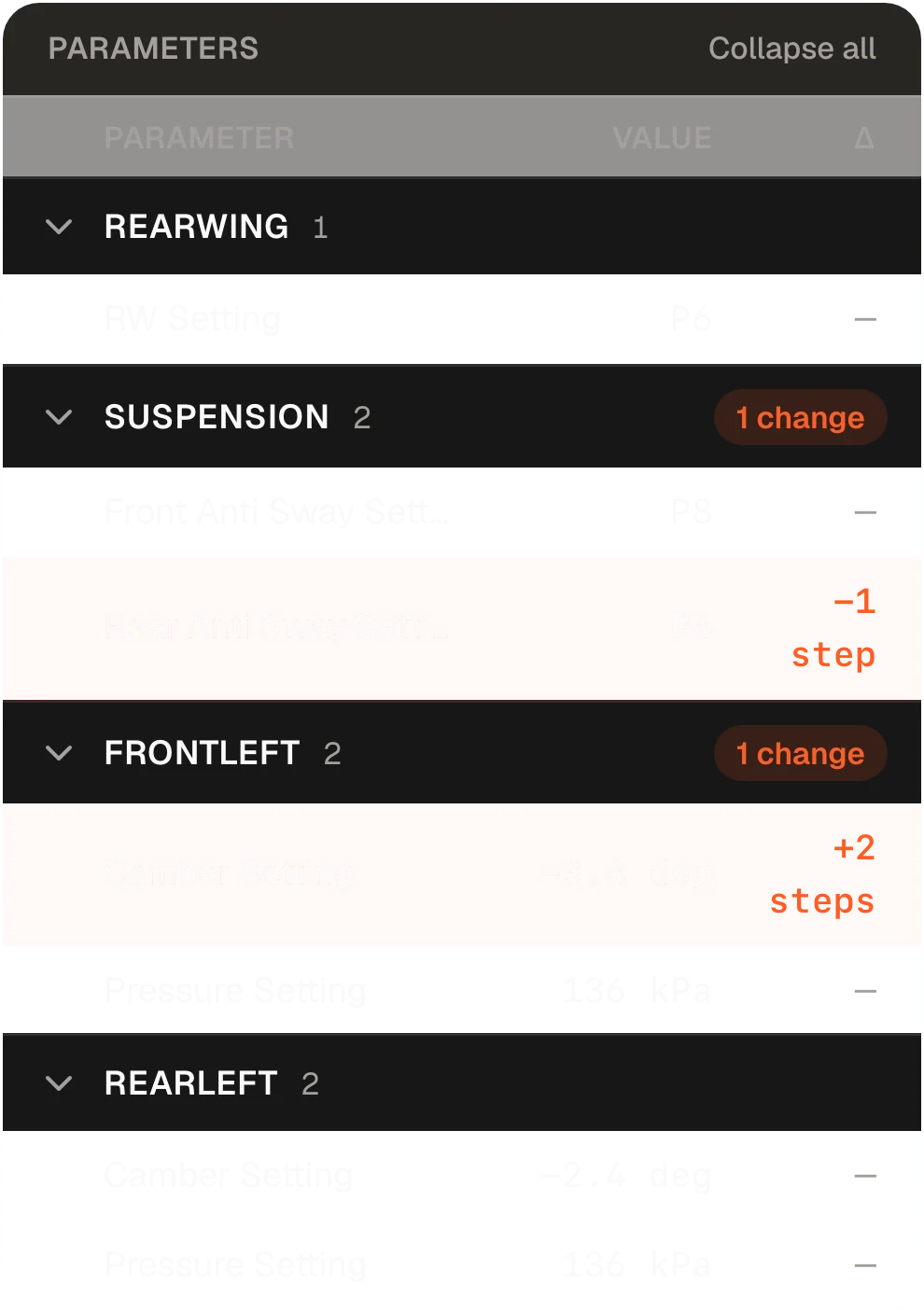
Make Track Notes—a notebook for each car and track combo—from a reference lap. Record only what you need on track: braking points, gears, turn-in points, maximum rotation and track limits. You arrive knowing what to do in each corner, so from the first lap you can focus on finding grip, speed and rhythm. Ten minutes of preparation save you hours whenever the combo comes back.
Track Notes 10 min back per race
-
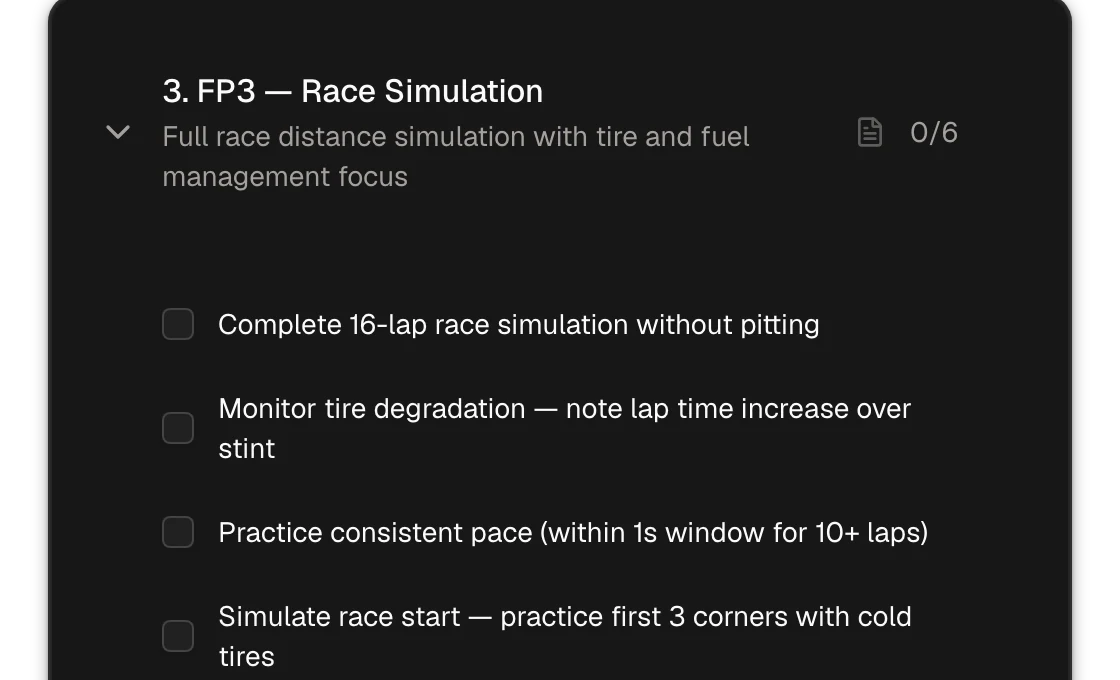
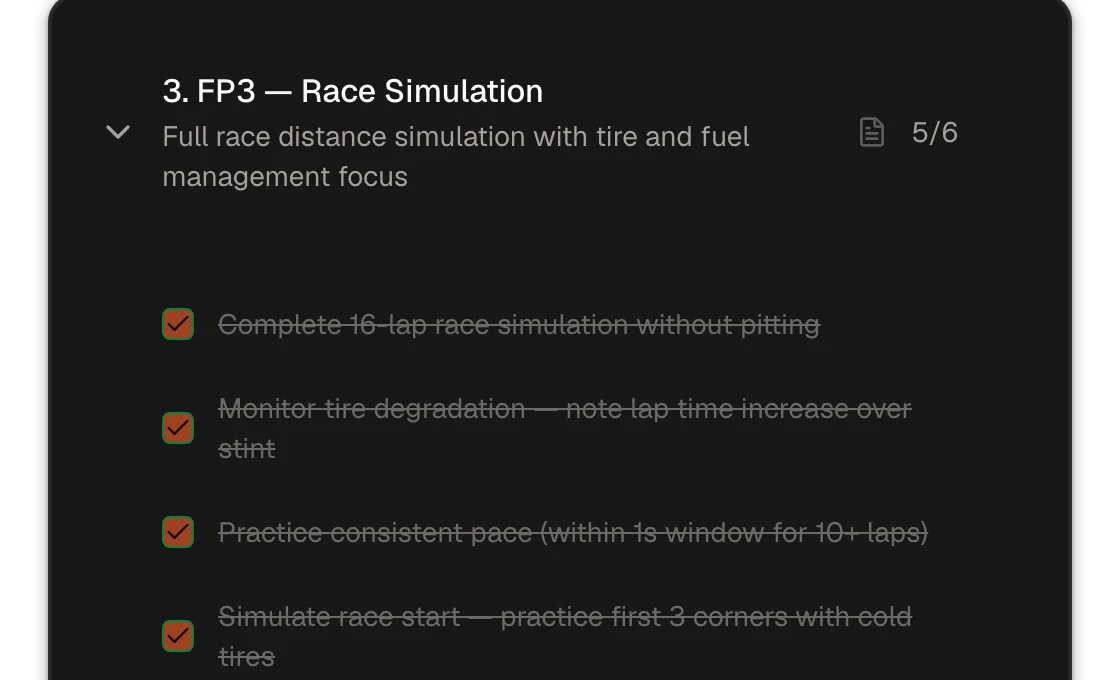
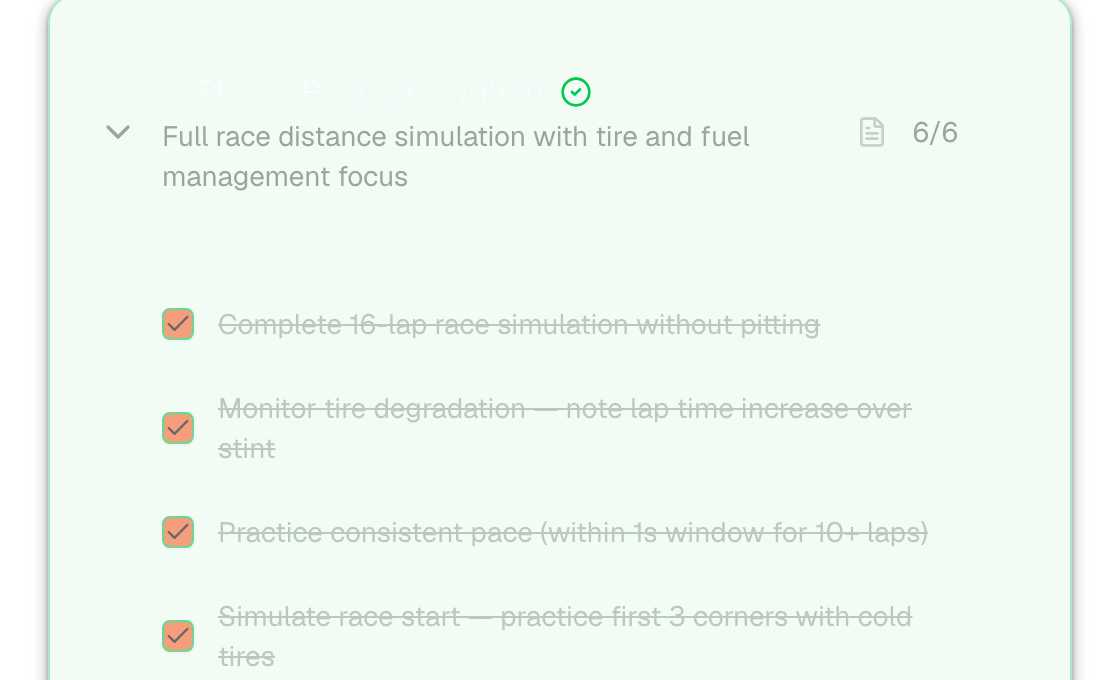
Here is the heart of it: instead of heading out without a plan, give every session a goal. Learn the circuit, find speed, then build consistency. The plan fits how well you know the combo and the time you have, with a goal and a limit for each stint. Your reference can be a leaderboard lap close to your pace.
FP1 to FP3 1 h – 3 h back per race
-
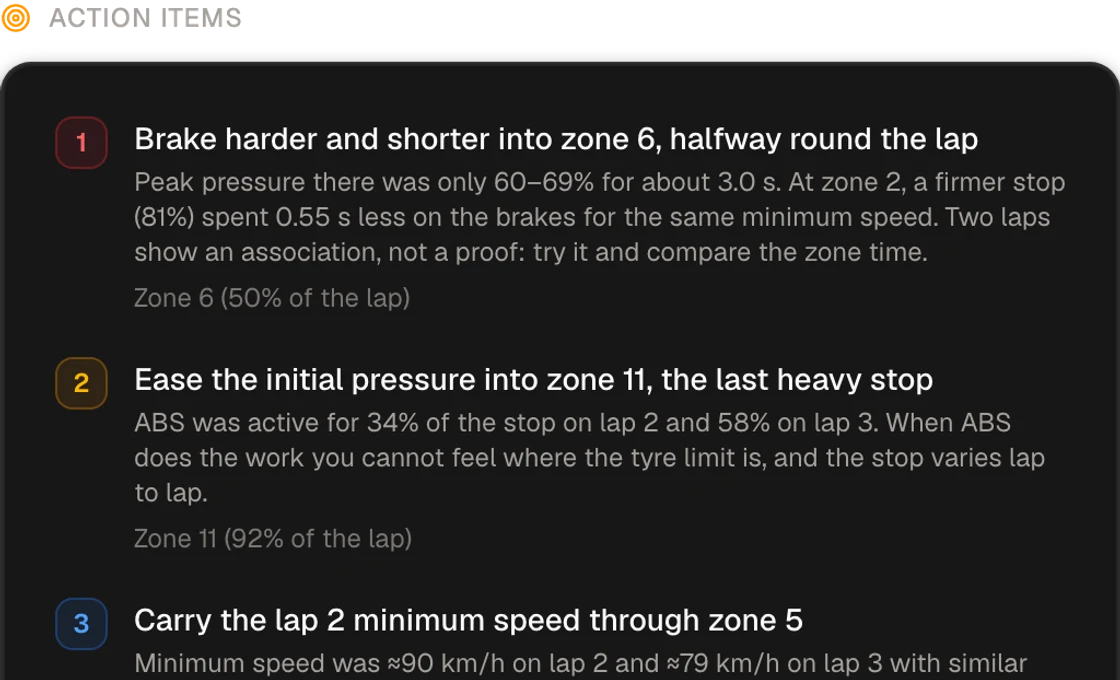
Study your own telemetry between stints. When something is unclear, talk through your data with your AI agent and the Race Engineer to find where you can improve and what to try next. It is like talking to your race engineer while you practice.
-
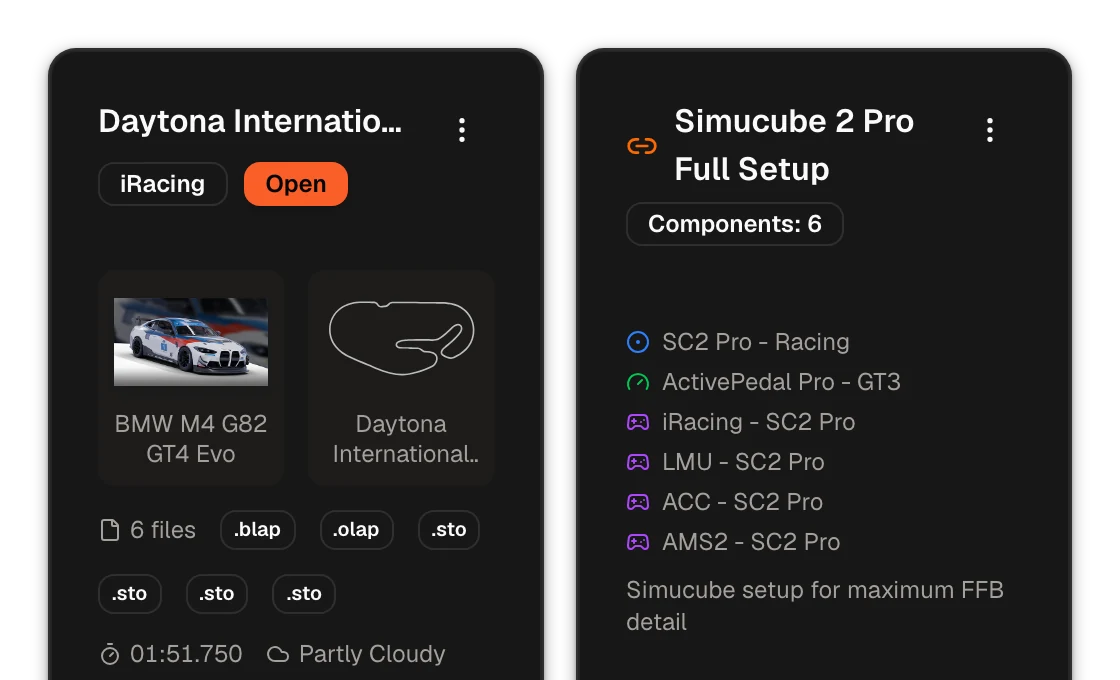
Notes, laps, reports and setups stay saved, so the next time the combo comes back you start from there. The Vault keeps your setups, and you can build new ones with AI through MCP.
Race prep and brake training for iRacing and LMU
You built a serious rig. Braking Lab makes it pay off.
Braking Lab helps you race more and race better by saving you hours of preparation every month. Preparing stops being a frustration and becomes part of the fun, and you reach the grid with your best pace.
What this hobby costs you
- money€950 to start, and it never endsfor the rig, so far
Every upgrade was going to be the one that made you faster.
- time4 ha week, if you’re lucky
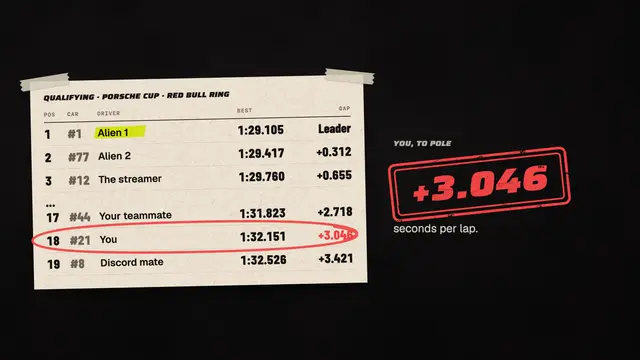
The problem is that you measure yourself straight against aliens.
- result+3.0 sto the leader
But their time is only a consequence. Behind it are full-time dedication to sim racing, talent and perfect conditions.
- tollFUNrunning low
And the thing you do to switch off starts giving you anxiety. You stop enjoying your passion.
You take care of the rig. Braking Lab helps with the other three.
The mistake we all make
Stop measuring yourself against the best.
Many coaching apps are built for drivers trying to match the very best. Braking Lab is for drivers like you who take racing seriously, but race as a hobby and for fun. Find your own level and make the most of it: clean races, progress step by step, and enjoyment every time you head out on track.
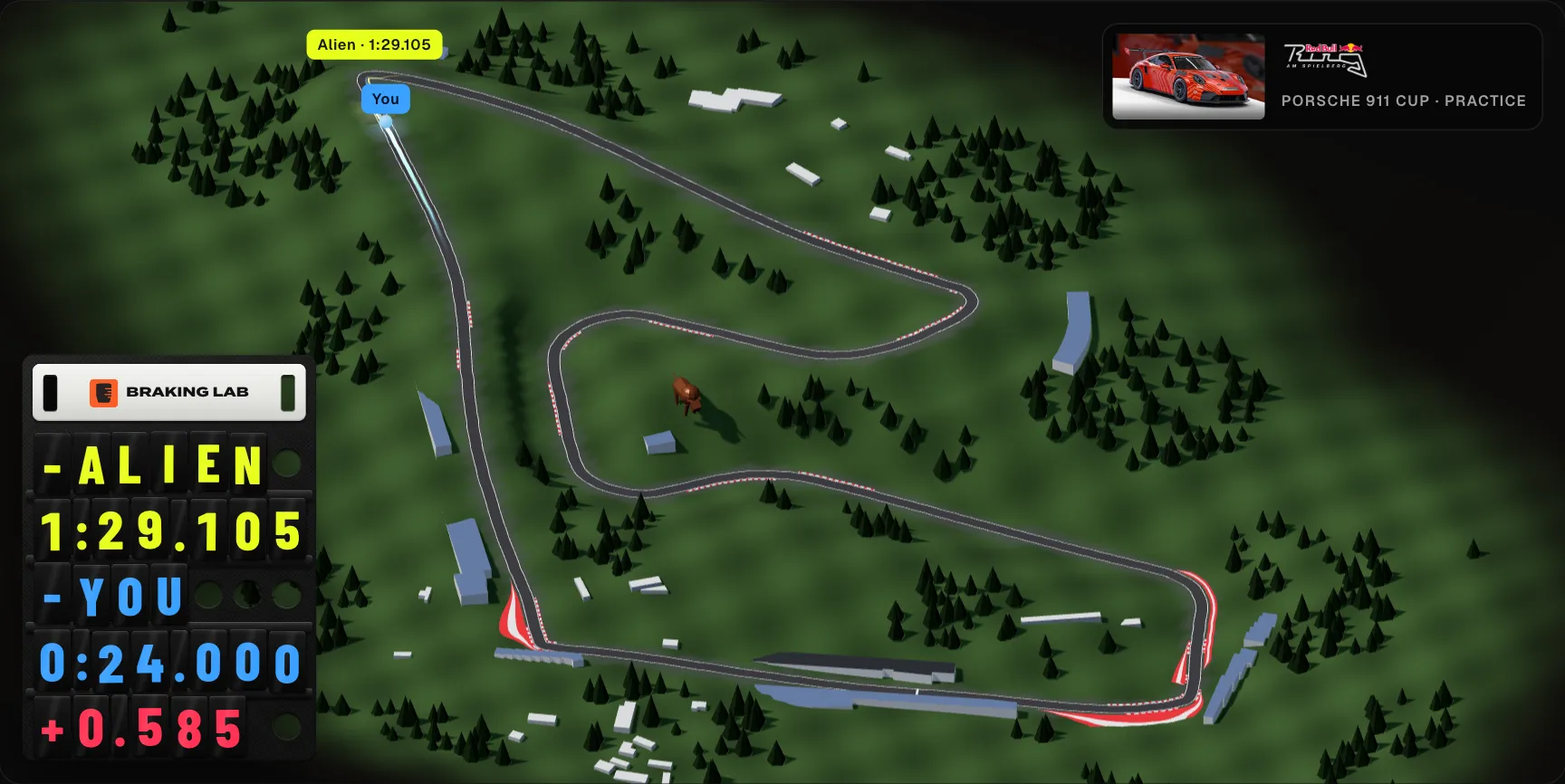
Circuit buildings © OpenStreetMap contributors
- lap1:29.105an alien’s lap, on video
You watch an alien’s onboard. It shows where they brake and turn in, not how they do it. It’s out of reach before you even start.
- tracetheir speed out of a corner, over yours
When you use their telemetry as a reference, you are looking at the result of thousands of hours in the cockpit, talent, full-time dedication and top-level skill. Without all that, those lines will not tell you how to improve.
- jobbehind their lap, not yours
- Daily hours
- Tuned rig
- Sponsors
- A team
Their lap is a job: hours on track every day, a rig calibrated to the last detail, brand support, a team behind them and a deep understanding of the sim’s particular behaviour.
- You14xincidents, and still +3.0 s a lap
So you go out, seconds behind, and go off again and again trying to copy their traces. You don’t learn, you don’t improve, and you stop enjoying it.
How Braking Lab helps
Use the whole system, or only the tools you need
Braking Lab works best as a system. You can also use each tool on its own, whenever and however you need it.
The system
The tools
- Brake exercises Basic
Train your braking with ready-made exercises
66 exercises in 15 collections: by technique, by car and by the Almeida Racing Academy coaches, plus your own.
Try the exercisesThreshold 90% - Trail Release 0% → 90% → hold → trail (3s) Intermediate Full Pressure Build 0% → 100% in 4 seconds Intermediate Hold 50% Hold at 50% for 10 seconds Beginner Standard Trail Brake 100% → 0% in 2.5 seconds Intermediate Throttle Lift & Resume 90% → 80% → 100% (5s) Advanced Race Corner Exit Trail → apex pause → throttle (3.5s) Intermediate Standing Start - Progressive Progressive launch technique Intermediate Medium Callouts Standard tolerance, varied targets Intermediate Basic Steps 3 steps, slow transitions Beginner GT3 Heavy Braking Zone Buildup → 80% threshold → gradual trail (3s) Intermediate Formula Heavy Braking Zone Aggressive hit → sloped threshold → trail (2s) Advanced Prototype Heavy Braking Zone Aggressive hit → sloped threshold → trail (2.5s) Intermediate Touring Heavy Braking Zone Buildup → 70% threshold → smooth trail (3s) Intermediate GT4 Heavy Braking Zone Buildup → 60% threshold → very gradual trail (3.5s) Beginner Heavy LDF - Maximum Threshold Ramp to 95% → extended hold → trail (4.5s) Advanced Custom Trail Brake Drawn in the curve editor Custom By technique
By car
Also
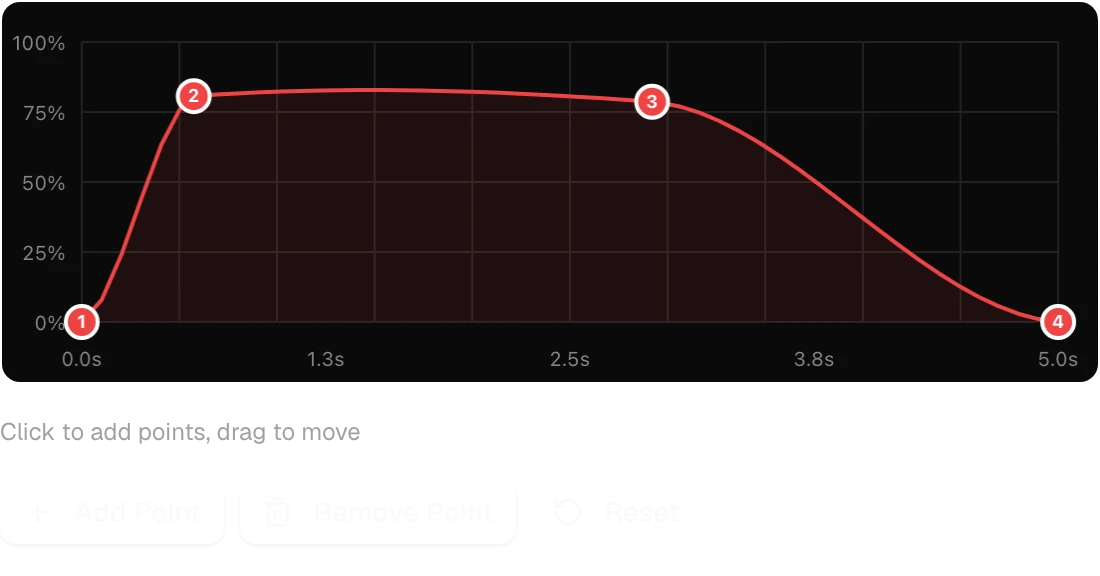
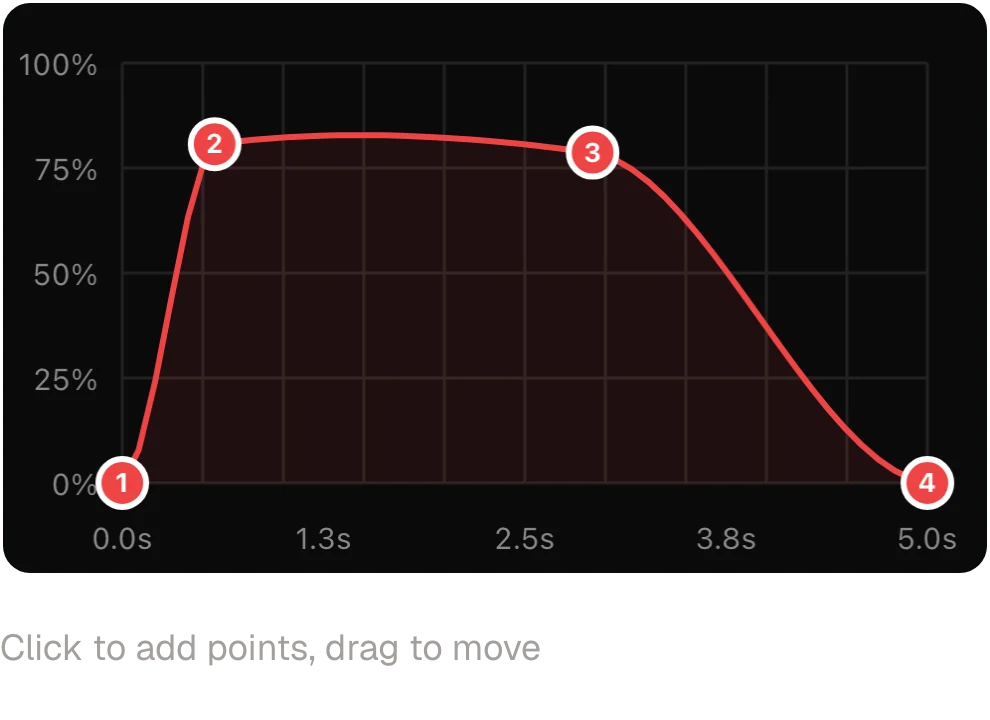
- Custom exercises Basic
Practice the corner that costs you time
Your own targets: a template, a drawing or, on Plus, a braking zone from your laps.
Build your ownBuild it from
Pedal
- Telemetry analysis Plus
See where the time went
Compare any two laps on the track map, braking zone by braking zone. Capture uploads them for you.
Explore the telemetry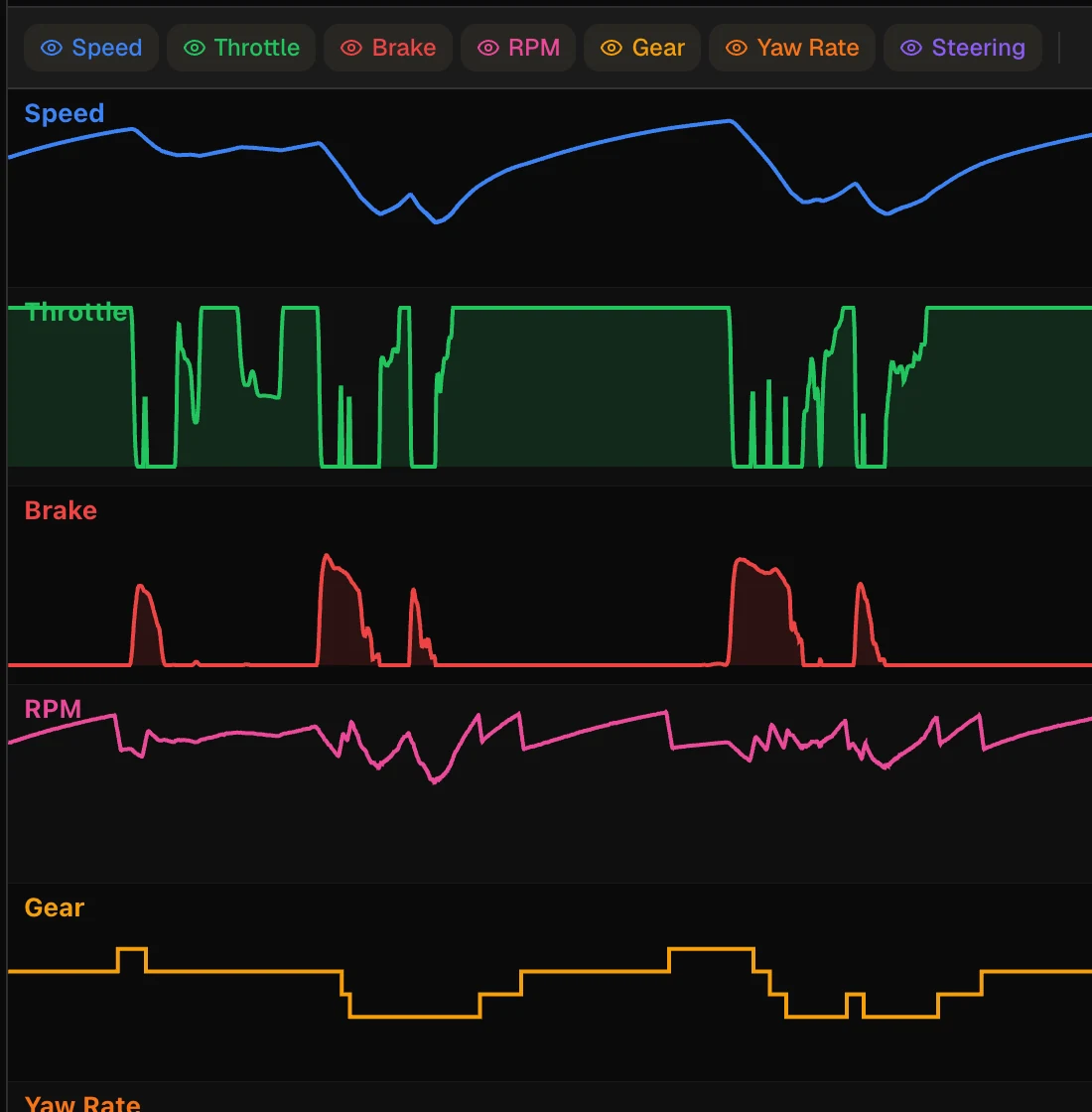
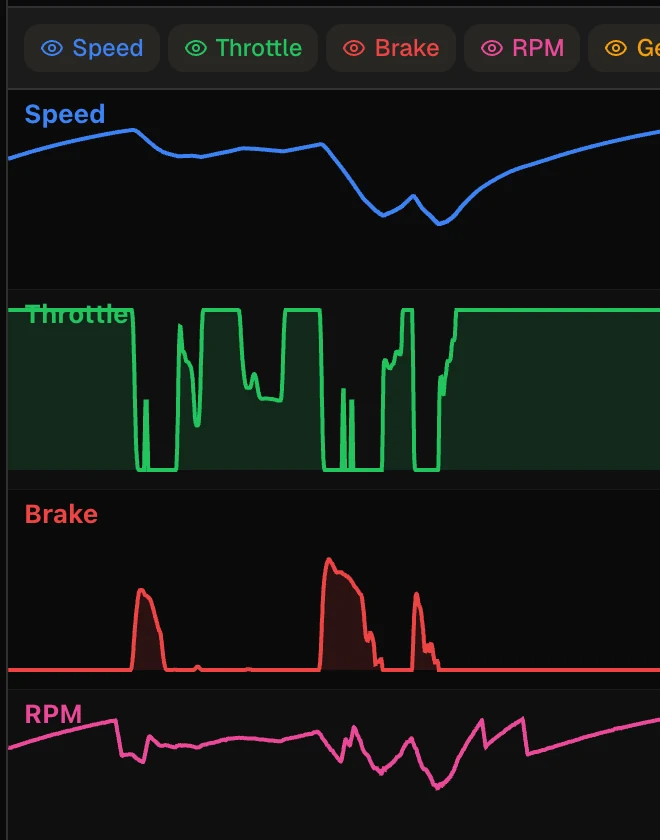
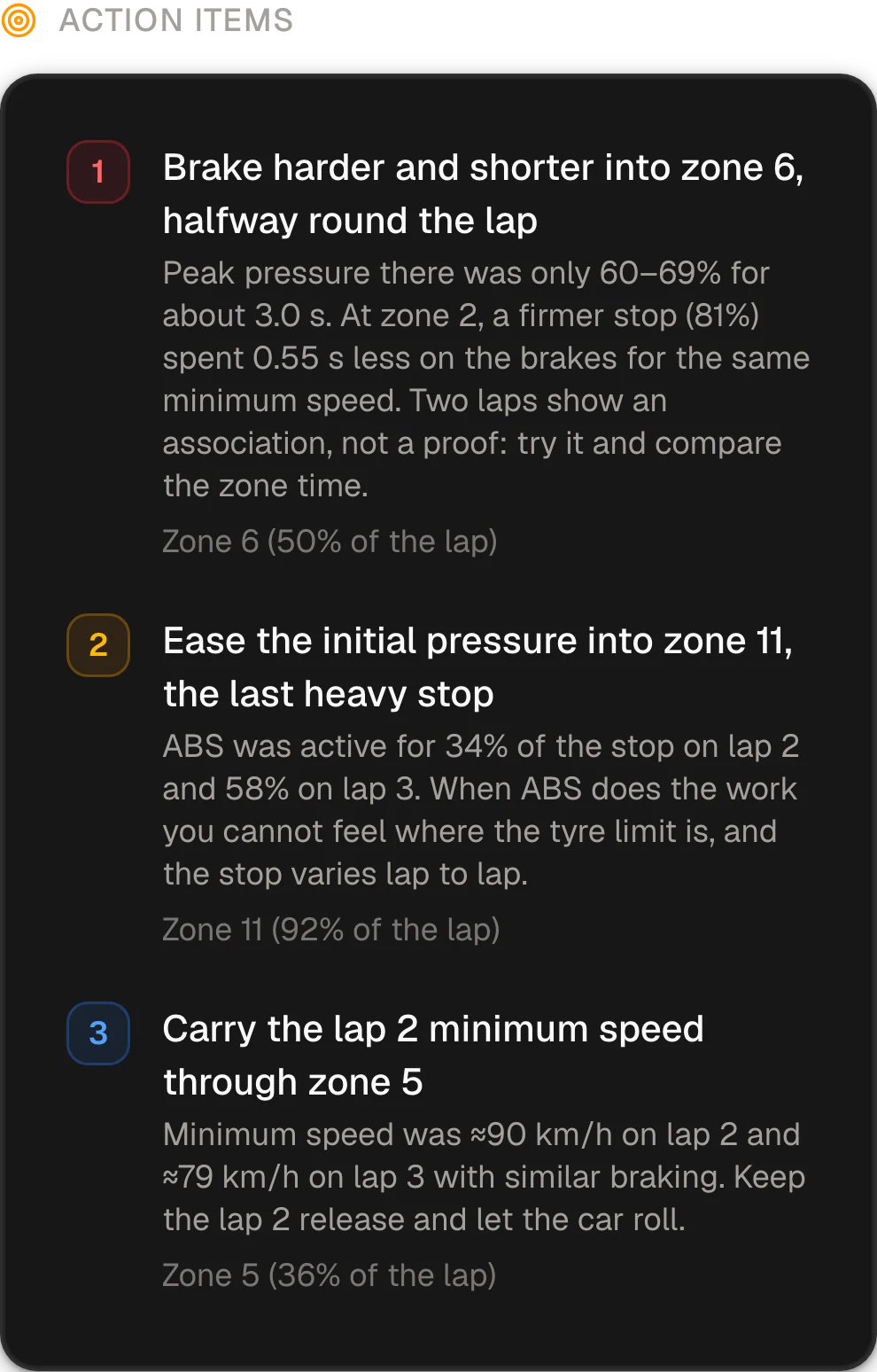
- Race Engineer Plus
Your race engineer, in your AI assistant
Ask Claude, ChatGPT or Cursor about any session through MCP, and get up to three things to fix.
Meet the Race Engineer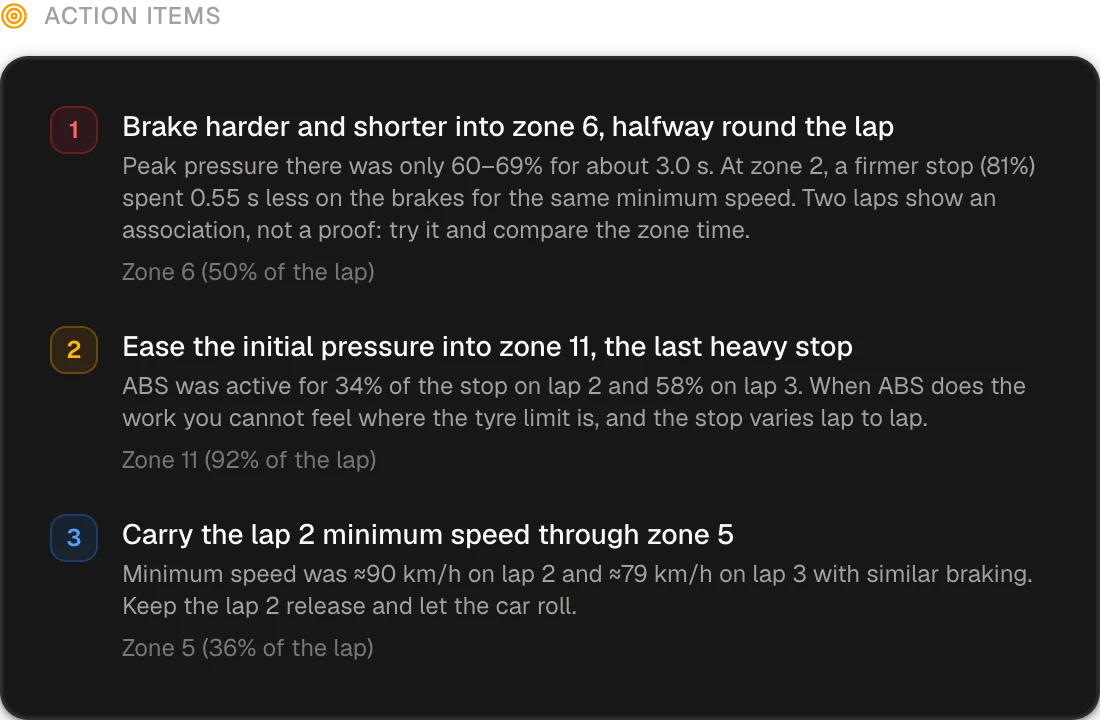
- 2:11.559
- Best lap of the session
- 99.8%
- Lap consistency
- 4 zones
- Rated from telemetry
- Setups Plus
Build your setup with your race engineer
Upload an iRacing or LMU setup and ask what to change and why. Each change is a new version to test on track.
See Setups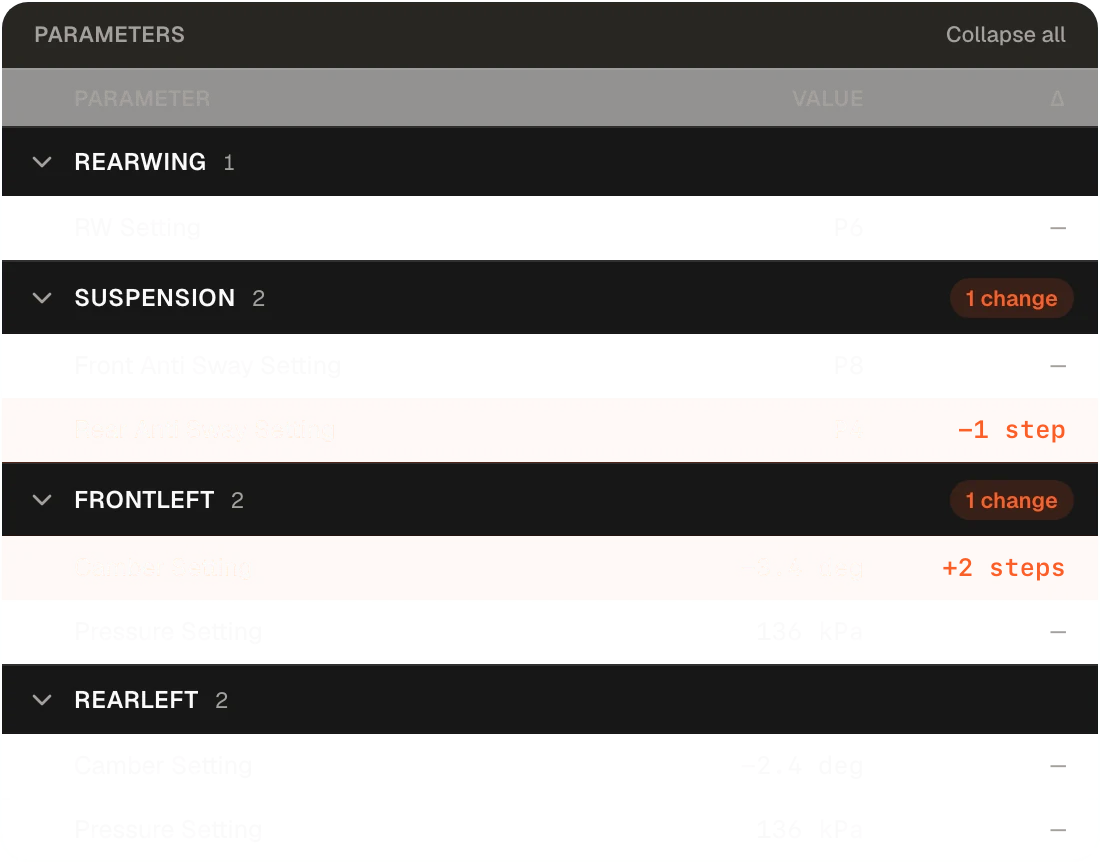
- Track Notes Plus
Know the combo before you drive it
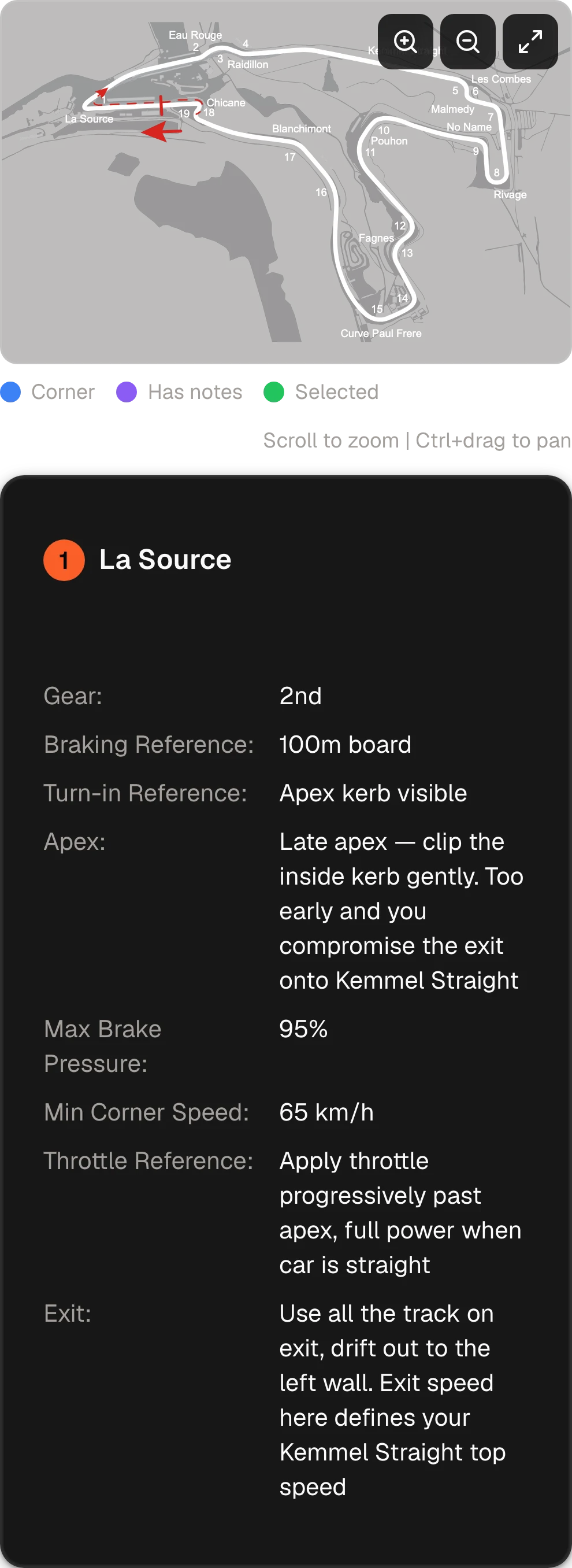
Braking point, turn-in, apex and exit for every corner, written once per combo.
See Track Notes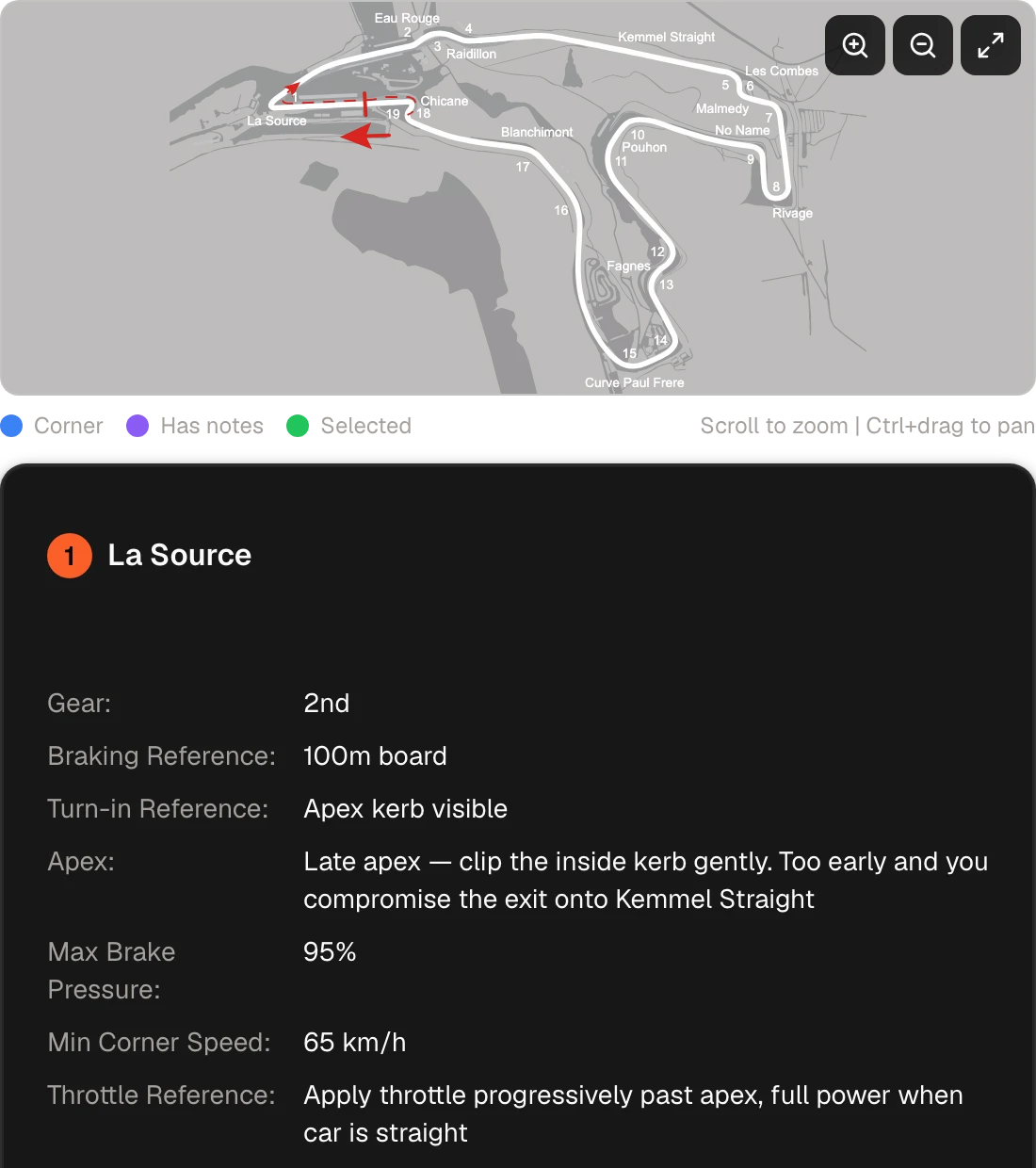
- Race Preparation Basic
Give your preparation a deadline
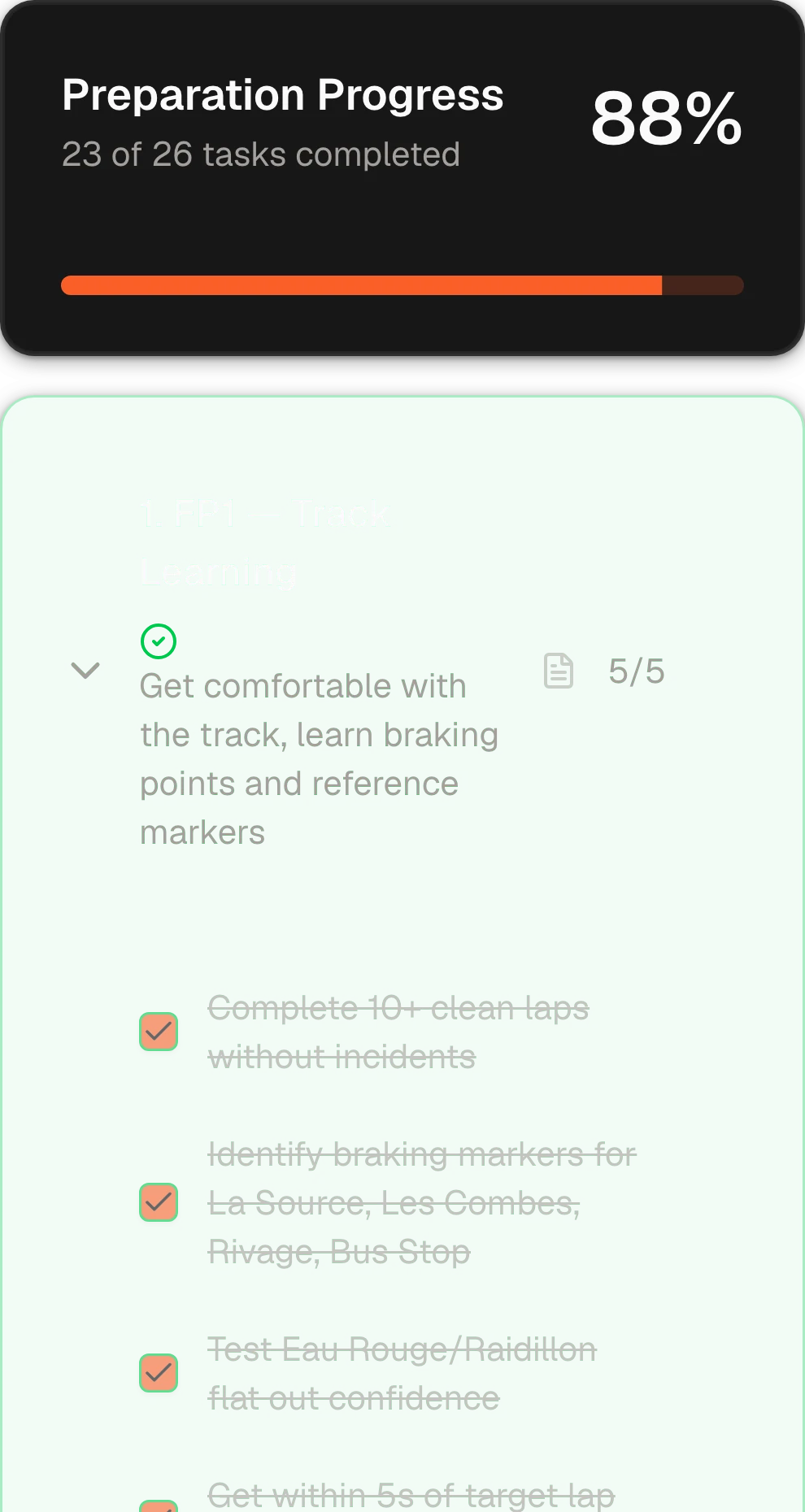
Race day on the calendar, and FP1 to FP3 each with its own goal.
See Race Preparation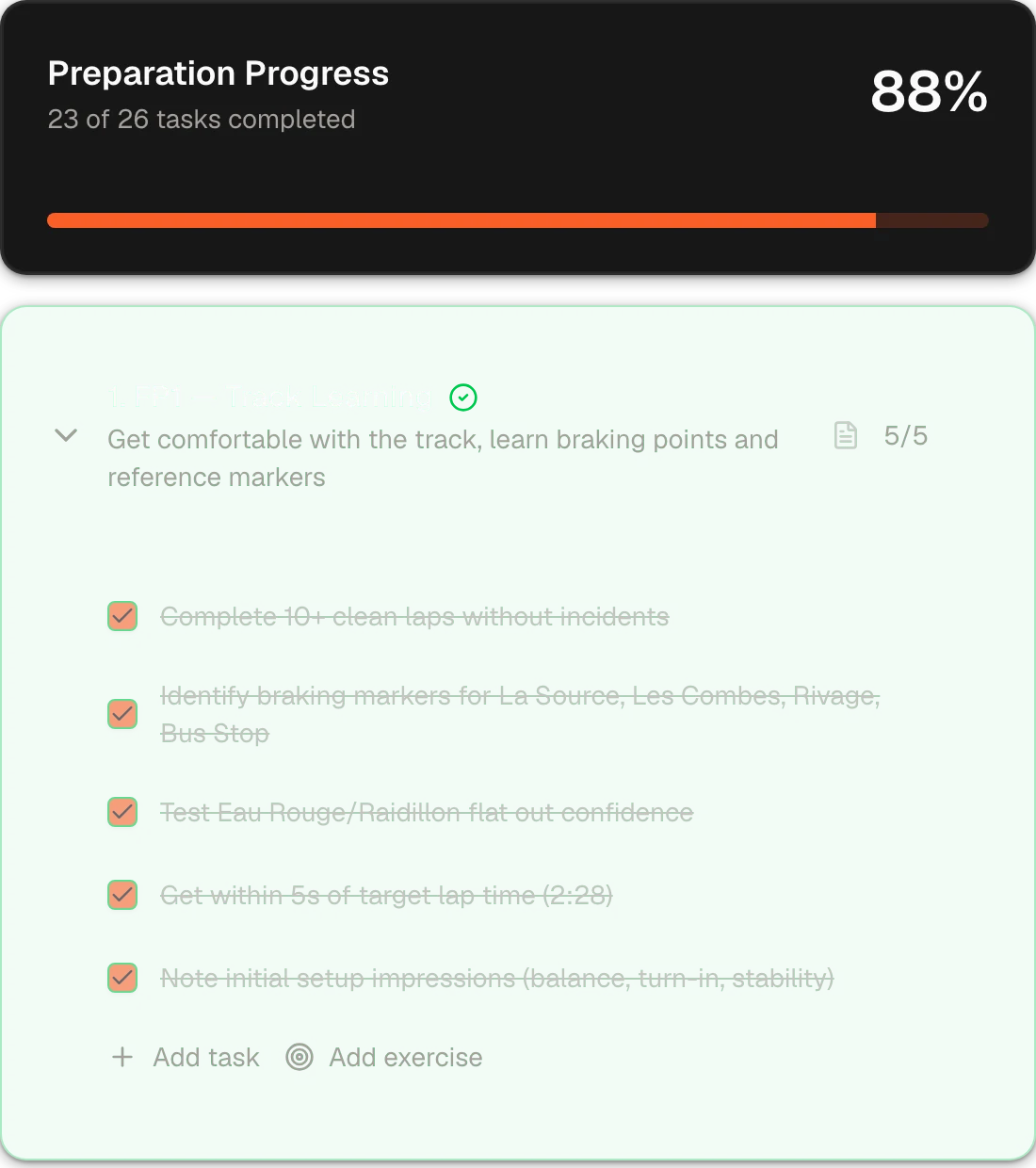
- Brake Master Basic
Earn your braking license
Exercise tracks, from pedal discovery to trail braking. Pass one to open the next.
See Brake Master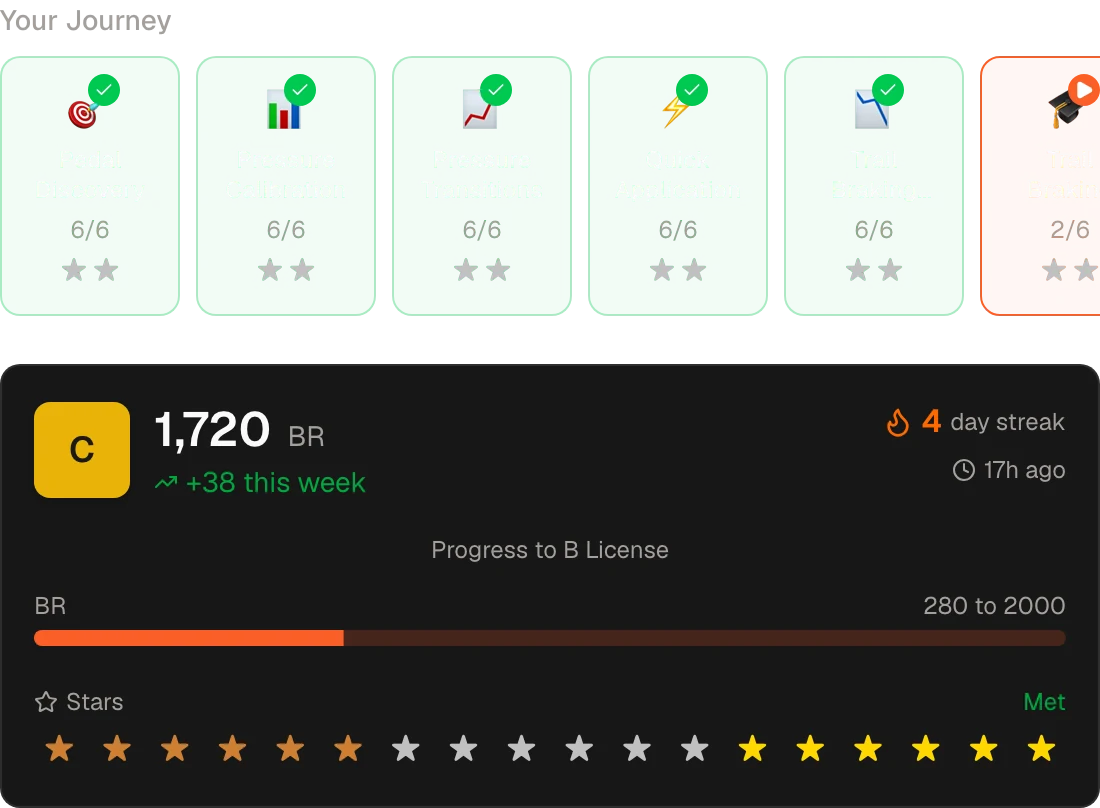
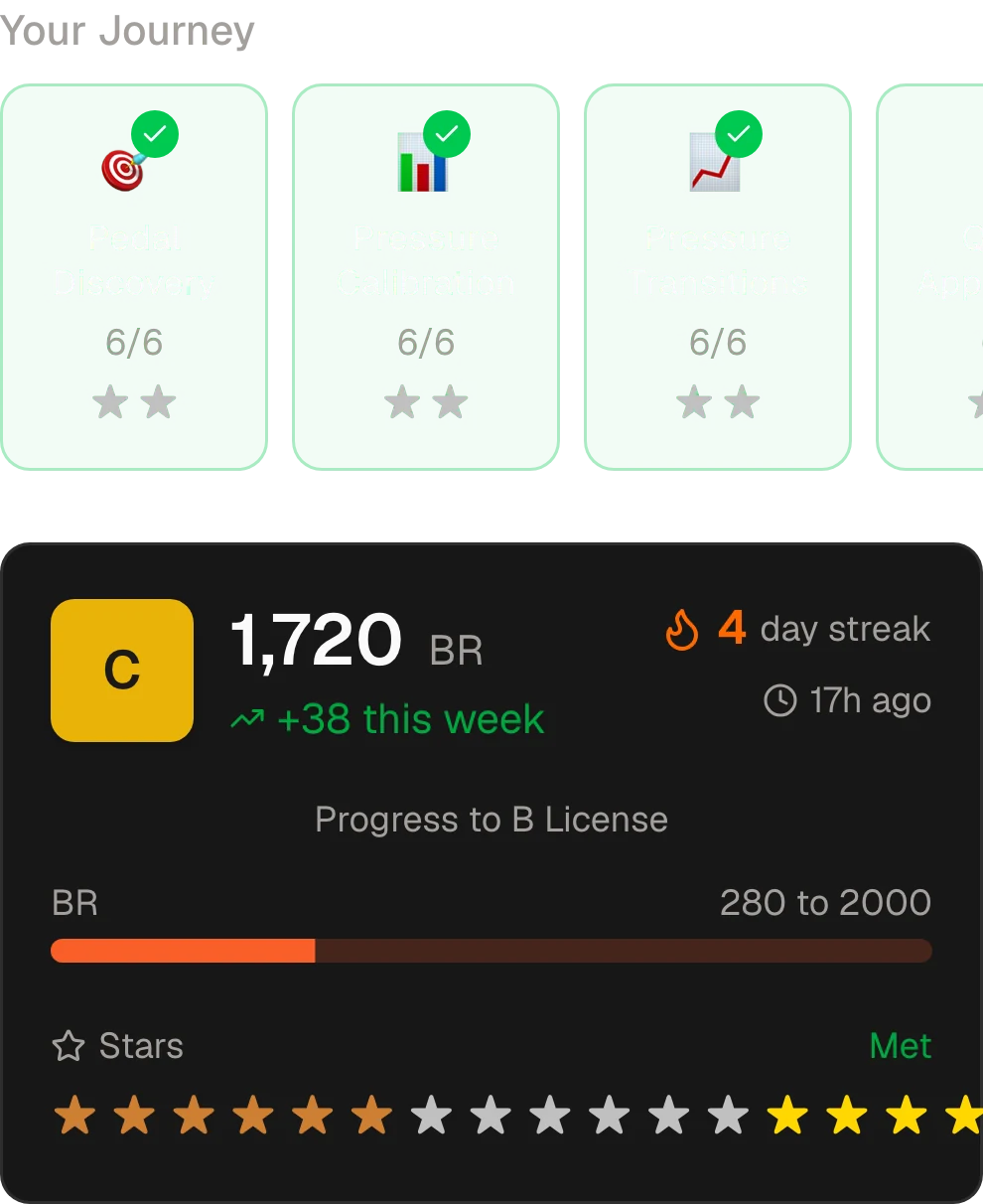
- 11 tracks
- More than 120 exercises, up to real iRacing corners.
- 5 licenses
- Rookie to A. From C up, you also need stars.
- Leaderboards
- Global, by license, and the week’s climbers.
- Planners Basic
Pick the race in two minutes
Series and weeks for iRacing and LMU, checked against your iRacing content.
Open the planners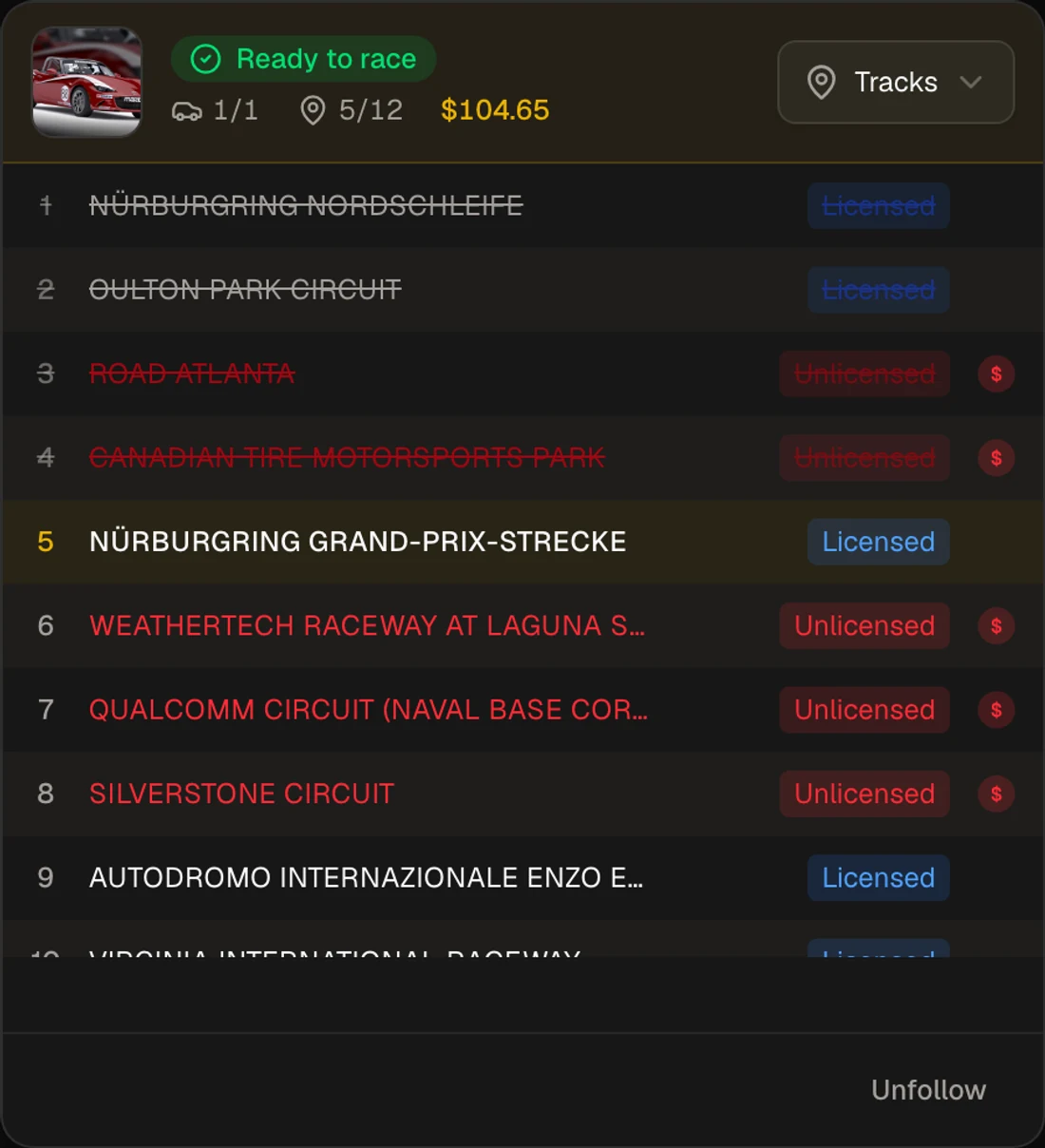
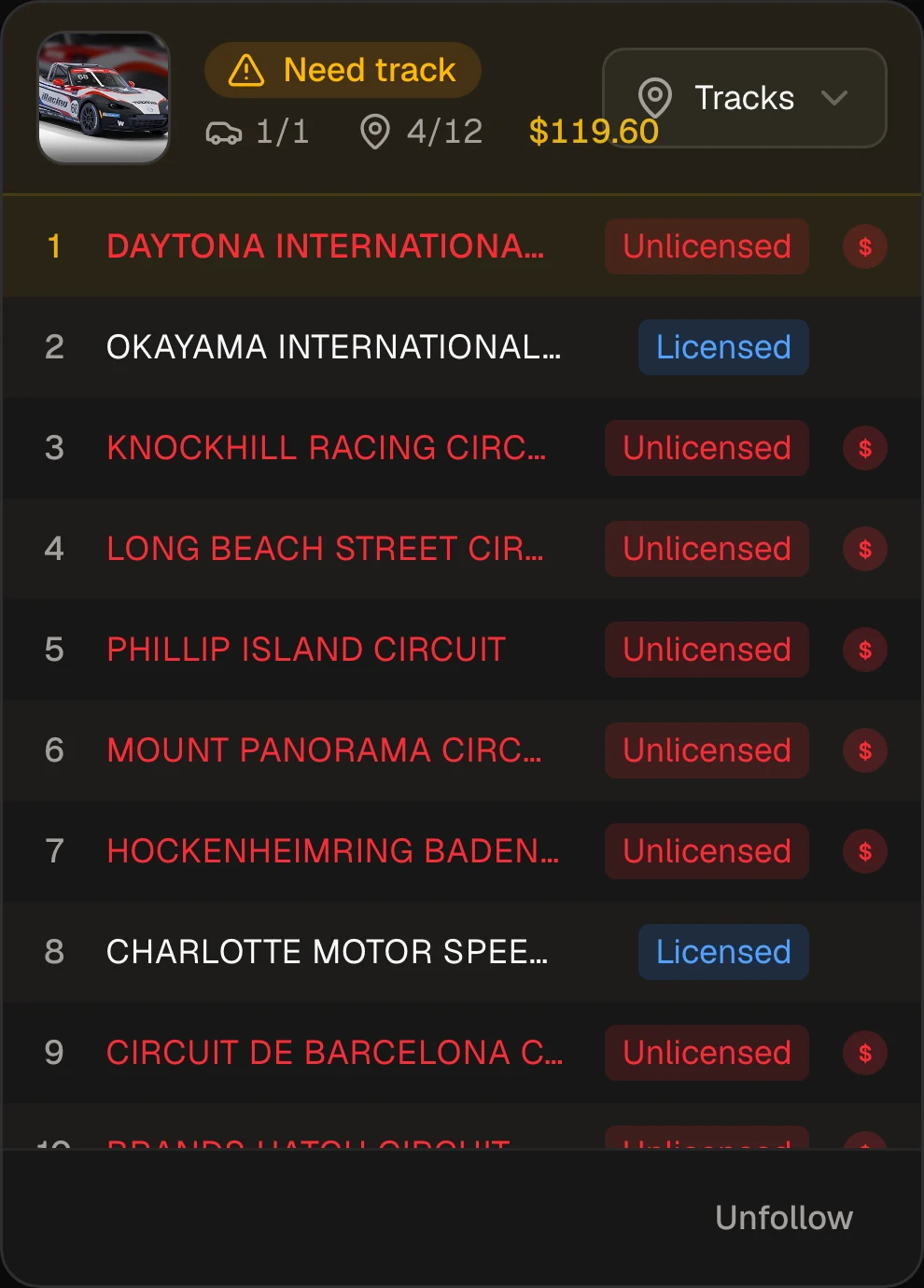
- Vault Basic
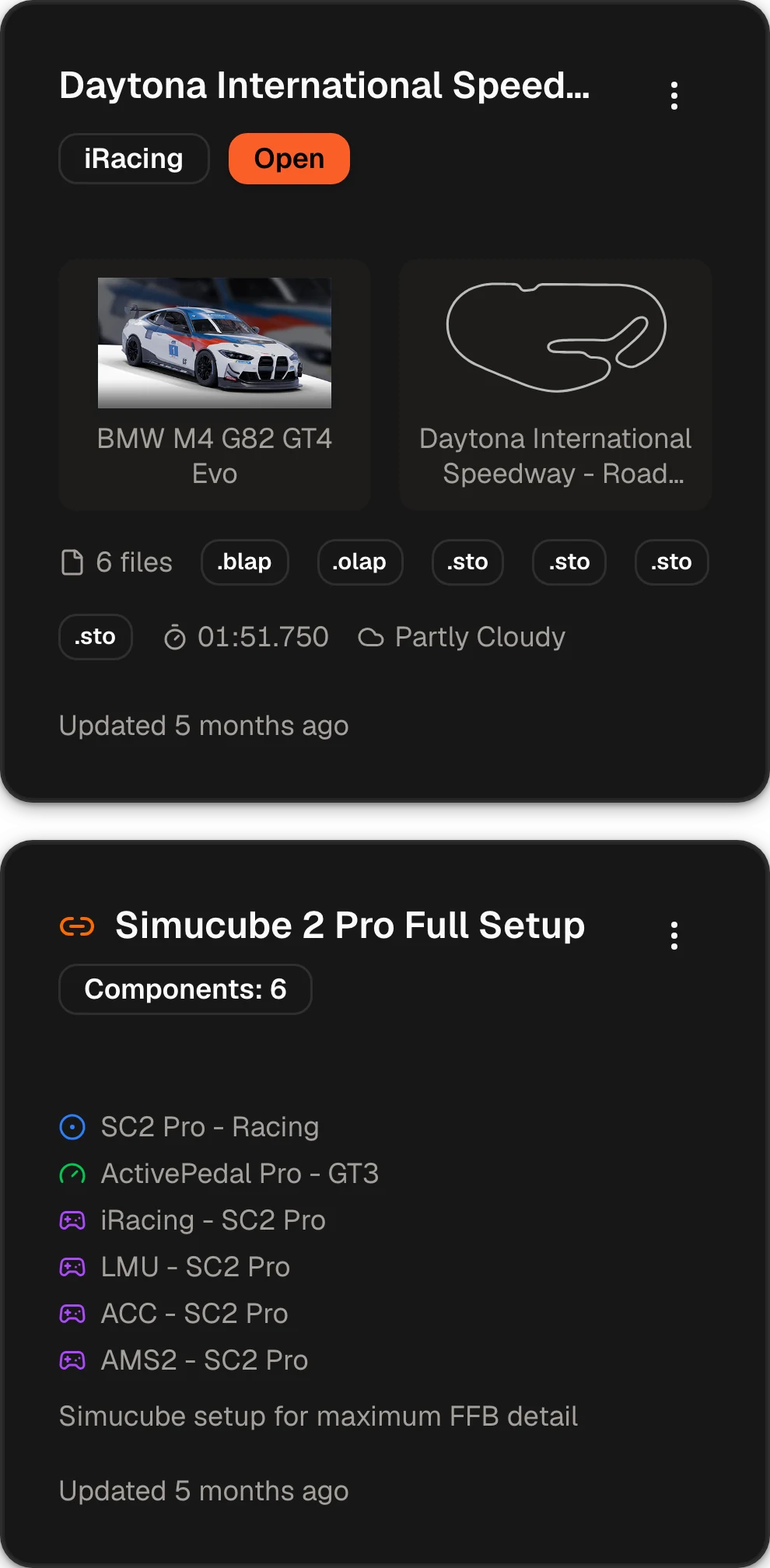
Keep every setup and every rig setting
Datapacks for each combo’s setups and laps, and hardware profiles for your rig in 11 sims. Share either with a link.
Open the Vault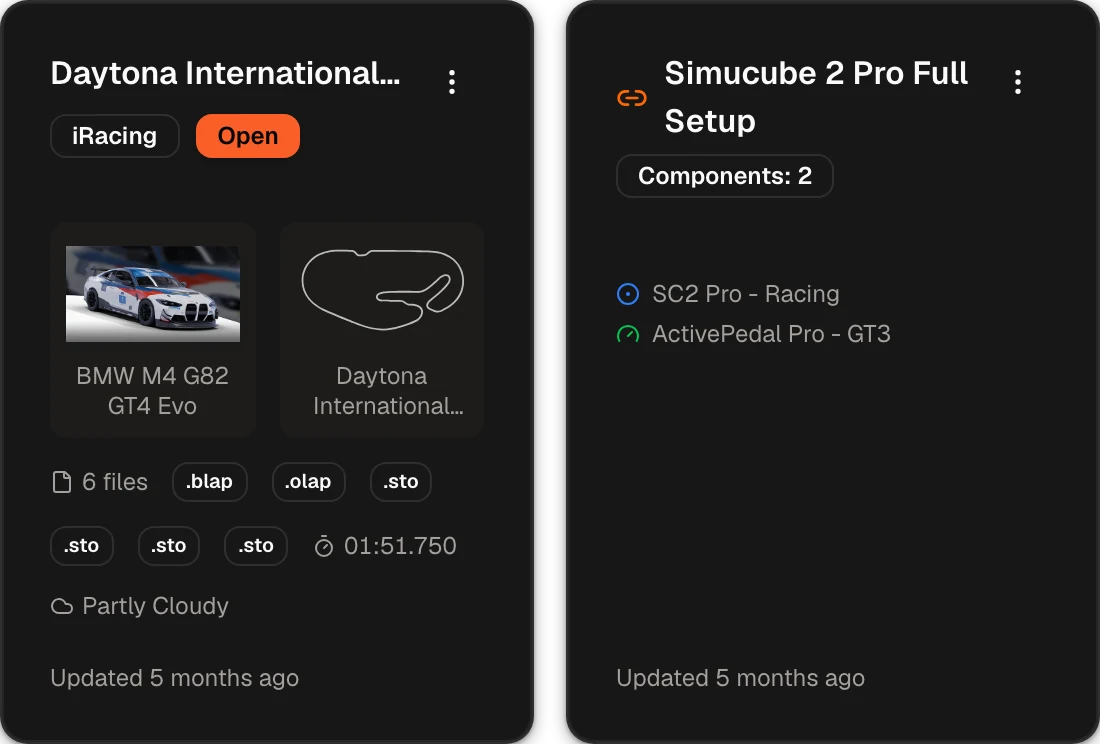
- And many more
- Teams Share exercises, notes and laps with your team or coach
- Garage61 import Bring laps in from a Garage61 CSV
- Leaderboard Pick a reference lap from a faster driver
- Pedal calibration A wizard reads each pedal’s travel and deadzone
- Voice callouts Pressure calls in English and Spanish, and a blind mode
- Slow practice Run an exercise at half or a quarter speed
- Race-day cheat sheet Every corner of the combo’s Track Notes on one screen
- FOV calculator The right field of view for your screen, in any sim
Race by race
Race preparation: the part your sim leaves out
Six steps for every race, from picking it to the checkered flag. The planning takes minutes, so you spend your time driving. And the preparation is fun too.
 Run plan
 - Car
- M4 GT4
- Track
- Silverstone
- Race
- Sun 20:00
- 1 2 min
Pick the race
1 Step 1 of 6 · 2 min Basic
Pick a race you can already run
The Pitwall lists this week’s races in the iRacing and Le Mans Ultimate series you follow. Pick one and it goes on the Race Calendar, with race day as the deadline. Apply a preparation template and Braking Lab lays out the days up to the race. For iRacing, the Sim Planner checks every series against the content you own, so you stop buying tracks you never race.
Race Calendar → - 2 10 min
Write the track notes
2 Step 2 of 6 · 10 min Plus
Track Notes: know every corner before FP1
The braking point, gear, turn-in, apex and exit for every corner, written next to the onboard video of a fast lap. You reach the track knowing what to do in each corner. Write the notes once, and reuse them every time the combo comes back.
Track Notes →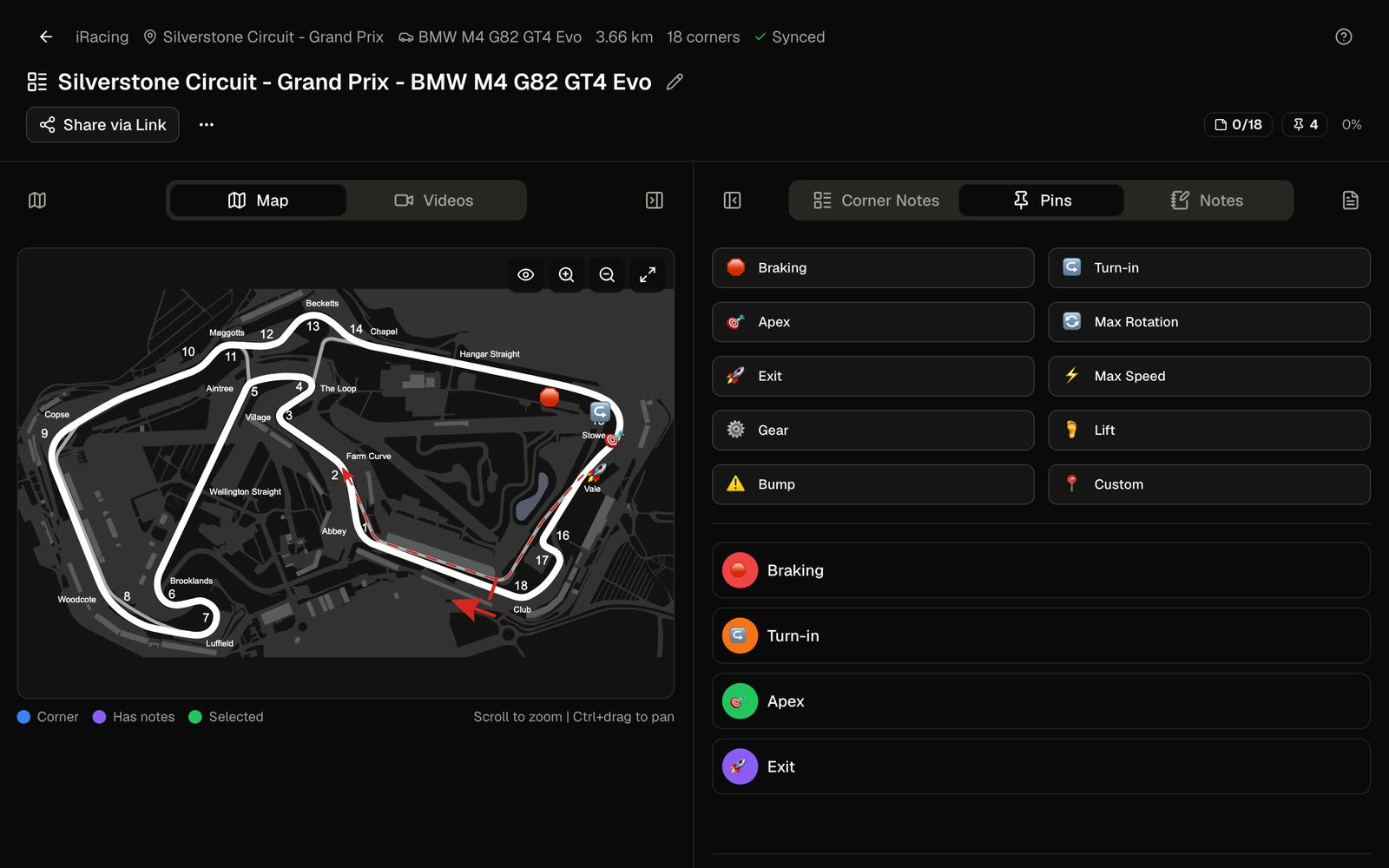
- 3 3 × 45 min
Practice to a goal
3 Step 3 of 6 · 3 × 45 min Basic
FP1, FP2, FP3: one goal and a time limit each
On a new combo, FP1 puts your Track Notes into practice, FP2 finds your pace, and FP3 is a fast lap and a race against the AI, as long as the real one. Each session has one goal and a time limit, so you stop driving laps for the sake of it. With Capture on Plus, your practice sessions are matched to the race and filed under FP1 to FP3 in one click.
Race Preparation →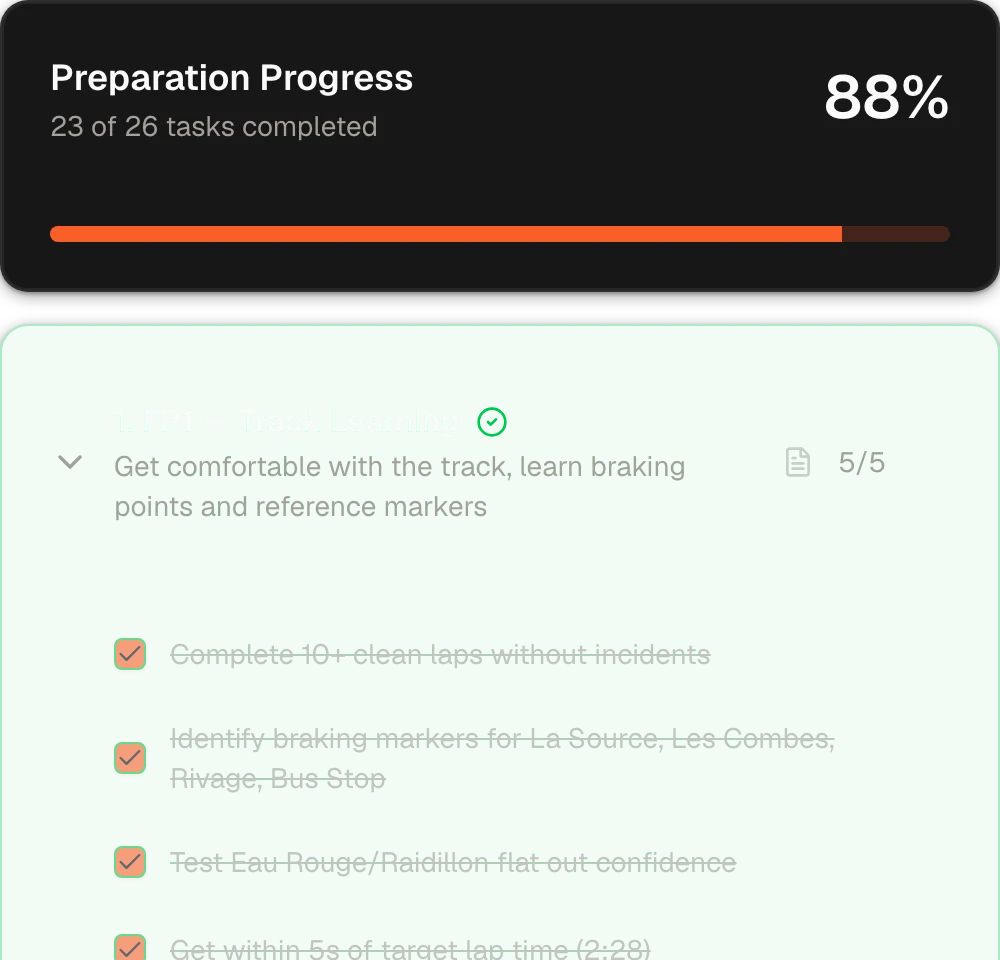
- 4 Automatic
Review the telemetry
4 Step 4 of 6 · Automatic Plus
Telemetry, against a reference near your pace
Capture, the Windows app, uploads your laps automatically and ties them to each session. Compare them with your own best lap, or with a leaderboard lap from a driver a little faster than you. The reference does not have to be an alien’s lap.
Touch or move across the chart to inspect the lap.
Telemetry → - 5 3 min
Get the homework
5 Step 5 of 6 · 3 min Plus
The Race Engineer tells you what to fix next
A corner-by-corner report built from your own telemetry, with up to three priorities to fix in the next session or before race day. Plus includes 25 reports every 30 days; Ultra is unlimited.
Race Engineer →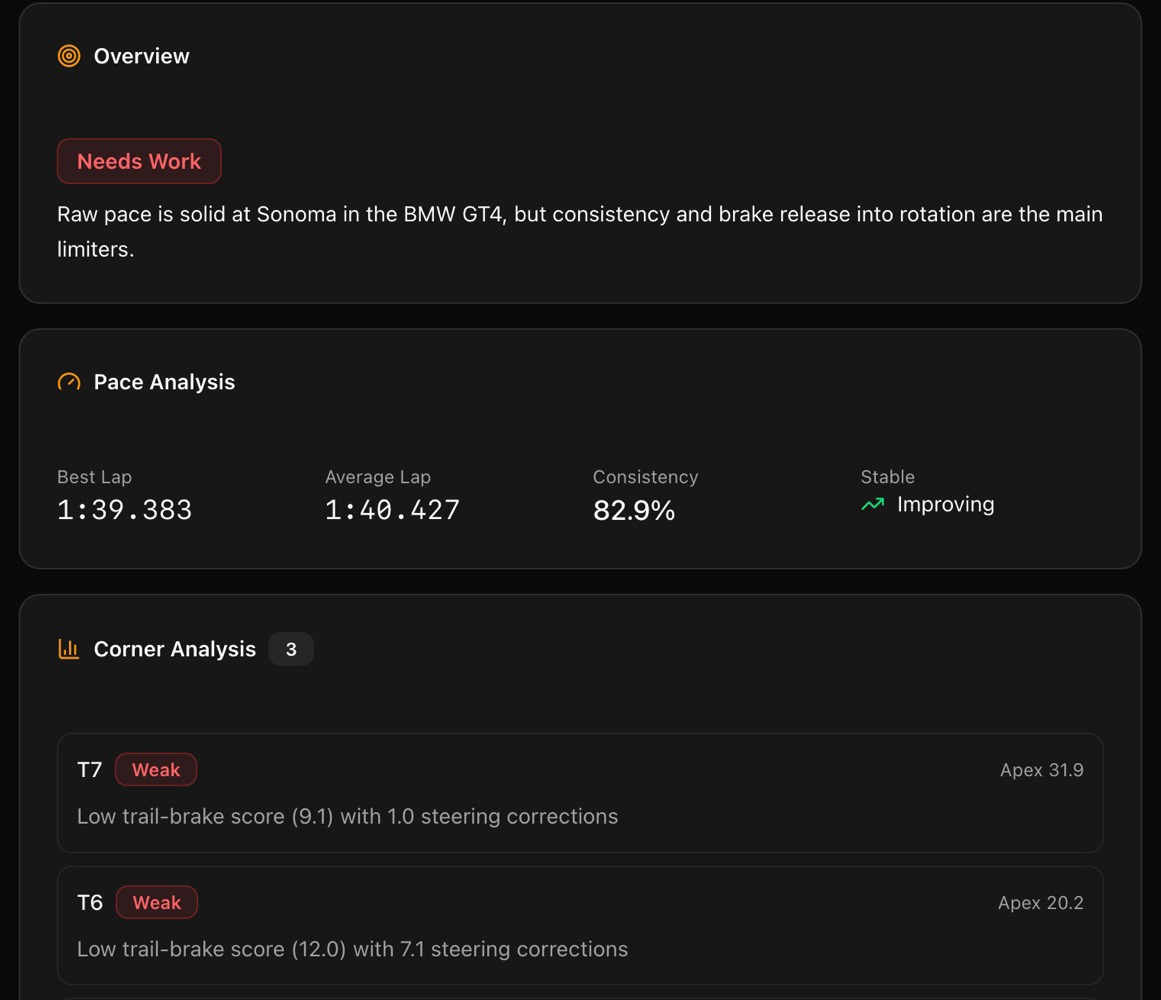
- 6 Race day
Race
6 Step 6 of 6 · Race day Basic
Race knowing you’re ready
You know the combo, your reference points and the corners that cost you most. On Plus, the Race Engineer reads FP1 to FP3 together and tells you if you are ready. Everything stays saved for the next time the combo comes back, with your setups in the Vault.
Readiness Report →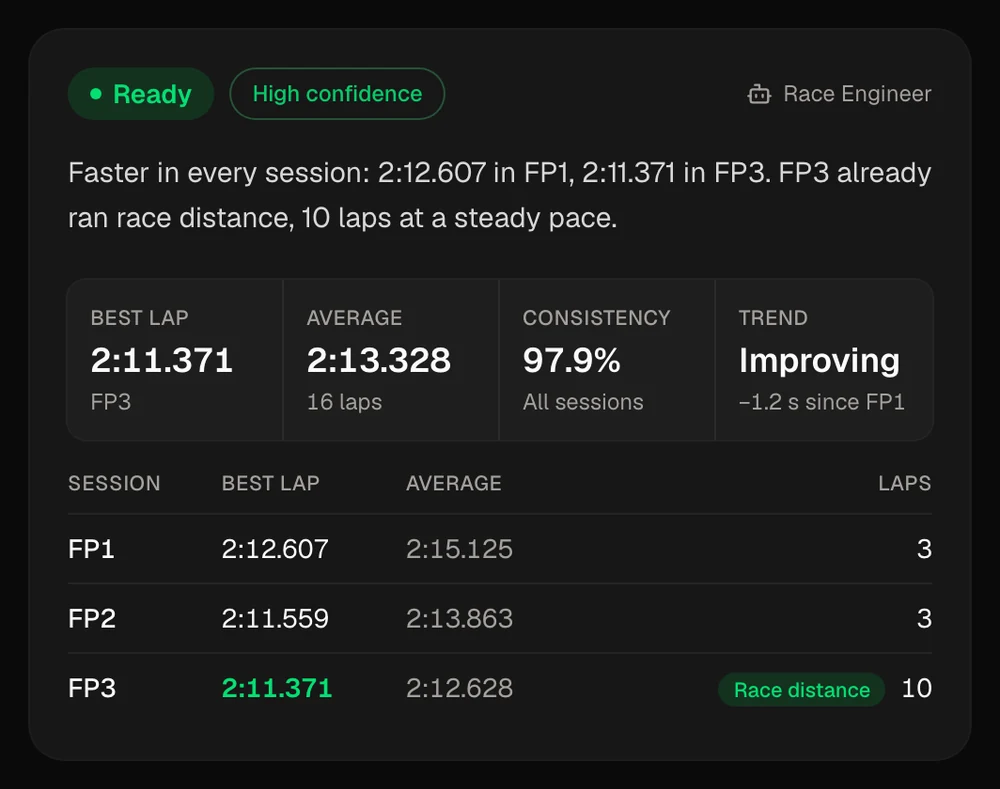
Run plan - Car
- M4 GT4
- Track
- Silverstone
- Race
- Sun 20:00
- 1 2 min
Pick the race
- 2 10 min
Write the track notes
- 3 3 × 45 min
Practice to a goal
- 4 Automatic
Review the telemetry
- 5 3 min
Get the homework
- 6 Race day
Race
1 Step 1 of 6 · 2 min Basic
Pick a race you can already run
The Pitwall lists this week’s races in the iRacing and Le Mans Ultimate series you follow. Pick one and it goes on the Race Calendar, with race day as the deadline. Apply a preparation template and Braking Lab lays out the days up to the race. For iRacing, the Sim Planner checks every series against the content you own, so you stop buying tracks you never race.
2 Step 2 of 6 · 10 min Plus
Track Notes: know every corner before FP1
The braking point, gear, turn-in, apex and exit for every corner, written next to the onboard video of a fast lap. You reach the track knowing what to do in each corner. Write the notes once, and reuse them every time the combo comes back.
3 Step 3 of 6 · 3 × 45 min Basic
FP1, FP2, FP3: one goal and a time limit each
On a new combo, FP1 puts your Track Notes into practice, FP2 finds your pace, and FP3 is a fast lap and a race against the AI, as long as the real one. Each session has one goal and a time limit, so you stop driving laps for the sake of it. With Capture on Plus, your practice sessions are matched to the race and filed under FP1 to FP3 in one click.
4 Step 4 of 6 · Automatic Plus
Telemetry, against a reference near your pace
Capture, the Windows app, uploads your laps automatically and ties them to each session. Compare them with your own best lap, or with a leaderboard lap from a driver a little faster than you. The reference does not have to be an alien’s lap.
5 Step 5 of 6 · 3 min Plus
The Race Engineer tells you what to fix next
A corner-by-corner report built from your own telemetry, with up to three priorities to fix in the next session or before race day. Plus includes 25 reports every 30 days; Ultra is unlimited.
6 Step 6 of 6 · Race day Basic
Race knowing you’re ready
You know the combo, your reference points and the corners that cost you most. On Plus, the Race Engineer reads FP1 to FP3 together and tells you if you are ready. Everything stays saved for the next time the combo comes back, with your setups in the Vault.
The alien’s combo, prepared two ways
Practice that goes somewhere
Back to the Porsche Cup at the Red Bull Ring, where you chased the alien’s lap further up. Each dot is a lap, from the first lap of practice to the last. Drag the line to compare the two weeks.
Track Notes before FP1, one goal a session, the Race Engineer in between. The laps settle, and getting ready becomes part of the fun.One long session, chasing an alien’s lap. The laps never settle.
With a plan
Winging it
With a plan
- FP1 starts from your Track Notes: you already know every brake point.
- FP2’s goal comes from the Race Engineer: up to three things to fix.
- FP3: the last ten laps sit within 0.3 s. That is your race pace.
Winging it
- Off at Turn 3, trying the alien’s brake point.
- Your best lap. You can’t say why, so you can’t do it again.
- Still seconds off the alien’s lap, and no plan for the next one.
- Consistency Your last ten laps spread over 1.7 s Your last ten laps within 0.3 s
- The track Brake points copied from an alien’s video Every corner in your Track Notes
- Race day You start still learning the track, and hope You start with confidence, ready to enjoy it
- The week Frustrating: laps that go nowhere Fun: you enjoy getting ready, not just the race
Prepare better, race more, finish higher, and have a lot more fun. Every minute on track makes you better.
What sim racers say
“It has already helped me understand trail braking more than any YouTube video.”
“Excellent work, was just wishing for something like this the other day”u/ExtraGlockamole · r/simracing (opens in a new tab)
“I’ve been thinking about why this isn’t a thing! Got new pedals but as soon as they’re set up, I will be giving this a go. Thank you!”u/falsefacade · r/simracing (opens in a new tab)
“Yeah this could actually help some people. Awesome stuff.”u/mechcity22 · r/Simagic (opens in a new tab)
“Wow, thanks man! Definitely gonna use this, thanks for the effort and sharing! This again reminds me what a great community this can be.”u/Rover1312 · r/simracing (opens in a new tab)
“Wow this is incredible!”u/Illustrious_Hold_439 · r/simracing (opens in a new tab)
“App looks beautiful BTW”u/rayo2203 · r/simracing (opens in a new tab)
“Going to give a try based on this interaction alone. Good stuff.”u/Markoff_Cheney · r/simracing (opens in a new tab)
“Amazing, thank you for your work!!!”u/ogigante · r/Simagic (opens in a new tab)
“People like you... Are amazing! Thank you for this”u/MickQn · r/simracing (opens in a new tab)
“Wait what???? Hook a brother up yo. Lol thats pretty awesome man. Lets give it a go.”u/JustAnotherComment25 · r/Simagic (opens in a new tab)
“Legend”u/chuuurles · r/simracing (opens in a new tab)
- “Excellent work, was just wishing for something like this the other day” u/ExtraGlockamole · r/simracing (opens in a new tab)
- “I’ve been thinking about why this isn’t a thing! Got new pedals but as soon as they’re set up, I will be giving this a go. Thank you!” u/falsefacade · r/simracing (opens in a new tab)
- “Yeah this could actually help some people. Awesome stuff.” u/mechcity22 · r/Simagic (opens in a new tab)
- “Wow, thanks man! Definitely gonna use this, thanks for the effort and sharing! This again reminds me what a great community this can be.” u/Rover1312 · r/simracing (opens in a new tab)
- “Wow this is incredible!” u/Illustrious_Hold_439 · r/simracing (opens in a new tab)
- “App looks beautiful BTW” u/rayo2203 · r/simracing (opens in a new tab)
- “Going to give a try based on this interaction alone. Good stuff.” u/Markoff_Cheney · r/simracing (opens in a new tab)
- “Amazing, thank you for your work!!!” u/ogigante · r/Simagic (opens in a new tab)
- “People like you... Are amazing! Thank you for this” u/MickQn · r/simracing (opens in a new tab)
- “Wait what???? Hook a brother up yo. Lol thats pretty awesome man. Lets give it a go.” u/JustAnotherComment25 · r/Simagic (opens in a new tab)
- “Legend” u/chuuurles · r/simracing (opens in a new tab)
From the launch threads on r/simracing and r/Simagic.
Why I built this
I’m Roberto, and thank you for reading this far. I’ve loved cars and racing for as long as I can remember. Like you, probably, I spent hours comparing brands to build the rig of my dreams, within my budget. (There’s always one more upgrade.)
The problem is time. On a weeknight, after everything else, I’d finally sit down and the race was in 45 minutes. You know as well as I do that you don’t go out on track unprepared. It’s a sim, but it isn’t a game.
So I did what everyone does and studied an esports driver’s telemetry. It only made me more anxious and more frustrated, even on the nights I got within a few tenths of them. Next to an alien’s lap, I only saw what I couldn’t do.
The answer was in real racing. Professional drivers prepare every race with a structure that gets the most out of every hour. The good news is that we don’t risk our lives or our reputation out there, so we can take their method and keep the fun.
That’s why I built Braking Lab. It gives you everything you need to make the most of the few free hours you have each week, in one place, so you never prepare the same combo twice. By the time the race starts, the only thing left to do is enjoy it.
I use it every day myself. It took the anxiety and frustration out of sim racing and brought back the excitement that should never have left it. Now even the preparation is part of the fun.
Start free, or prepare your next race on Plus. If it isn’t worth it within 14 days, you get your money back.

Pricing
The rig was the expensive part
Plus costs €39 a year in one annual payment. Cancel the renewal anytime. New paid subscriptions have a 14-day money-back guarantee.
Plan prices exclude VAT. The rig figure is a rounded, VAT-included reference.
- Your rig
- from €950
- Plus, weekly equivalent
- €0.75
Basic
Free forever
- Sims
- iRacing · LMU
- Billing
- Free
- Refund
- —
Admits to
Training and race planning
€0/forever
No card needed
Basic includes
- Unlimited Free Practice
- Brake Master
- The Sim Planner for iRacing and LMU
- The Race Calendar with Race Preparation
See everything in Basic Hide the list
- Free Practice Unlimited
- Brake Master Included
- Custom brake exercises 5
- Sim Planner Included
- Race Calendar and preparation Included
- Track Notes Not included
- Capture for Windows Not included
- Telemetry and lap comparison Not included
- Visible telemetry history Not included
- Race Engineer reports Not included
- Setup coaching Not included
- Setups (beta) Not included
- Own a team Not included
- Priority support Not included
Plus
For drivers who prepare with their own data
- Sims
- iRacing · LMU
- Billing
- Yearly
- Refund
- 14 days
Admits to
Everything in Plus
€39/year
Equivalent to €0.75 a week · €3.25 a month, billed yearly
Plus unlocks
- Track Notes
- Capture
- Telemetry
- 25 Race Engineer reports every 30 days
- Setups (beta)
See everything in Plus Hide the list
- Free Practice Unlimited
- Brake Master Included
- Custom brake exercises Unlimited
- Sim Planner Included
- Race Calendar and preparation Included
- Track Notes Included
- Capture for Windows Included
- Telemetry and lap comparison Included
- Visible telemetry history 90 days
- Race Engineer reports 25 every 30 days
- Setup coaching Included
- Setups (beta) Included
- Own a team Not included
- Priority support Not included
Ultra
For deeper training or running a team
- Sims
- iRacing · LMU
- Billing
- Yearly
- Refund
- 14 days
Admits to
Everything in Ultra
€89/year
Equivalent to €1.71 a week · €7.42 a month, billed yearly
Ultra adds
- Unlimited Race Engineer reports
- Unlimited telemetry history
- The ability to run your own team
- Priority support
See everything in Ultra Hide the list
- Free Practice Unlimited
- Brake Master Included
- Custom brake exercises Unlimited
- Sim Planner Included
- Race Calendar and preparation Included
- Track Notes Included
- Capture for Windows Included
- Telemetry and lap comparison Included
- Visible telemetry history No age limit
- Race Engineer reports Unlimited
- Setup coaching Included
- Setups (beta) Included
- Own a team Included
- Priority support Included
Plus shows each session for 90 days after it is saved. Older telemetry is archived and hidden, not deleted because of its age; moving from Plus to Ultra restores it. The clock does not start when you cancel. Deleting your account removes your telemetry rather than holding it for a future subscription.
Running a team requires Ultra. Adding a Plus or Ultra driver has no extra seat cost; each Basic seat costs €30 a year.
Questions
Can I try the full system before paying?
Basic is free forever. Practice your braking and plan each race with unlimited Free Practice, Brake Master, the Sim Planner for iRacing and LMU and the Race Calendar with Race Preparation. New Plus subscriptions have a 14-day money-back guarantee, so you can prepare a few races with it and decide.
I already practice and have a folder full of setups. Why would I need this?
How much of your last race’s practice do you still have? Laps without notes or a reference are gone by the next race, and a setup from Discord tells you nothing about how you drive. Braking Lab keeps the notes, the laps and the conclusions, so the work adds up.
What pedals and wheels are supported?
Anything your browser detects as a controller, which covers almost everything: Fanatec, Thrustmaster, Logitech, Simucube, Moza and more.
How does my telemetry get in?
Capture, the Windows desktop client, watches your iRacing and LMU telemetry folder and uploads each new session when it ends. You can also drop a Garage61 CSV into Telemetry.
Does it work on Mac?
Brake Master, the planners and Track Notes run in any browser. Capture is Windows only, like iRacing and LMU.
Which sims does it support?
Brake training works with any sim. The planners, telemetry and Race Preparation are built for iRacing and Le Mans Ultimate.
How does the iRacing integration work?
You connect through iRacing’s official OAuth, so Braking Lab never sees your password. The connection brings your profile, licenses and stats. You mark the cars and tracks you own once in My Content, and the Sim Planner uses them to tell you what a series will cost you.
Who can see my telemetry and notes?
Your track notes stay private until you share them. Your laps appear on the public leaderboard by default, so other drivers can compare against them. A team or coach sees only what you share with them.
Can I use it with a team?
Yes. Teams share preparations, notes and reference laps. Running a team requires Ultra; adding a Plus or Ultra driver has no extra seat cost.
How does billing work?
Plus and Ultra are billed once a year. You can cancel the renewal anytime. New paid subscriptions have a 14-day money-back guarantee.
Not ready yet? Start free
Start with Basic. Enjoy getting ready to race.
Practice your braking and plan your next race for free. Basic needs no card and has no time limit. When you want to learn from your own laps, Plus adds Capture, telemetry and the Race Engineer.
- 66 brake exercises in 15 collections, the ARA one included, and 5 of your own
- Brake Master: more than 120 exercises, licenses and leaderboards
- The Sim Planner for iRacing and LMU
- The Race Calendar with Race Preparation
Free account
Brake exercises
Follow the target with your brake pedal, from a slow build to threshold, or draw your own curve. Repeat any of them as often as you want.
Free account
Exercise collections
66 exercises in 15 collections, the Almeida Racing Academy one included, and 5 of your own.
Free account
Brake Master
More than 120 exercises in 11 tracks. Earn your license from Rookie to A, and see where you rank on the leaderboards.
Free account
Race Calendar
Put your races on one calendar. Then prepare each one step by step, from a template or from scratch.
iRacing · LMU No account needed
Season planners
Every series for the whole season: where it races each week and how often a race starts.
Any sim No account needed
FOV Calculator
Enter your screen and how far you sit from it. Get the right field of view for your sim.