Telemetry
Understand every braking zone
Detailed telemetry analysis with GPS track maps, braking zone detection, lap comparison, and performance metrics — in your browser, or inside Capture on Windows. Included with Plus and Ultra.
Analysis Tools
Your data, fully visualized
Every lap captured by Braking Lab Capture is analyzed and ready for deep inspection.
-
Braking Zone Analysis
Automatic detection of every braking zone with MRP, peak pressure, and trail braking metrics.
-
Lap Comparison
Compare laps side by side with synchronized multi-channel charts and per-zone deltas.
-
GPS Track Maps
Track maps with data overlays — color-coded by speed, brake, throttle, or pedal inputs.
-
Leaderboard
Track your best times and compare your pace against other drivers on the global leaderboard.
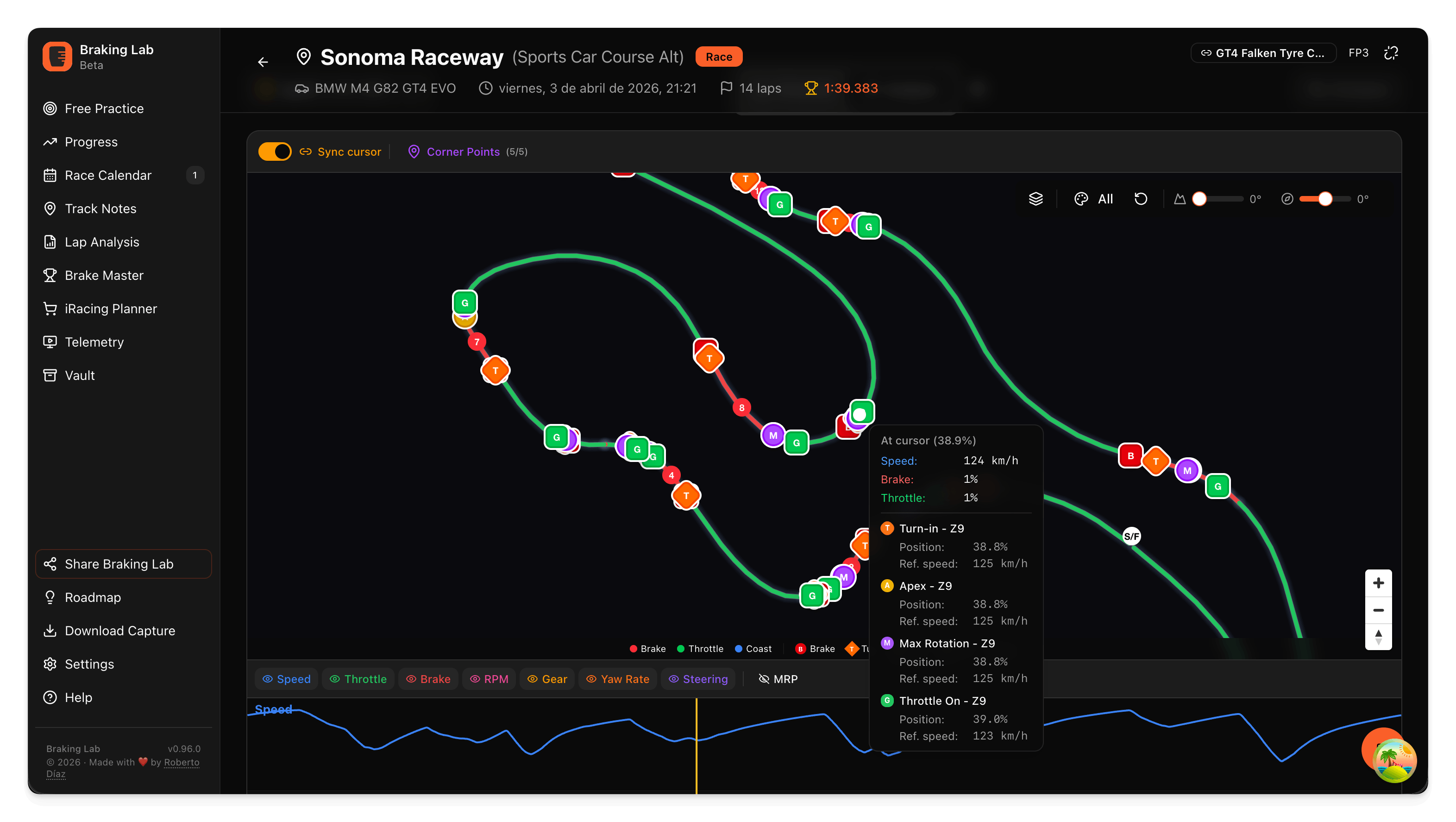
Discover exactly what you do on track
Your telemetry plotted on the track map. Every braking point, every throttle application, every steering input — visible on the map.
- GPS track map with a color-coded overlay: speed, brake, throttle, or pedal inputs
- Automatic braking zone detection with numbered corner markers
- Zoom into any corner to inspect your racing line in detail
- Full sample rate — 60 Hz in iRacing, 100 Hz in Le Mans Ultimate
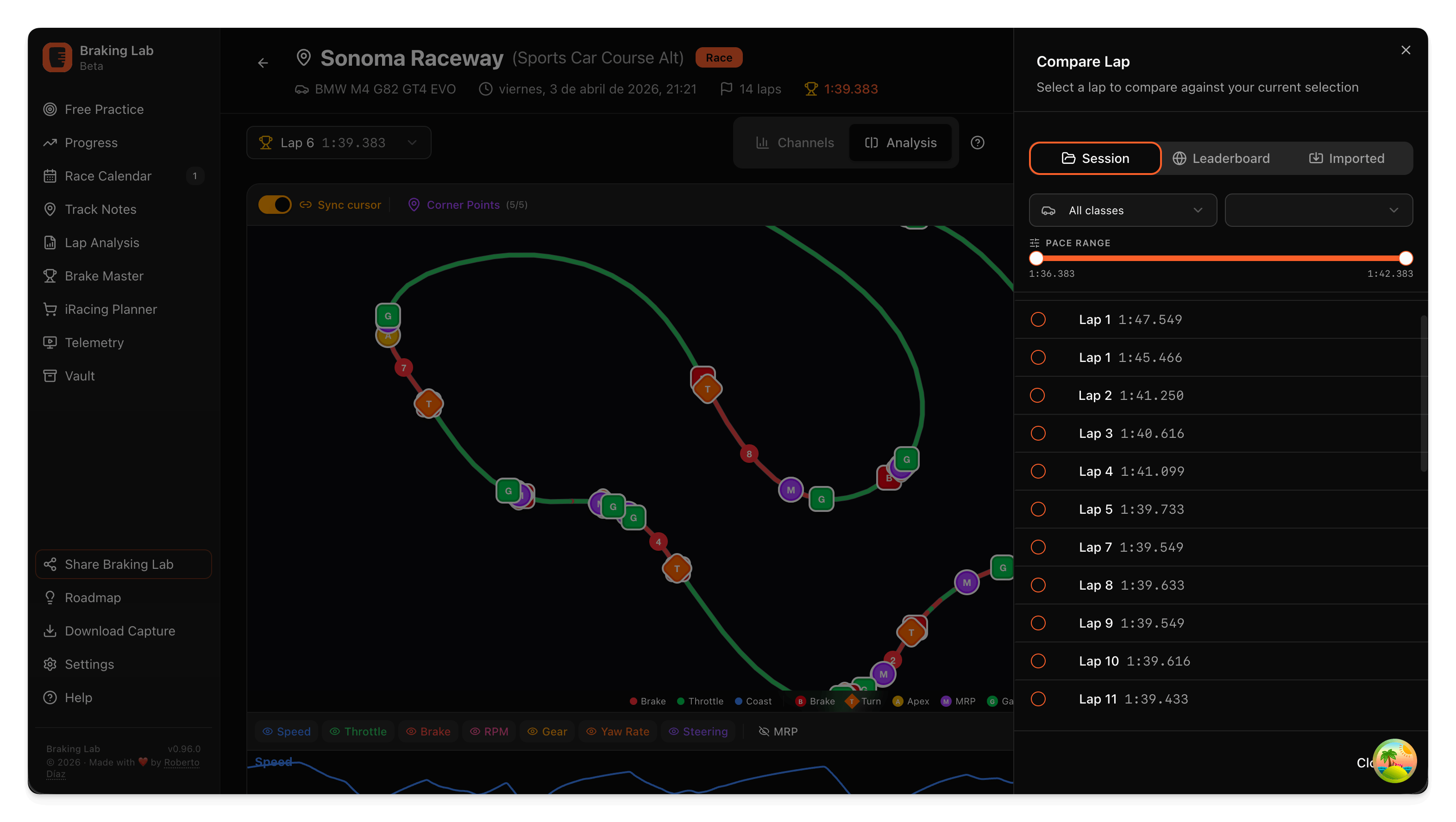
Compare and find where you lose time
Overlay two laps to see exactly where you gain and where you lose. Compare against yourself or against other drivers on the leaderboard.
- Brake, throttle, speed, steering overlaid on synchronized charts
- Delta bar showing time gained/lost at every point on track
- Per-zone comparison with entry speed, braking point, and exit speed deltas
- Check the global leaderboard to see where you stand against other drivers
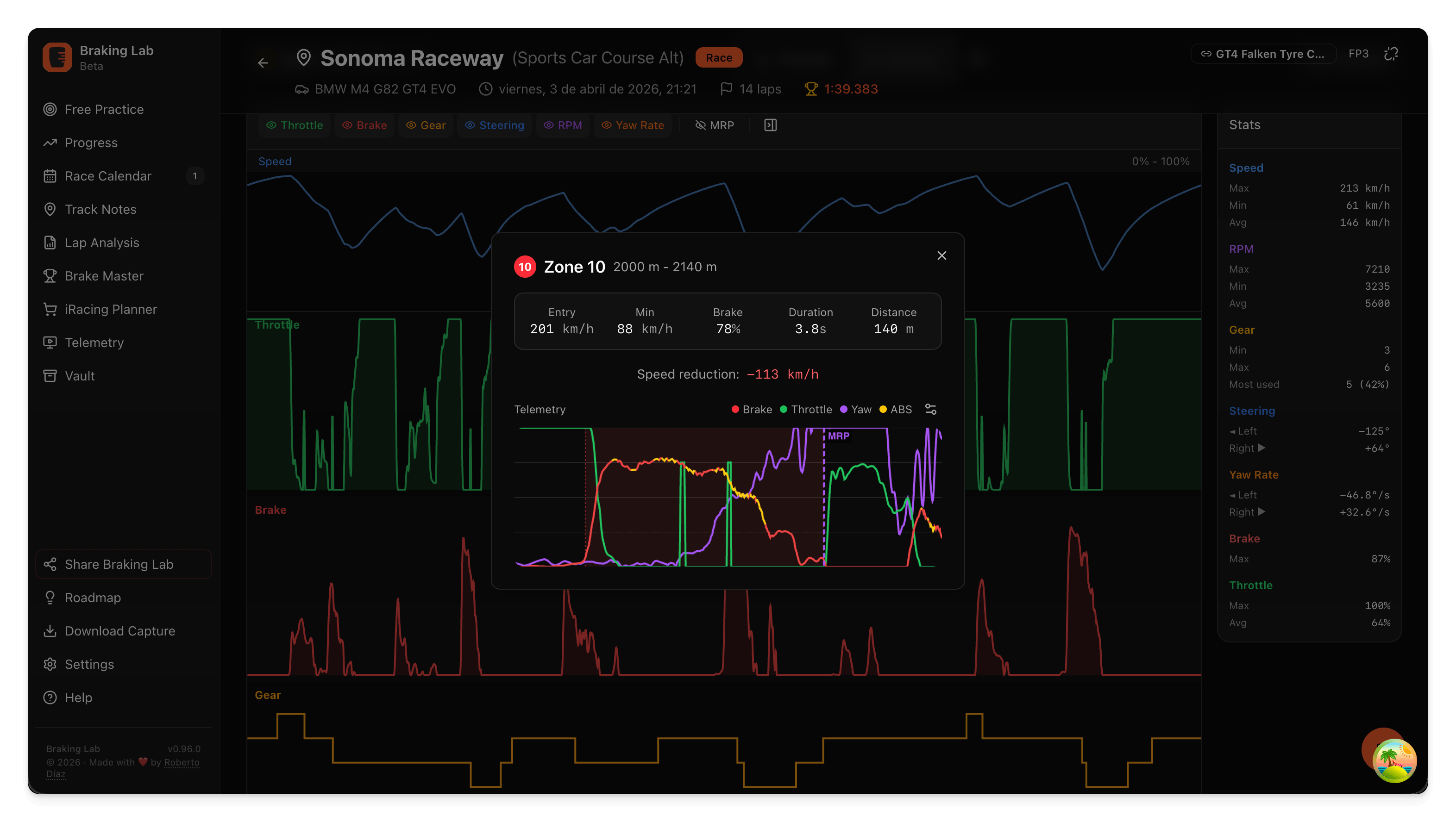
In-depth corner-by-corner analysis
Every braking zone is automatically detected and analyzed. Understand exactly how you brake, turn, and accelerate at every corner.
- Maximum Rotation Point (MRP) — the exact moment you transition from braking to turning
- Trail braking phase: distance and brake pressure through the release
- Per-corner speed delta between your reference lap and the comparison
- Consistency metrics across your entire session
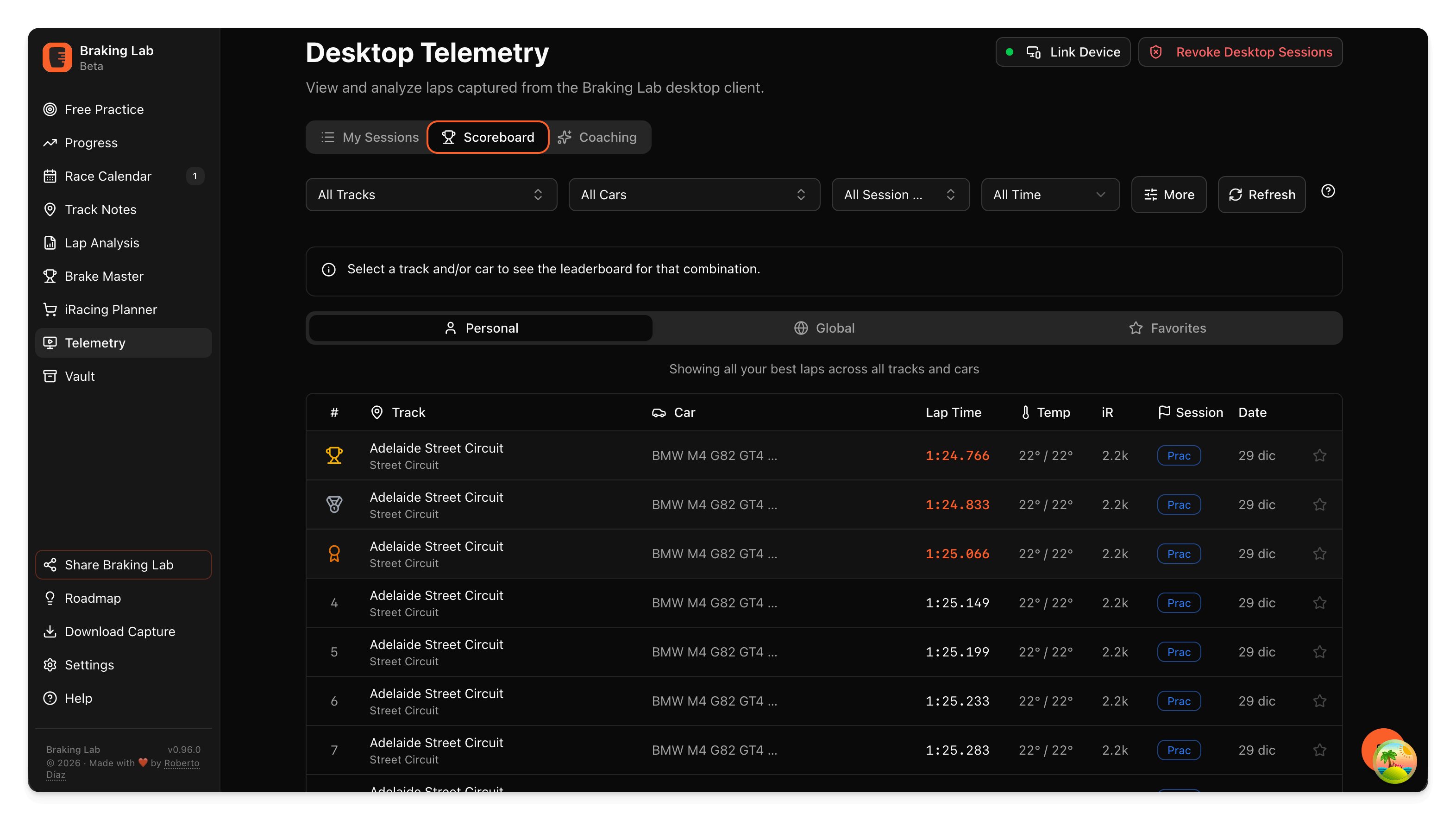
Global Leaderboard
Compare your pace against the community. Measure your progress against other drivers on your track and car combination.
- Best lap per driver for each track and car combination
- Filter by sim, track, car, class, session type, and time period
- Your best laps appear on the public leaderboard by default
- Open any public lap and compare it with your own
Telemetry FAQ
How do I get my telemetry data here?
Install Braking Lab Capture on your Windows PC. It captures your iRacing and Le Mans Ultimate telemetry and syncs it to the cloud, and your sessions appear here within seconds. Capture 1.4 can also analyze a session inside the desktop app. You can also import Garage61 CSV laps into Lap Analysis.
What data channels are available?
Brake, throttle, speed, steering angle, G-forces (lateral and longitudinal), GPS coordinates, gear, RPM, yaw rate, and more — at the sim's own rate: 60 Hz in iRacing, 100 Hz in Le Mans Ultimate.
Can I compare laps from different sessions?
Yes. You can compare any laps at the same track, even from different sessions or different days. Save your comparisons for quick access later.
Is the leaderboard public?
Yes. Your best laps appear on the public leaderboard by default, with your lap time, telemetry, and username.
How long is my telemetry kept?
Telemetry analysis is included with Plus and Ultra. On Plus, each session stays visible for 90 days after upload; older telemetry is archived and hidden. Moving to Ultra restores it and removes the age limit while you subscribe.
Ready to analyze your telemetry?
Download Capture, drive, and see your data here automatically.
Explore other features
- Brake Training Exercises against a target, with live feedback
- Brake Master Brake exercises, licenses and leaderboards
- Setups Setup changes you test on track
- Vault Setups, hardware and lap times in one place
- Teams Exercises, telemetry and notes, shared
- Race Calendar Your races and a plan for each one
- Track Notes Track maps with your corner notes
- Race Engineer AI coaching from your own laps
- Sim Planner iRacing series, stats and what to buy
- Capture The Windows app that records your laps