Race Engineer
Your AI race engineer
An AI coaching assistant that analyzes your telemetry, shows where you lose time, and helps you prepare for races — inside Capture on Windows, or in the AI assistant you already use.
AI Capabilities
Intelligence meets telemetry
Ask questions in natural language, get data-driven answers from your own racing data.
-
Braking Analysis
Identifies where you're braking too early, too hard, or releasing too quickly — with specific corner-by-corner feedback.
-
Coaching Reports
Structured feedback on your driving with overview, pace analysis, corner-by-corner breakdown, and action items.
-
Race Preparation
Strategy planning (Ultra) with fuel calculations, stint plans, and preparation checklists from your practice data.
-
Cross-Session Trends
Track your improvement over time at specific tracks, corners, or across your entire racing career.
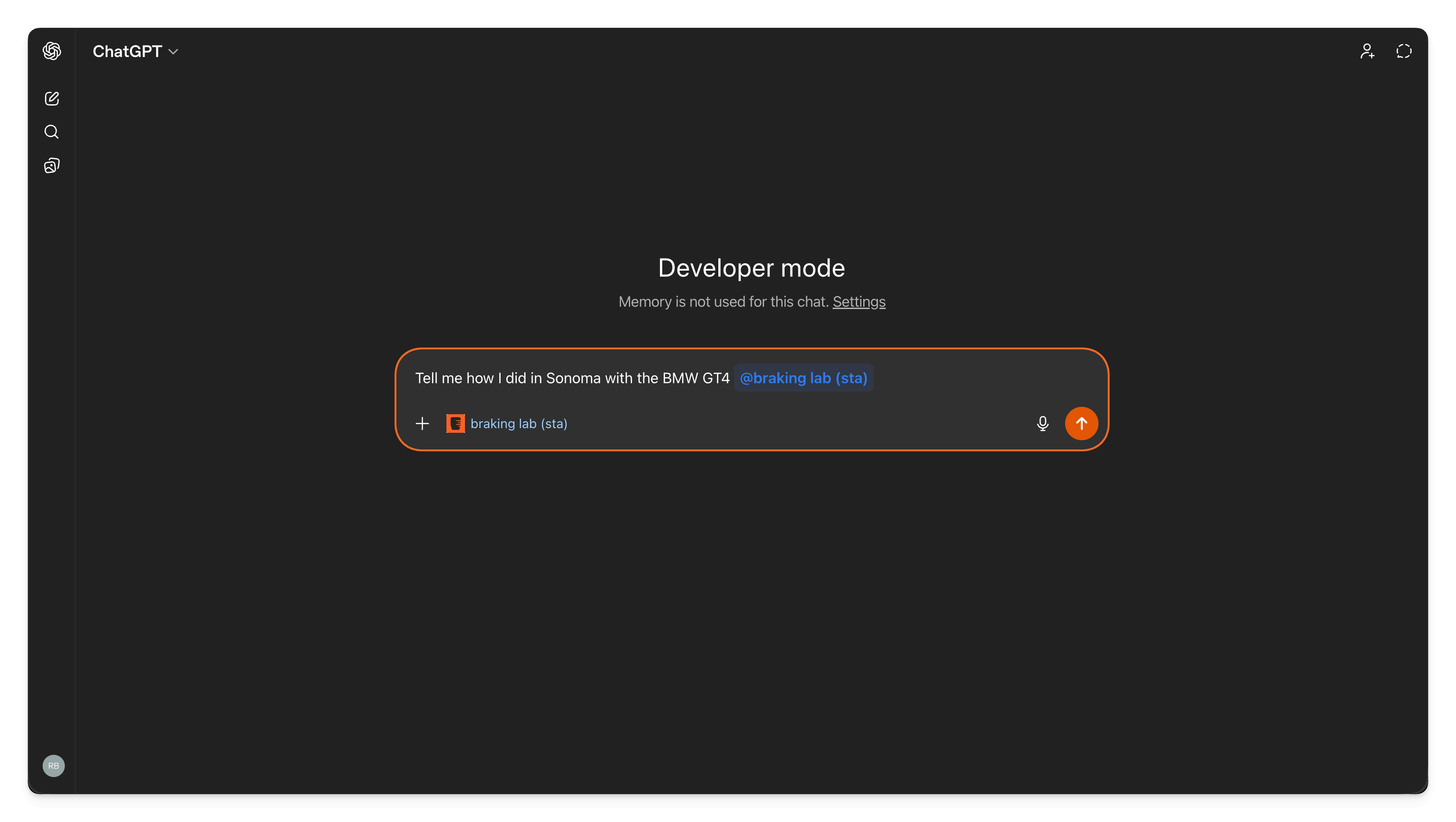
How the Race Engineer Works
Connect your favorite AI assistant to your Braking Lab account and start asking questions about your driving.
- Capture records your telemetry and syncs it to the cloud automatically
- The Race Engineer has access to all your data — sessions, notes, calendar, lap comparisons
- Your AI assistant connects securely to your account through OAuth
- Ask anything in natural language and get data-driven answers instantly
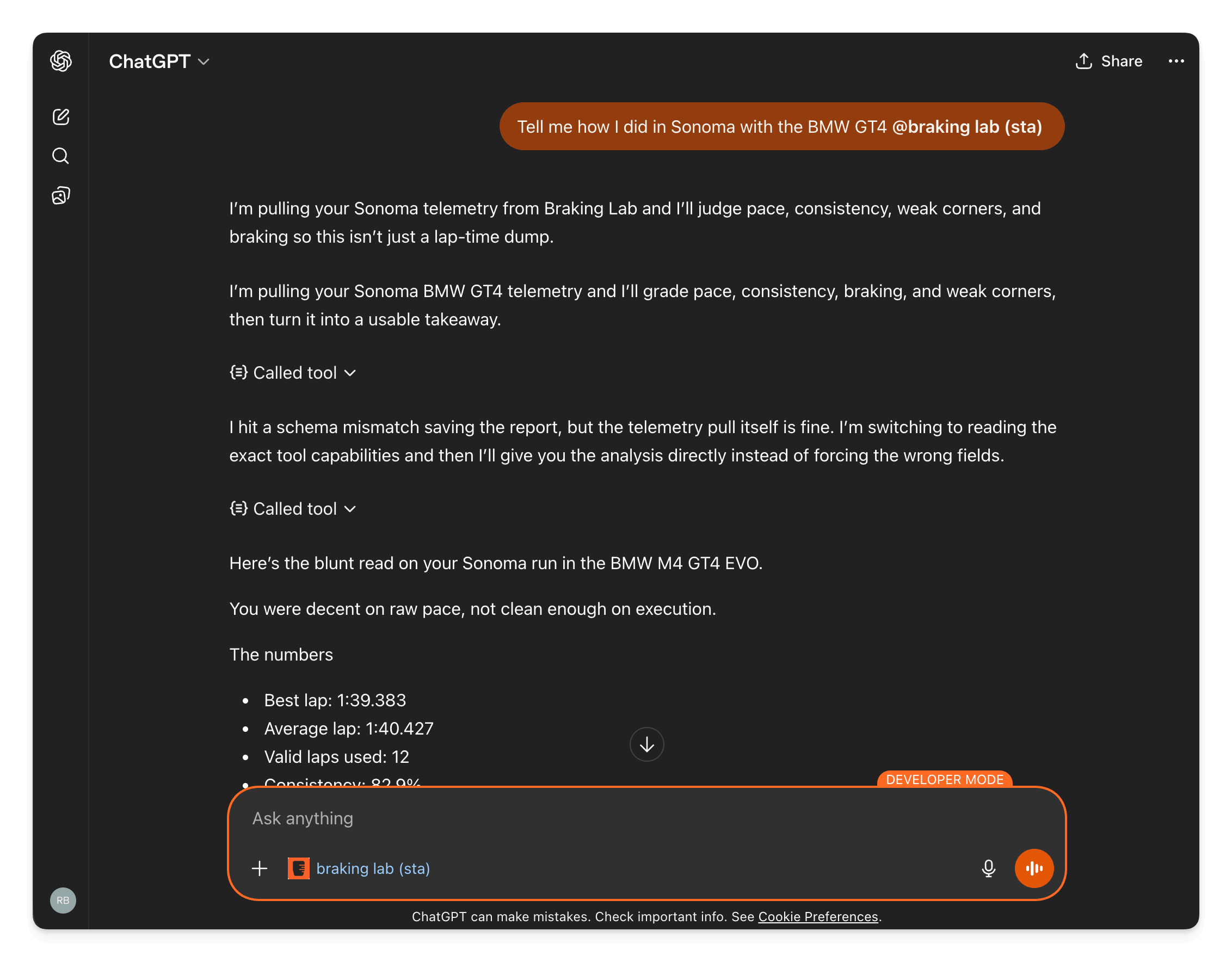
Connect Your AI Assistant
In Capture 1.4.1 or later on Windows, it runs on your own Claude Code, Codex or Gemini CLI, with no setup. It also works with Claude Desktop, ChatGPT, Cursor, Windsurf, and any other AI client that supports MCP connections. See the setup guide.
- Claude Desktop — the client the setup guide recommends
- ChatGPT, through its MCP connectors
- Cursor, Windsurf, and any other MCP-compatible client
- Inside Capture: Claude Code, Codex or Gemini CLI, connected from Settings
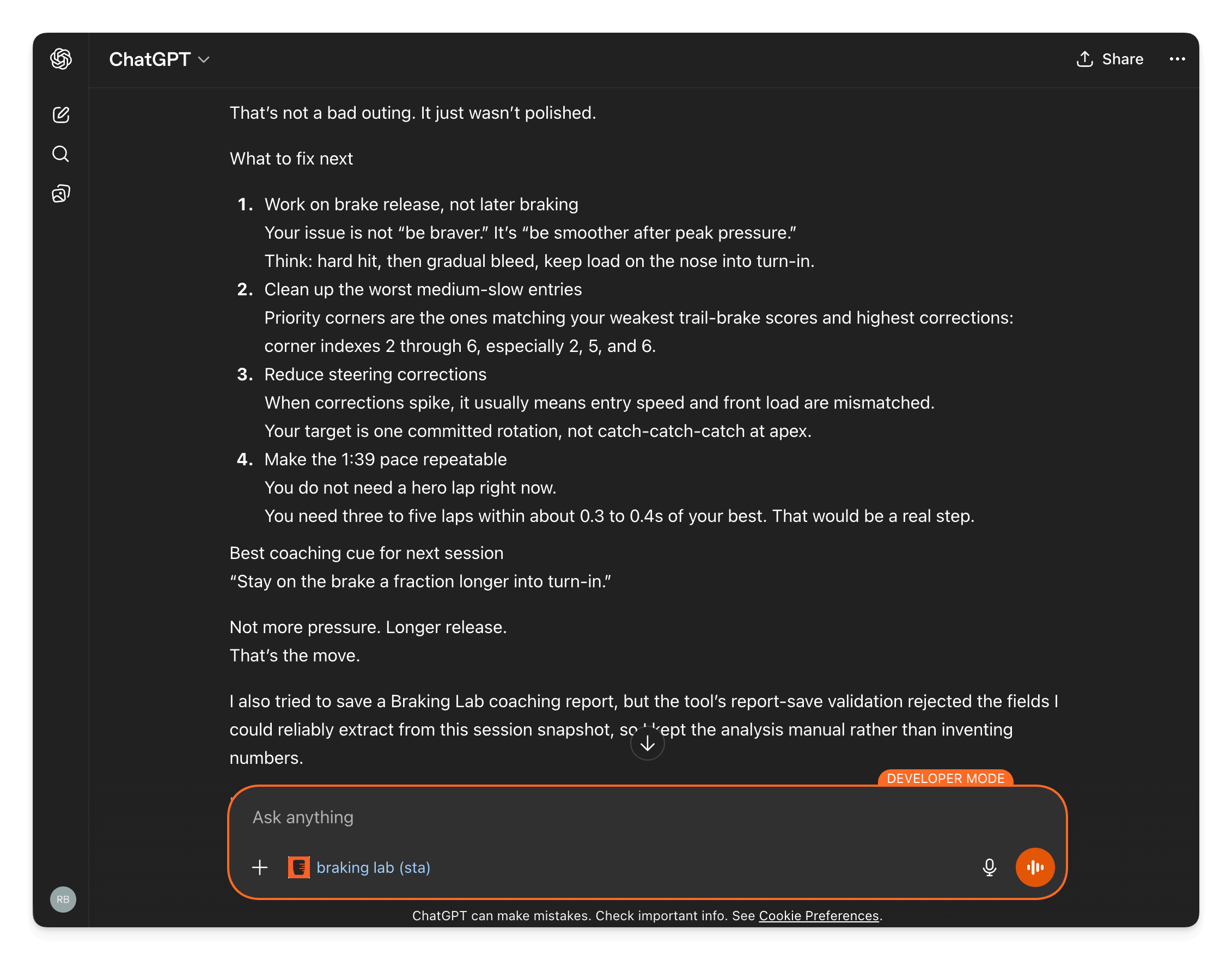
AI Coaching Reports
Get structured coaching feedback based on your actual telemetry data, not generic advice.
- Overview of your session with key metrics and trends
- Pace analysis comparing your laps against your personal best
- Corner-by-corner breakdown identifying your weakest zones
- Up to three action items, ranked by priority
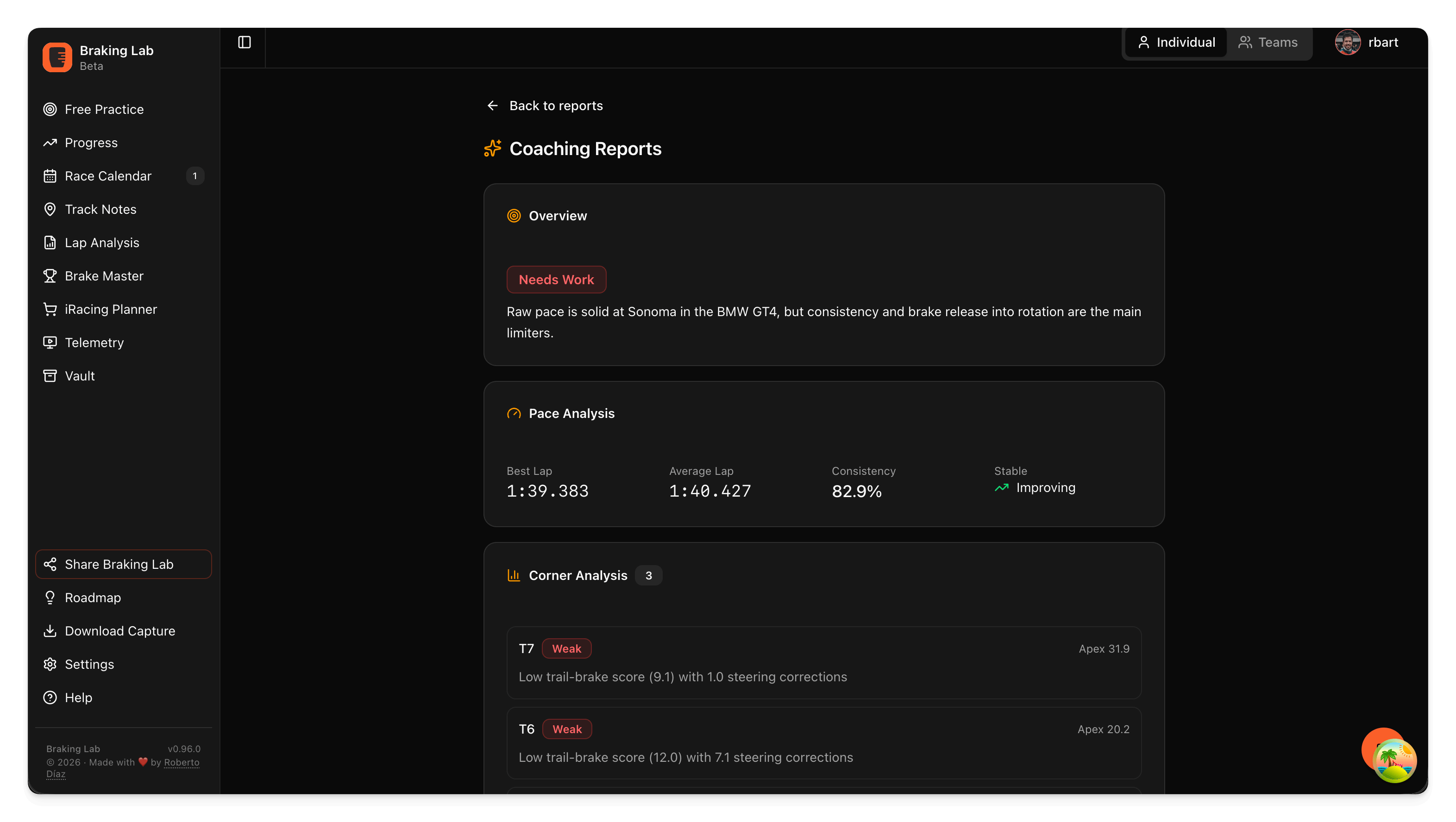
Structured Coaching Reports
The AI generates coaching reports that are saved directly in your Braking Lab account — with overview, pace analysis, and corner-by-corner breakdown.
- Session overview with an overall assessment and key takeaways
- Pace analysis with best lap, average, consistency score, and trend
- Corner analysis highlighting your weakest zones with specific scores
- Reports saved to your account — review them anytime without re-running the AI
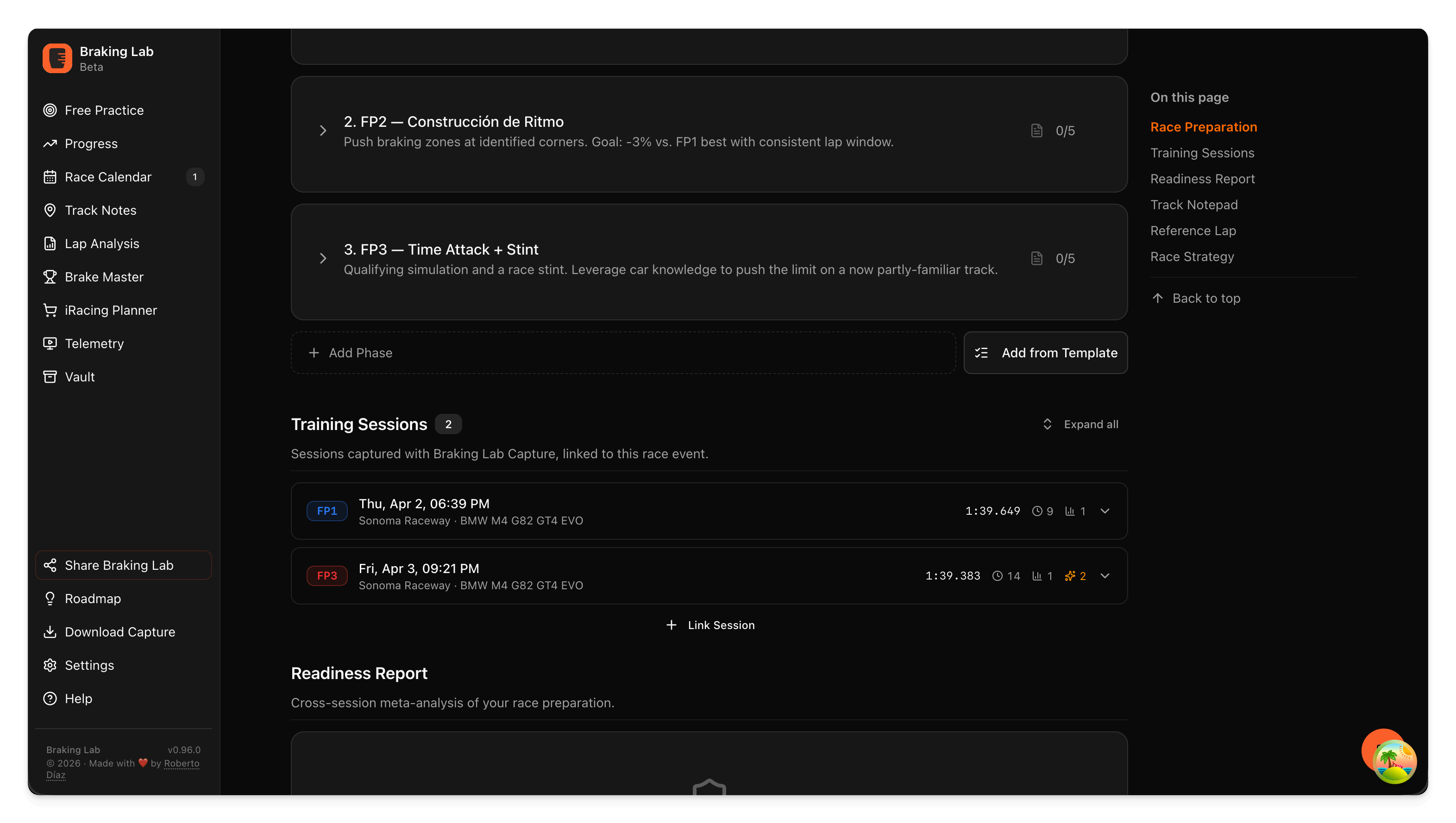
Intelligent Race Preparation
Prepare for your next race with data-driven strategy and insights from your practice sessions.
- Auto-generate race strategy from practice stint data (Ultra)
- Fuel calculations and pit window planning (Ultra)
- Track-specific tips based on your historical performance
- Preparation checklists for each race
Race Engineer FAQ
What AI assistants does it work with?
Inside Capture 1.4.1 or later on Windows, it runs on your own Claude Code, Codex or Gemini CLI. Outside Capture, it works with Claude Desktop, Cursor, Windsurf, ChatGPT, and other clients that support MCP over Streamable HTTP with OAuth. The AI model is always yours, not Braking Lab's.
Is my data private?
The Race Engineer only reads data your own account can access, and your conversations are not shown to other users. Note that your best laps appear on the public leaderboard by default.
Do I need to pay for the AI?
Connecting the Race Engineer is included with every Braking Lab account, and what it can do follows your plan. Basic covers race planning and reads of your existing data. Plus adds sample-level lap analysis, comparisons, and 25 AI reports every 30 days. Ultra includes unlimited AI reports, and Ultra adds race strategy. The AI model itself is paid through your own AI plan: in Capture, your Claude Code, Codex or Gemini CLI plan; elsewhere, your chosen client — for example, Claude Desktop has its own subscription.
Does it work without Capture?
Partially. You can use the race calendar, preparation tools, and track notes without telemetry. But braking analysis, coaching reports, and lap comparison require telemetry data from Capture.
How do I connect it?
In Capture, open Settings → Race Engineer, connect your AI and then Braking Lab. In another AI client, go to Settings in the Braking Lab web app, copy the server URL, and paste it into your AI client's settings. Authentication happens automatically when your AI connects — the whole setup takes under 2 minutes.
Ready for your AI race engineer?
Connect your favorite AI assistant and start getting data-driven coaching.
Explore other features
- Brake Training Exercises against a target, with live feedback
- Brake Master Brake exercises, licenses and leaderboards
- Setups Setup changes you test on track
- Vault Setups, hardware and lap times in one place
- Teams Exercises, telemetry and notes, shared
- Race Calendar Your races and a plan for each one
- Track Notes Track maps with your corner notes
- Telemetry Braking zones and lap comparison
- Sim Planner iRacing series, stats and what to buy
- Capture The Windows app that records your laps