Driver Profile: the driver you are, and the one you can become
Driver Profile scores six attributes of your driving from your own Capture sessions. See your strong point, where to improve, and how each score moves.
Another race, another P14. Was it the start, or the braking into turn one? You have a feeling. You don’t have an answer.
Driver Profile, now in beta, gives you one. It reads every iRacing and Le Mans Ultimate session that Capture records, each in its own context: your class, your rivals, practice, qualifying or race. From them it scores six attributes of how you drive. Then it names the one you are best at, and the one with the most room to grow. You don’t drive a test lap or a special session. You race as usual, and the profile builds itself.
The reference is your own level, not an alien’s lap. The profile shows the driver you are today, and the one you can become.
01 · Six attributes, one scale
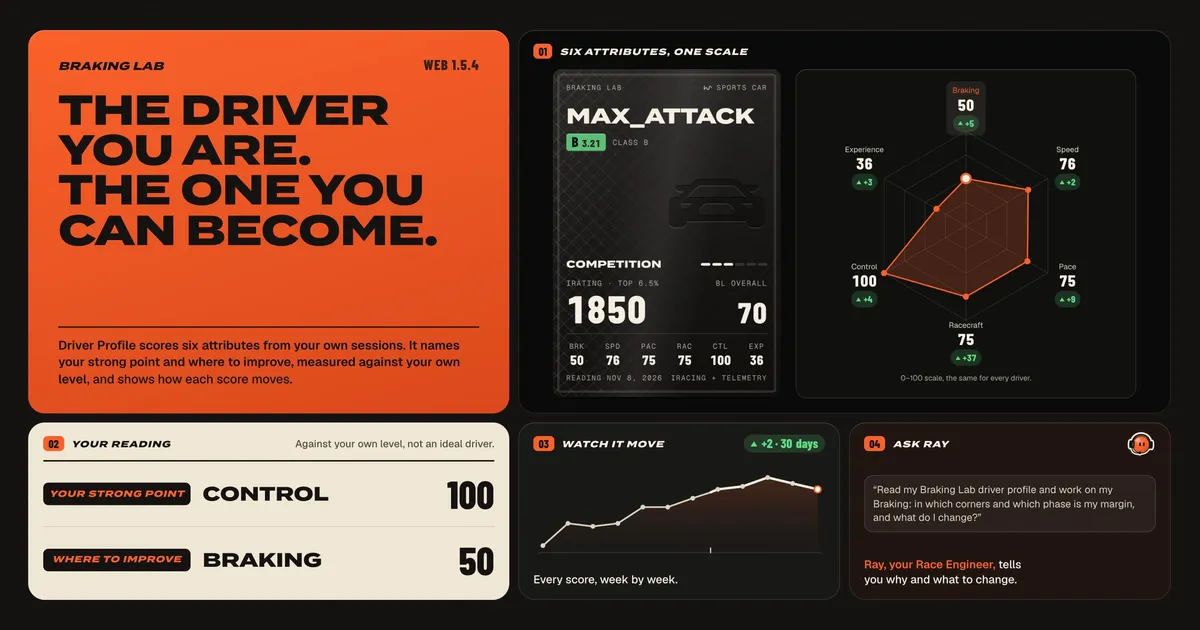
Your card has six attributes and an Overall, each from 0 to 100.
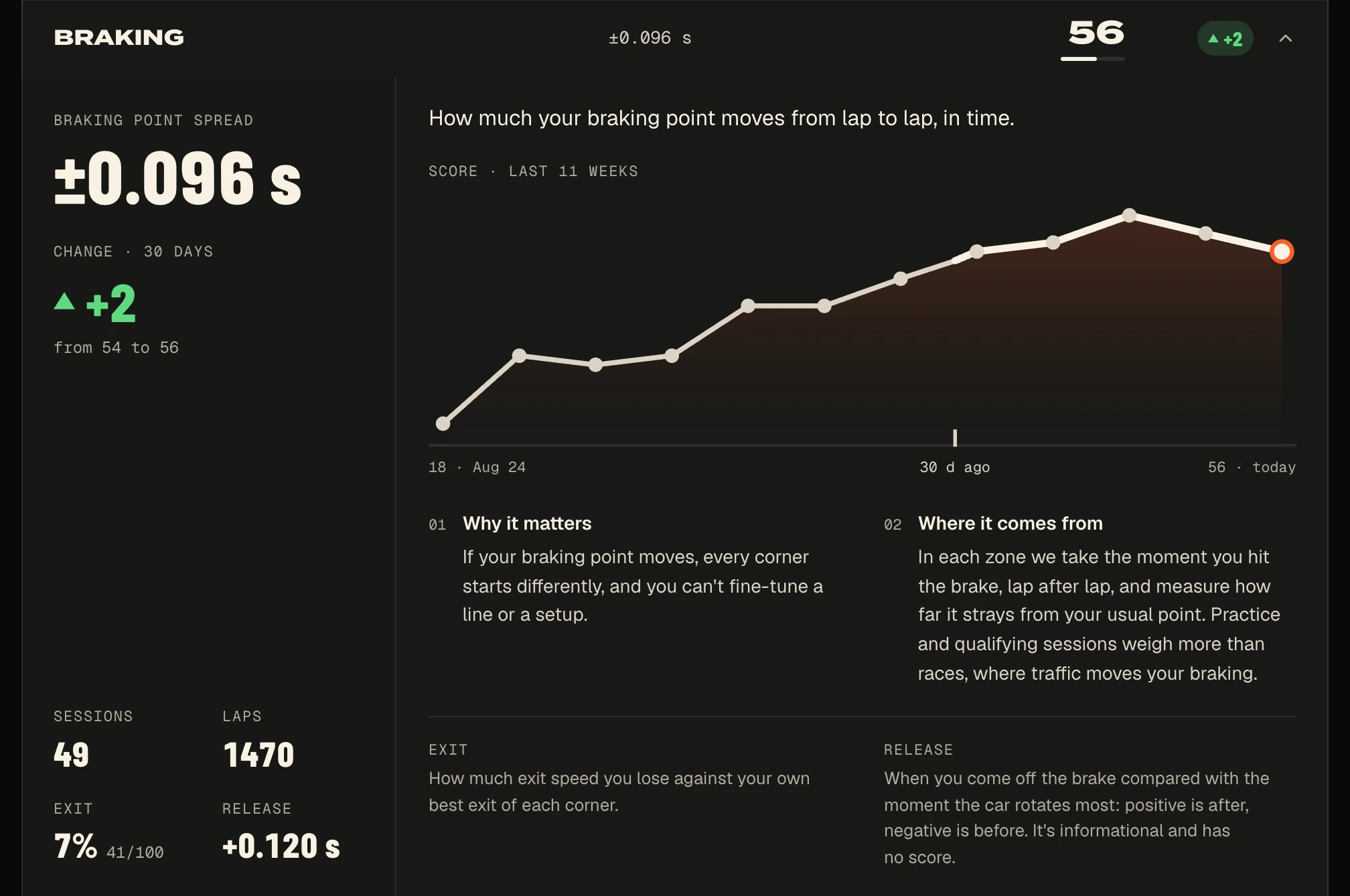
- Braking. How much your braking point moves from one lap to the next.
- Speed. Where you usually qualify within your class.
- Pace. How much your lap times vary. It reads how repeatable you are, not how fast.
- Racecraft. Incidents per 10 race laps and, when Capture records the places, the places you gain or lose.
- Control. The share of your qualifying and race laps that are clean.
- Experience. The races against people you have run.
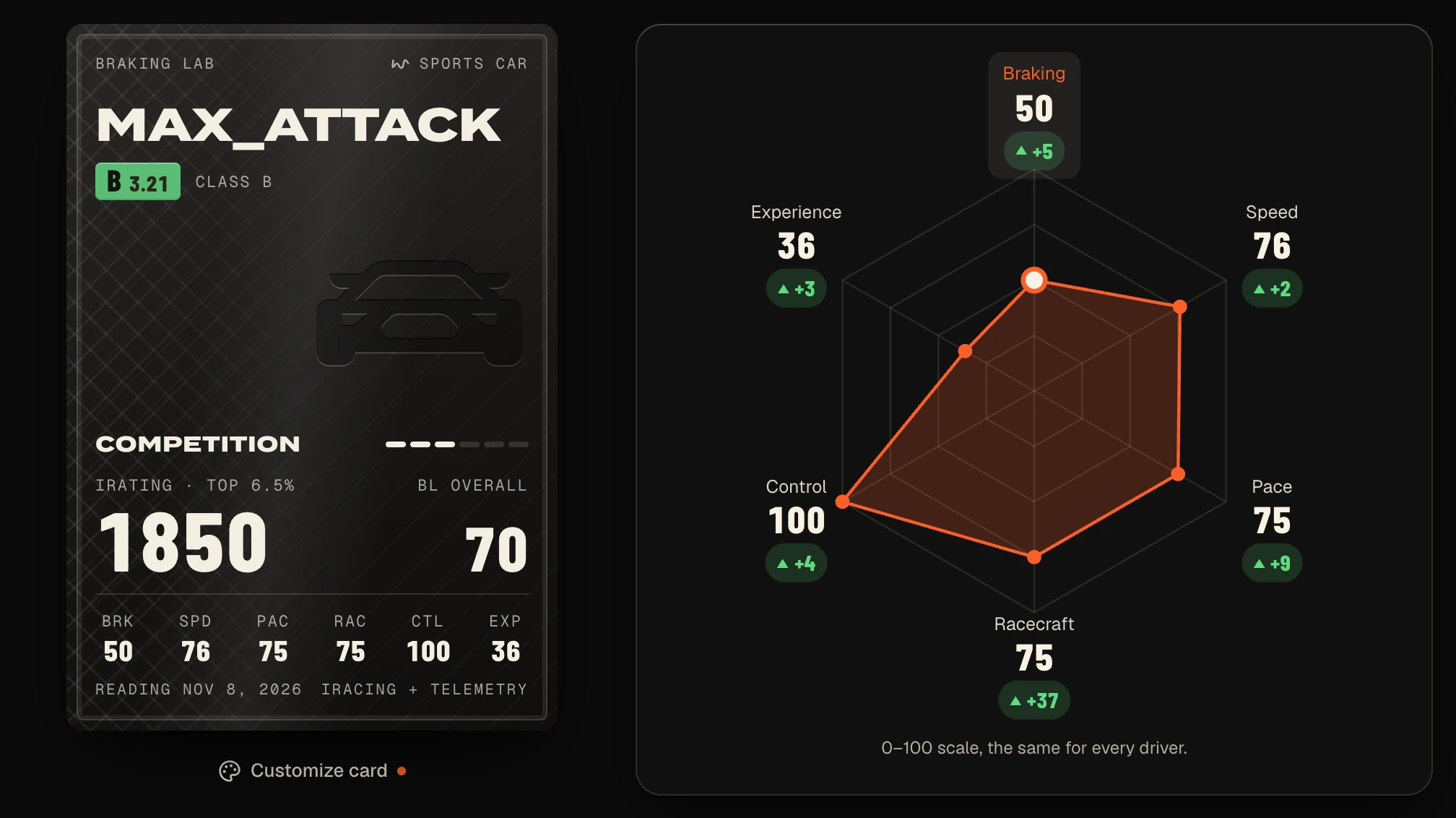
The scale is the same for every driver and every car. An 80 in Braking is an 80 in a GT3 and in a Formula car. A score is the median of your sessions, weighted by age, so one odd session can’t move it. An attribute without enough data shows the reason instead of a number. It never shows as a zero, and it doesn’t pull your Overall down.
02 · Your strong point, and where to improve
Under the card, the profile names two attributes. Your strong point is your highest score. Where to improve is the attribute furthest below your own level, not below some ideal driver.
In the example above, the strong point is Control at 100. Experience sits lowest, at 36, but it is never your “Where to improve”, because you can’t train it. You can only race more. So the profile names Braking, at 50, twenty points under an Overall of 70.
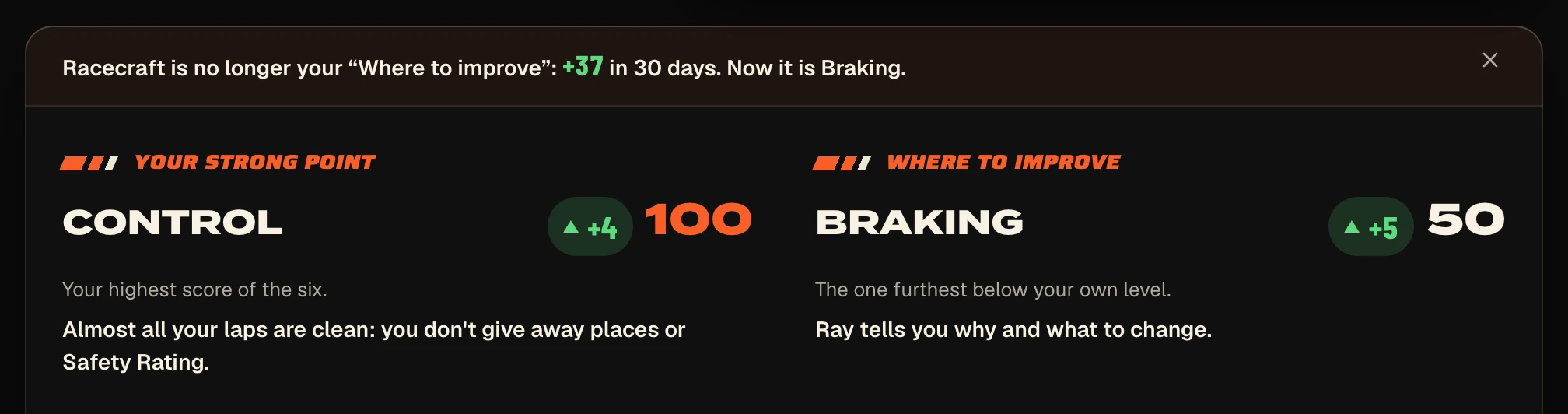
The profile states facts and stops there. It gives no advice, and it promises no lap time.
03 · Watch it move
Each score shows how much it moved in the last 30 days, and a weekly chart follows it for up to 12 weeks. A new session joins your profile about 10 minutes after its last lap arrives.
When you raise the attribute you were working on, the profile says so and names the next one: “Racecraft is no longer your ‘Where to improve’: +37 in 30 days. Now it is Braking.”
04 · Ask Ray why
The profile tells you where your margin is. Ray, your Race Engineer, tells you why and what to change. Ray reads the same profile you see, with the same rules, and then goes to your sessions to find the corners behind the number. Your profile page has questions ready to copy, like this one:
Read my Braking Lab driver profile and work on my Braking: in which corners and which phase is my margin, and what do I change?
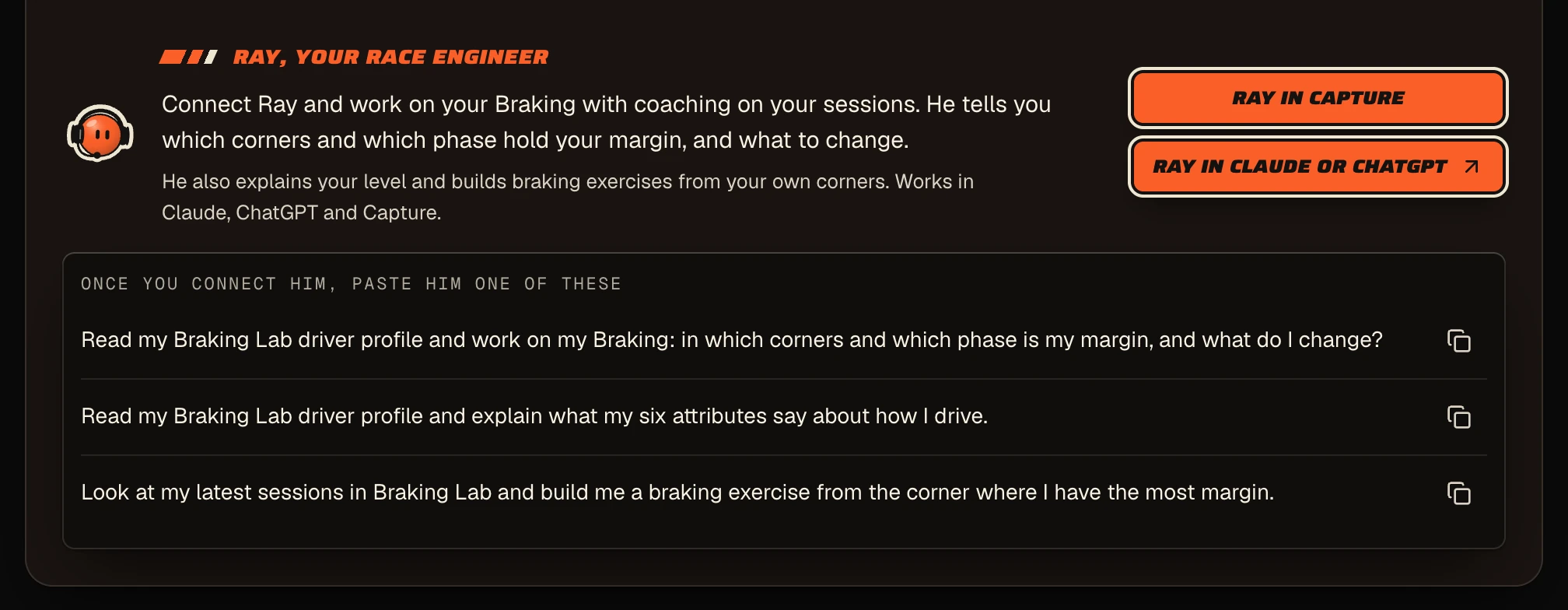
Ray can also turn one braking zone of your own lap into a trail-braking exercise with your own brake curve. You practice it with your pedals in Free Practice → Custom Exercises.
05 · Every session in its context
Each attribute reads only the sessions that say something about it.
- Braking and Pace read practice, qualifying and races. A race weighs less, because traffic moves your braking. Only laps within 107% of the session’s best count, so traffic laps and mistakes stay out.
- Control reads qualifying and races. Going off in practice is part of finding the limit, so practice doesn’t count against you.
- Racecraft, Speed and Experience read races against people. A race against the AI never counts for them.
You don’t connect your iRacing account. Your iRating and your license come from the sessions Capture already records.
06 · One card for each license
Your profile has a license card for each iRacing category you race (Oval, Sports Car, Formula Car, Dirt Oval and Dirt Road) with your class, Safety Rating and iRating. Le Mans Ultimate gets its own card from the Safety Rank and Driver Rank you type in. Your sessions unlock finishes for the card, from Rookie to Legend, and Customize card changes its look. The look never changes a score.
Get started
Driver Profile is included in Plus, Ultra and a team seat. Install Capture, open Driver Profile in the app and press Create my profile. With up to 30 sessions, it is ready in a few minutes. With more, it shows up in a few minutes with your most recent sessions, and the rest sharpen it later.
The docs have the rest: Driver Profile, the six attributes and Ray and your profile.