Race preparation, overlays and 3D replay: what's new in Braking Lab and Capture
Race preparation sets a target for every practice session, and Capture measures it as you drive. Plus overlays for iRacing and LMU, and a 3D lap replay.
You have a race on Monday at 20:30. Three evenings to get ready, one car, one circuit. Where do you start?
A pro team never drives a practice session without a plan. Race preparation now gives you one: a target for every practice session, and Capture measures it as you drive. Clean laps in FP1, a steady pace in FP2, a faster lap in FP3. Each session has something to chase, and you get to the race with a pace you already know.
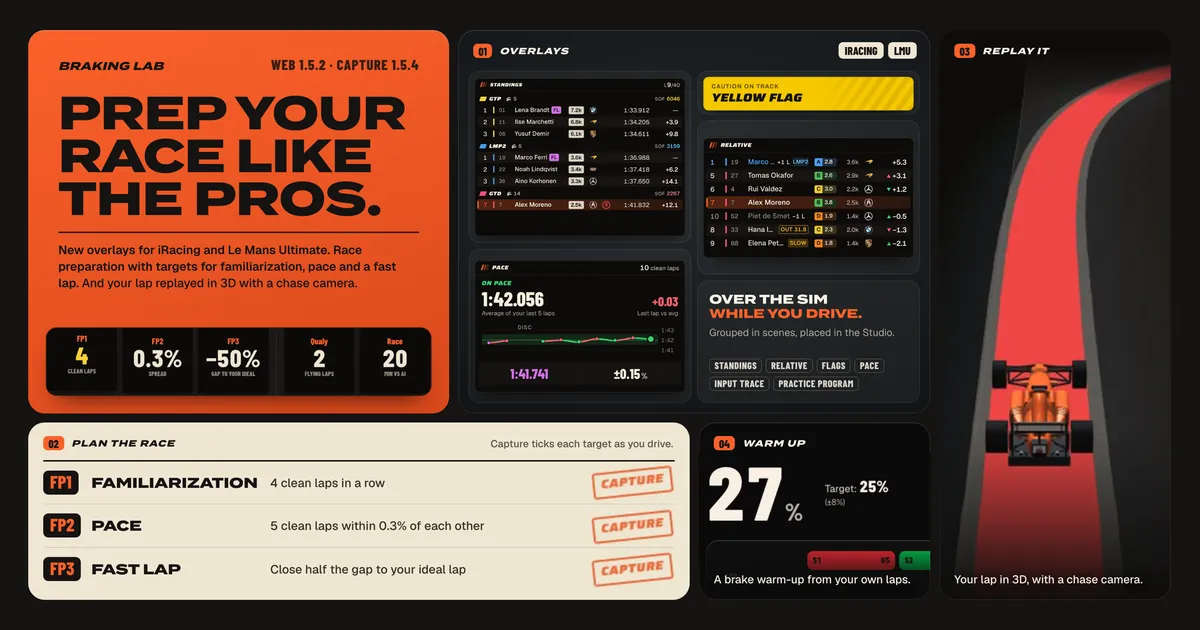
This is a big release, in what it changes and in how much it brings. Race preparation leads it, and four more features come with it: overlays for iRacing and Le Mans Ultimate in Capture 1.5.4, your lap played back in 3D with a chase camera behind the car, a brake warm-up built from your own laps before the qualy, and Ray, your Race Engineer, working on the same plan. The race preparation pictures come from one week at Circuit Zolder in the BMW M4 G82 GT4 Evo, with real laps and real lap times.
01 · Overlays
Capture 1.5.4 adds overlays for iRacing and Le Mans Ultimate. Standings, relative, flags, pace, an input trace with your pedals and the practice program sit over the sim while you drive, a race’s pit stop included. In the garage they stay out of the way. Stopped in the box in practice or qualifying, only the practice program stays. Overlays can’t draw over exclusive fullscreen, so run the sim in a borderless window.
You group the widgets in scenes, one for each session type, and turn them on with Overlays in sim. In the Studio you place and size each widget on a preview or over the sim itself, snap it to a grid, and pick a theme, a typeface and a text size. In the game, Ctrl+Shift+O starts placing the widgets over the sim, and a second press saves them. Ray can suggest a scene, and nothing changes until you accept it.
02 · Plan the race
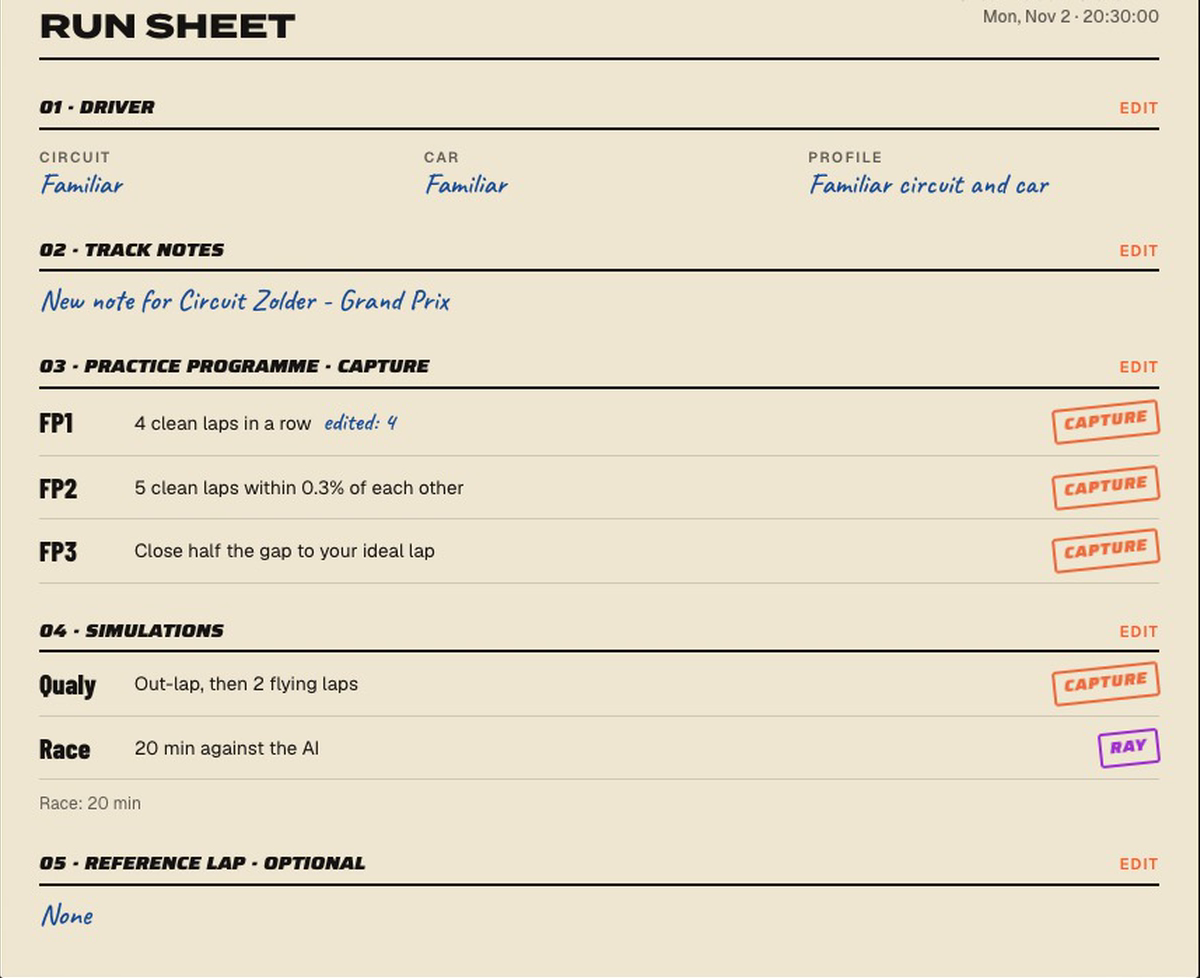
Race preparation now takes three steps instead of six. You say how well you know the circuit and the car, and the plan sets one target per session. For a familiar combo at Zolder it asked for:
- FP1, familiarization: four clean laps in a row.
- FP2, pace: five clean laps within 0.3% of each other.
- FP3, fast lap: close half the gap between your best lap and your ideal lap.
- Qualy: an out-lap, then two flying laps.
- Race: 20 minutes against the AI.
Activate a practice phase from the race card in Capture, from the garage if you like, and drive. Capture measures each stint of that phase, and the practice program widget shows the stint and its verdict in the game. The results upload with the session, and the race card marks the phase done: “1 of 4 practices · FP2 next”. The qualy rehearsal works the same way, driven in a practice session. Nobody ticks a box by hand. After your race against the AI, ask Ray to analyze it, and Ray ticks the race phase if every criterion passes. Ray analyzes iRacing races only for now, so you tick a Le Mans Ultimate race yourself.
The race length is a target too. It comes from the series schedule or from the length you gave the race. A long endurance race proposes a one-hour stint instead of the full distance. You can change any target before you create the plan, and edit it later. What Capture already measured keeps counting, and the plan judges it again against the new targets.
The race page also lists the weekend’s sessions by slot, from FP1 to FP10, plus Qualy and free practice. Linking a session puts it in its slot. It never ticks a phase.
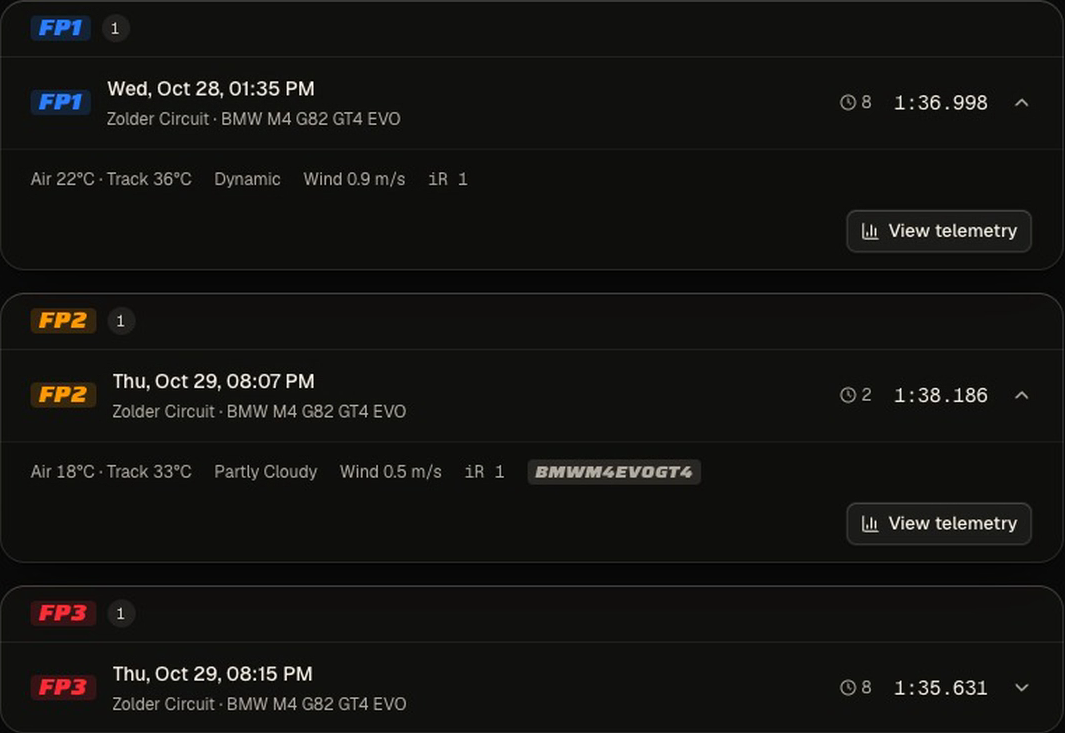
Start with Start Prep on any race in the web app, or ask the Race Engineer: “Help me prepare for my race at Zolder on Monday.”
03 · Replay it in 3D
In a session’s analysis, in the web app or in Capture, a 3D car drives your lap on the track map at any speed from 0.25× to 4×. The chase camera flies in behind the car. Right-drag to orbit it, and double-click to go back behind it.
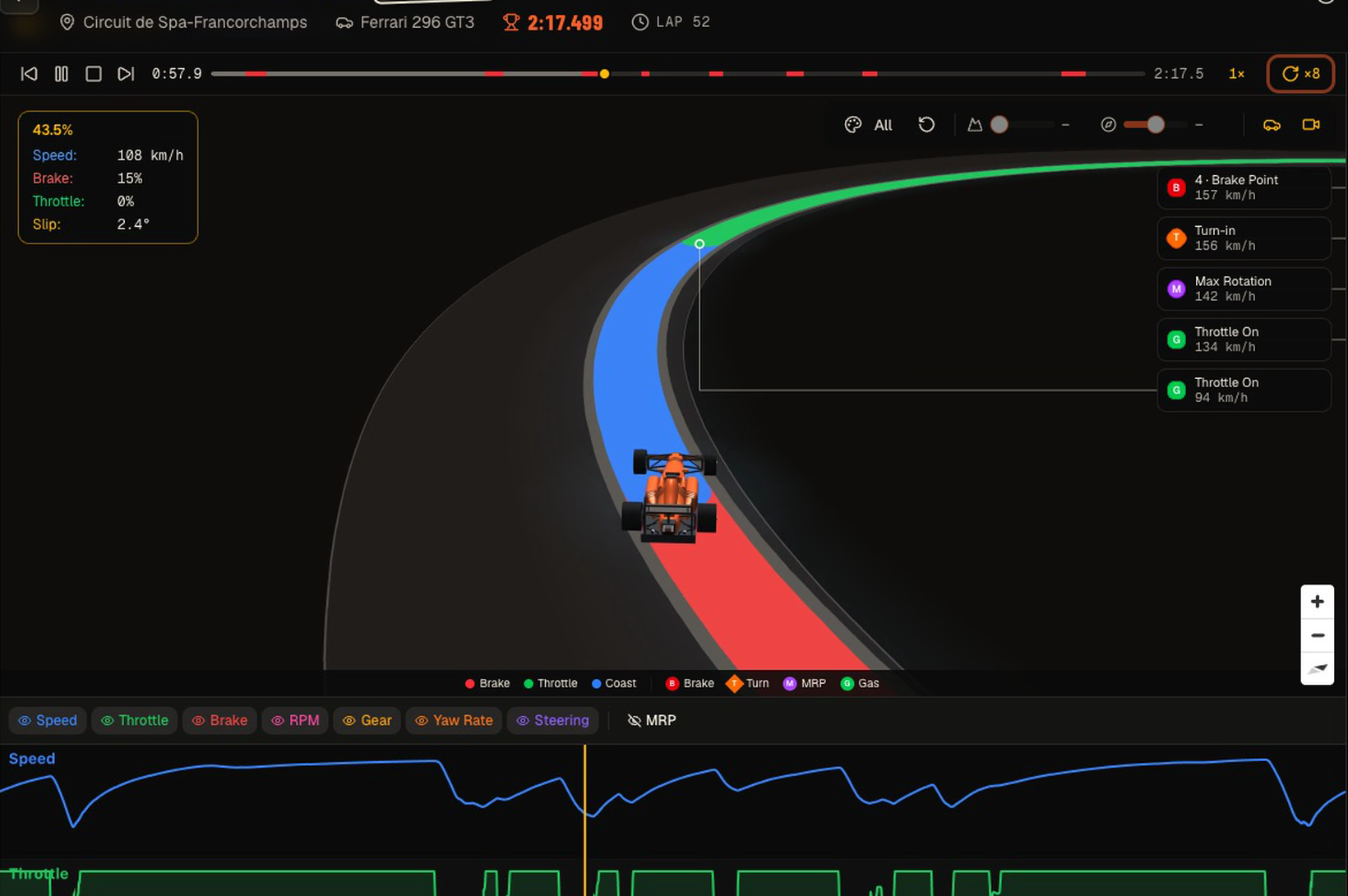
When the lap records the car’s slip, the rotation button exaggerates it ×2, ×4 or ×8, so you see how the car rotates through each corner. The readout keeps the real angle. Below, a lap of Spa at ×8: 2.4° of real slip, plain to see on the car.
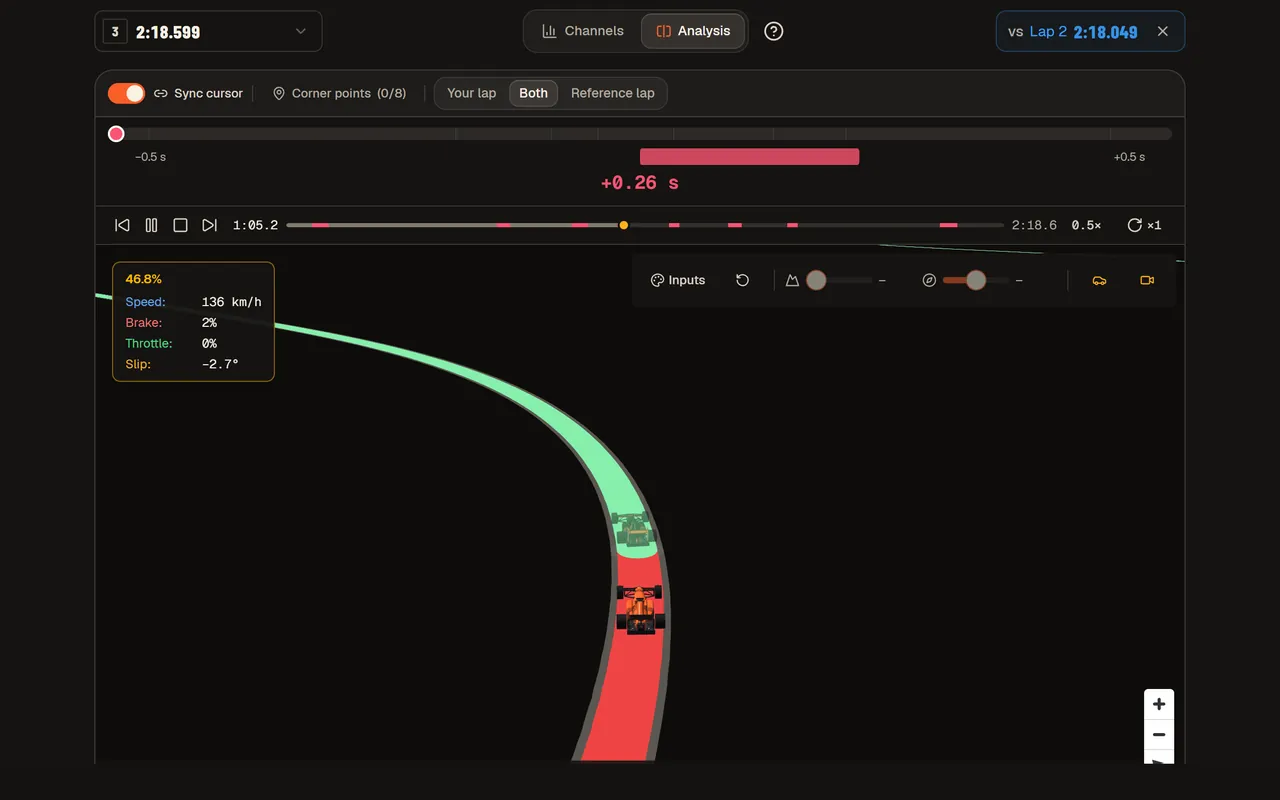
Compare two laps and the second one becomes a see-through ghost car. It pulls ahead wherever that lap was faster, and the delta bar shows by how much.
04 · Warm up before the qualy
Before the qualy, the race page shows a Warm-up · before qualy card. Ray builds it from your own clean laps of this car and track: one exercise for each kind of braking on the circuit, then the full lap with every brake in order. At Zolder that came to five steps and about a minute, from a medium brake at 55% to a full lap of seven brakes.
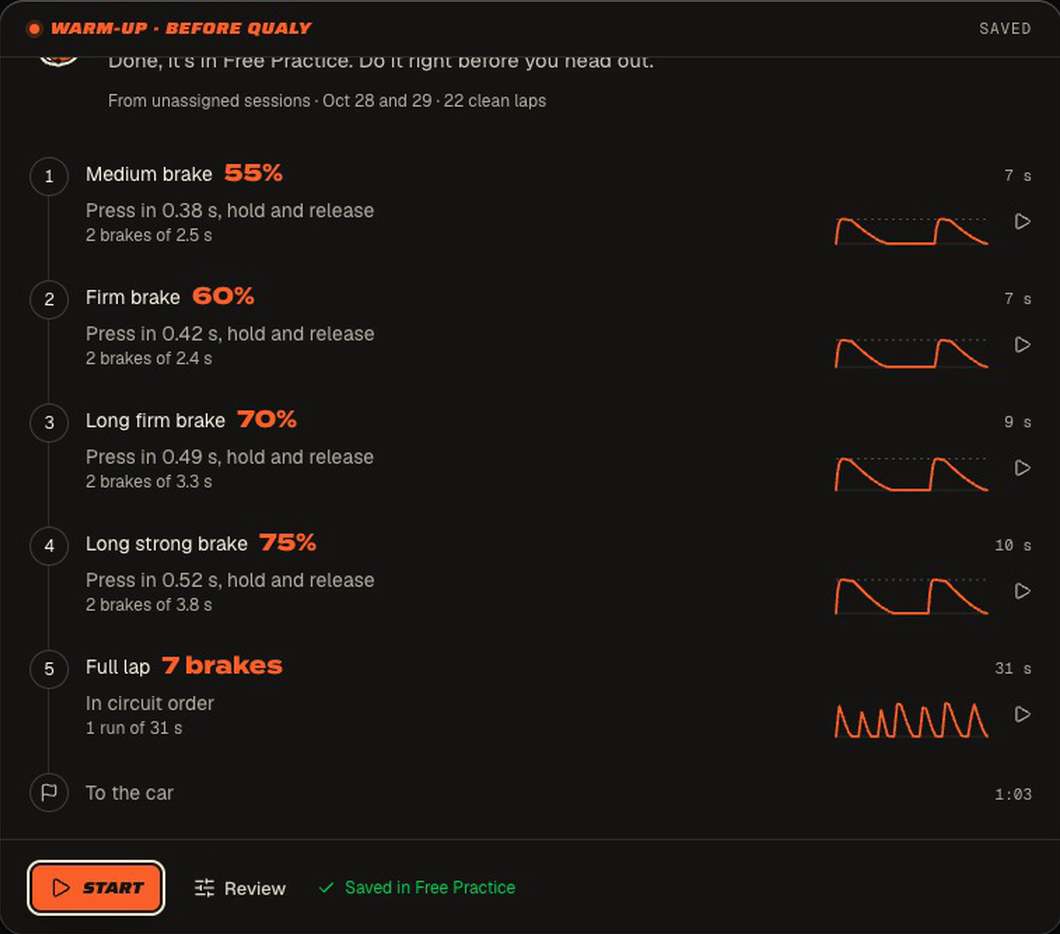
Build my warm-up saves it to Free Practice → Warm-ups, so you can run it again before the race. You follow the trace with your own pedals, and the app scores each sector of the run.
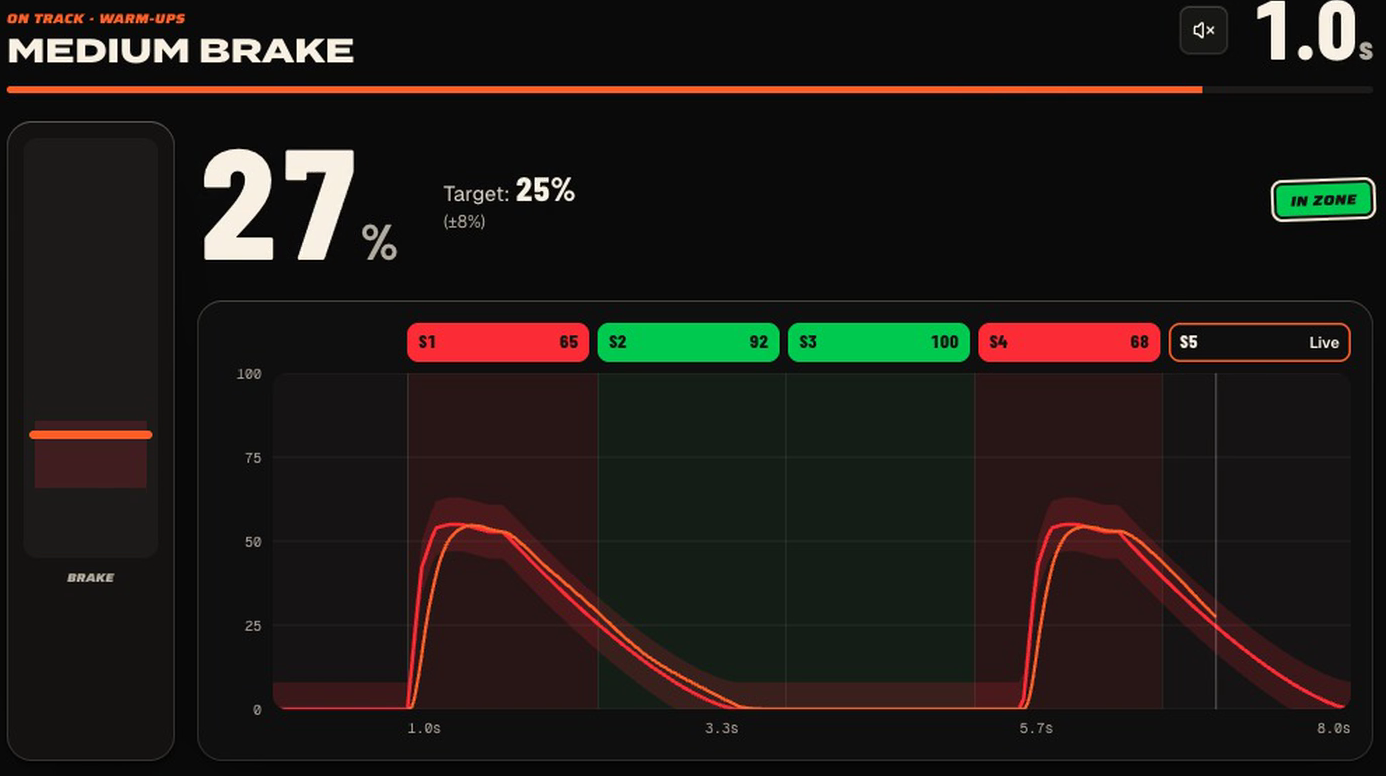
The warm-up needs Capture (Plus, Ultra or a team seat) and at least 3 clean laps of the combo.
05 · Ask Ray
Ray works on the same plan. Ask it to change a target or drop a phase: “make FP1 eight clean laps”, “skip the qualy rehearsal”, “the race is 45 minutes now”. When a change touches your familiarity or the race length, Ray asks you in a form, and your answer is what it saves.
Ray also builds the warm-up. At Zolder it opened with this:
Before qualifying, warm up with the kinds of braking you meet at Zolder. It’s to get the feel of the brake, not to copy every braking zone. Here are 5 exercises: from the softest brake to the full lap.
It shows you the pack first and saves it only after you agree.
The docs have the rest: Race Preparation and The Brake Warm-up.