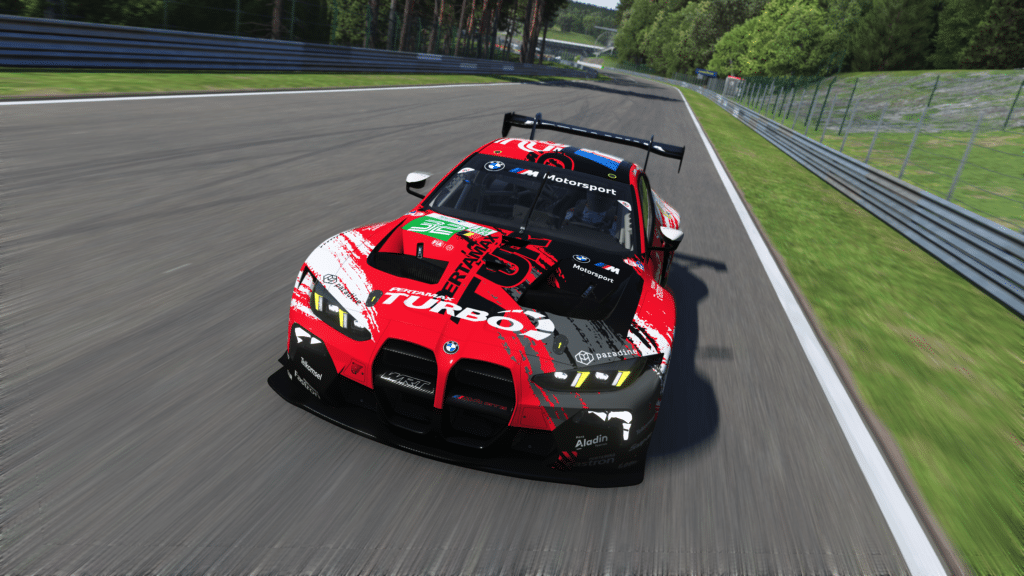
BMW M4 LMGT3 Evo
LMGT3 · 2025
Quick reference
- Class
- LMGT3
- Year
- 2025
The BMW M4 GT3 family follows the Z4, M6 and M8 in BMW's modern GT-racing lineage.
Vehicle background
The official base-model page describes homologation in 2022 and WRT's WEC programme, including its one-two result at Imola. It supplies family background and imagery, not an Evo-specific technical specification sheet.
Evo introduction in version 1.0
The version 1.0 release notes introduced the 2025 BMW M4 Evo as a visual variant without a physics difference at that release. This is a dated implementation statement, not a guarantee that later updates or real-world Evo specifications remain identical.
Official sources
Stop Guessing, Start Improving
Many drivers slam the brakes with all their strength, but the fastest modulate pressure, use the brake to rotate the car, and exit as fast as possible. Train that skill here.
Train Anywhere, Anytime
Browser-based training works with any racing pedals or controllers. Fanatec, Thrustmaster, Logitech, Simucube — no installation required.
Pro-Designed Exercises
Access exercises created by professional sim racers like Suellio Almeida. Learn the exact braking patterns used by the fastest drivers.
Import BMW M4 LMGT3 Evo Telemetry
Drop your Garage61 lap CSV and extract braking data for every corner. Generate personalized practice exercises based on YOUR telemetry, not generic patterns.
Track Your Progress
View session history, performance trends, and best scores. Watch yourself improve over time and stay motivated to practice.
And There's Much More
Improve your braking technique with this car and much more:
Create Custom Exercises
Build from templates, draw brake curves, or record with your pedal
Schedule Your Training
Plan practice sessions and track your consistency across weeks
Brake Master Ratings
Earn rankings and compete on leaderboards as you improve
Exercises & Progress Tracking
Practice exercises and track your progress completely free.
No install needed • Works in browser
General practice tips
Tip 1
Starting point
Start with the official setup and consult the simulator documentation for available controls. Appropriate brake bias depends on the car and conditions.
Tip 2
One variable
Change one setting at a time and compare several laps. Record the change and observed behavior before keeping it.
Tip 3
Comparable conditions
Compare similar fuel loads, tires and track conditions. One lap alone does not establish that a setting is better.
Frequently asked questions
General guidance for practicing and consulting car-specific sources.